







Question: I want the code in VBA in Excel PROGRAM SUBROUTINES (EXERCISES modified FROM Albright, Ch. 6 and 7) 1. CODE 1 1) Name a sheet
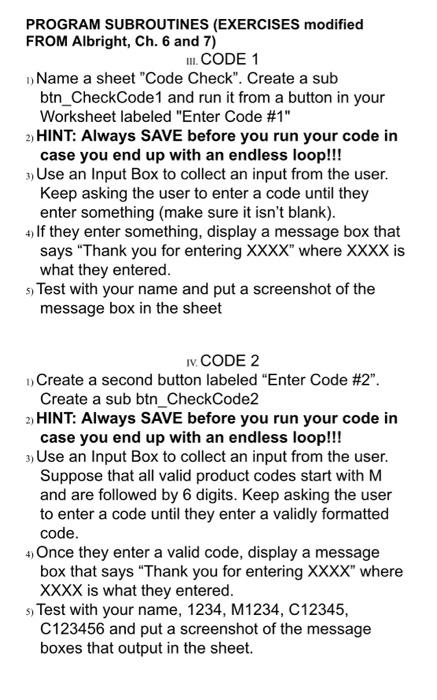
PROGRAM SUBROUTINES (EXERCISES modified FROM Albright, Ch. 6 and 7) 1. CODE 1 1) Name a sheet "Code Check". Create a sub btn_CheckCode1 and run it from a button in your Worksheet labeled "Enter Code #1" 2) HINT: Always SAVE before you run your code in case you end up with an endless loop!!! 3) Use an Input Box to collect an input from the user. Keep asking the user to enter a code until they enter something (make sure it isn't blank). 4) If they enter something, display a message box that says "Thank you for entering XXXX where XXXX is what they entered. s) Test with your name and put a screenshot of the message box in the sheet IV. CODE 2 Create a second button labeled "Enter Code #2". Create a sub btn_CheckCode2 2) HINT: Always SAVE before you run your code in case you end up with an endless loop!!! 3) Use an Input Box to collect an input from the user. Suppose that all valid product codes start with M and are followed by 6 digits. Keep asking the user to enter a code until they enter a validly formatted code. 4) Once they enter a valid code, display a message box that says "Thank you for entering XXXX" where XXXX is what they entered. s) Test with your name, 1234, M1234, C12345, C123456 and put a screenshot of the message boxes that output in the sheet
Step by Step Solution
There are 3 Steps involved in it

Get step-by-step solutions from verified subject matter experts
 Study Help