







Question: in excel using developer 1. (4 points) Open a workbook, get into the VBE, insert a module, and enter the following code: Public Sub NowYouSeeMe0
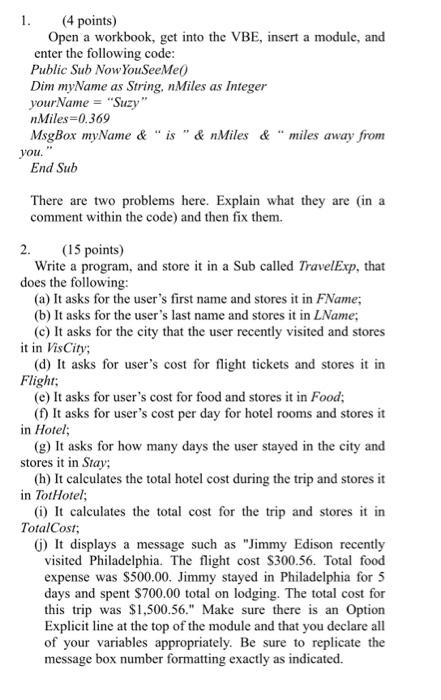
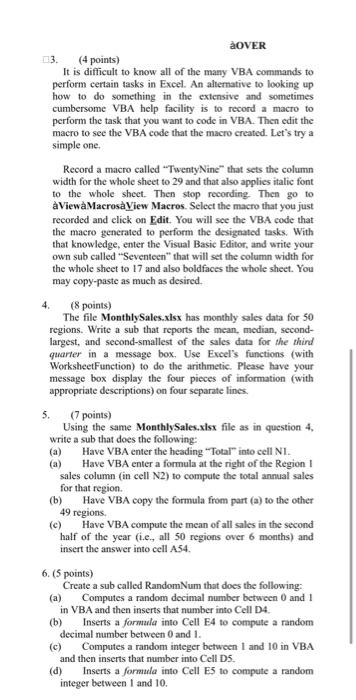
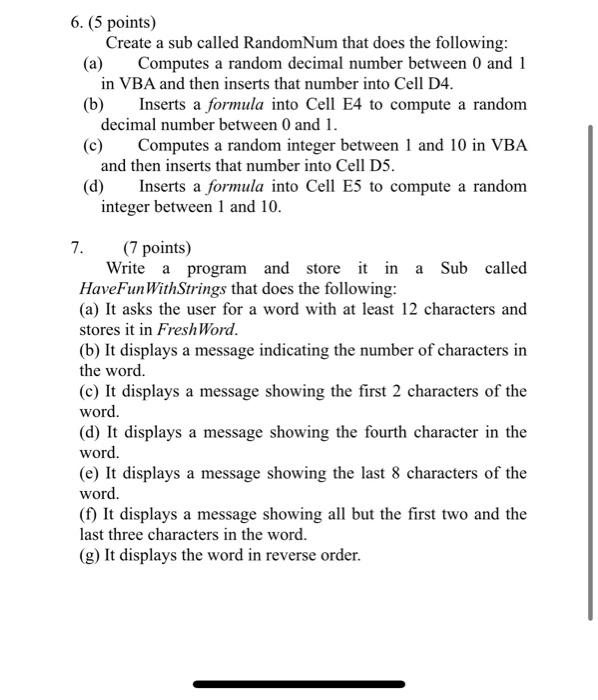
1. (4 points) Open a workbook, get into the VBE, insert a module, and enter the following code: Public Sub NowYouSeeMe0 Dim myName as String, nMiles as Integer yourName = "Suzy" nMiles =0.369 MsgBox myName \& " is " \& nMiles \& "miles away from you." End Sub There are two problems here. Explain what they are (in a comment within the code) and then fix them. 2. (15 points) Write a program, and store it in a Sub called TravelExp, that does the following: (a) It asks for the user's first name and stores it in FName; (b) It asks for the user's last name and stores it in LName; (c) It asks for the city that the user recently visited and stores it in VisCity; (d) It asks for user's cost for flight tickets and stores it in Flight; (e) It asks for user's cost for food and stores it in Food; (f) It asks for user's cost per day for hotel rooms and stores it in Hotel; (g) It asks for how many days the user stayed in the city and stores it in Stay; (h) It calculates the total hotel cost during the trip and stores it in TotHotel; (i) It calculates the total cost for the trip and stores it in TotalCost; (j) It displays a message such as "Jimmy Edison recently visited Philadelphia. The flight cost $300.56. Total food expense was $500.00. Jimmy stayed in Philadelphia for 5 days and spent $700.00 total on lodging. The total cost for this trip was $1,500.56." Make sure there is an Option Explicit line at the top of the module and that you declare all 3. (4 points) It is difficult to know all of the many VBA commands to perform certain tasks in Excel. An alternative to looking up how to do something in the extensive and sometimes cumbersome VBA help facility is to record a macro to perform the task that you want to code in VBA. Then edit the macro to see the VBA code that the macro created. Let's try a simple one. Record a macro called "TwentyNine" that sets the column width for the whole sheet to 29 and that also applies italic font to the whole shect. Then stop recording. Then go to aViewaMacrosaliew Macros. Select the macro that you just recorded and click on Edit. You will see the VBA code that the macro generated to perform the designated tasks. With that knowledge, enter the Visual Basic Editor, and write your own sub called "Seventeen" that will set the column width for the whole sheet to 17 and also boldfaces the whole sheet. You may copy-paste as much as desired. 4. (8 points) The file MonthlySales.xlsx has monthly sales data for 50 regions. Write a sub that reports the mean, median, secondlargest, and second-smallest of the sales data for the third quarter in a message box. Use Excel's functions (with WorksheetFunction) to do the arithmetic. Please have your message box display the four pieces of information (with appropriate descriptions) on four separate lines. 5. (7 points) Using the same MonthlySales.xlsx file as in question 4, write a sub that does the following: (a) Have VBA enter the heading "Total" into cell NI. (a) Have VBA enter a formula at the right of the Region I sales column (in cell N2) to compute the total annual sales for that region. (b) Have VBA copy the formula from part (a) to the other 49 regions. (c) Have VBA compute the mean of all sales in the second half of the year (i.e., all 50 regions over 6 months) and insert the answer into cell A.54. 6. (5 points) Create a sub called RandomNum that does the following: (a) Computes a random decimal number between 0 and 1 in VBA and then inserts that number into Cell D4. (b) Inserts a formula into Cell E4 to compute a random decimal number between 0 and 1. (c) Computes a random integer between 1 and 10 in VBA and then inserts that number into Cell D5. (d) Inserts a formula into Cell E5 to compute a random integer between I and 10 . 6. (5 points) Create a sub called RandomNum that does the following: (a) Computes a random decimal number between 0 and 1 in VBA and then inserts that number into Cell D4. (b) Inserts a formula into Cell E4 to compute a random decimal number between 0 and 1 . (c) Computes a random integer between 1 and 10 in VBA and then inserts that number into Cell D5. (d) Inserts a formula into Cell E5 to compute a random integer between 1 and 10 . 7. (7 points) Write a program and store it in a Sub called HaveFunWithStrings that does the following: (a) It asks the user for a word with at least 12 characters and stores it in FreshWord. (b) It displays a message indicating the number of characters in the word. (c) It displays a message showing the first 2 characters of the word. (d) It displays a message showing the fourth character in the word. (e) It displays a message showing the last 8 characters of the word. (f) It displays a message showing all but the first two and the last three characters in the word. (g) It displays the word in reverse order
Step by Step Solution
There are 3 Steps involved in it

Get step-by-step solutions from verified subject matter experts
 Study Help