







Question: I want to code an SQLite database and insert a set of random names into my current code. I would like to know how to
I want to code an SQLite database and insert a set of random names into my current code.
I would like to know how to code " the create_people_database() function:"
You will need to use SQLite.
Here is the code I have:
import random import sqlite3 from sqlite3 import Error def generate_people(count): first_names= [] last_names= [] with open('LastNames.txt', 'r') as filehandle: while True: line = filehandle.readline() if not line: break line = line.rstrip() last_names.append(line) with open('FirstNames.txt', 'r') as filehandle: while True: line = filehandle.readline() if not line: break line = line.rstrip() first_names.append(line) random_names = [] for id in range(count): first_name_index = random.randint(0, len(first_names)-1) last_name_index = random.randint(0, len(last_names)-1) random_names.append((id, first_names[first_name_index], last_names[last_name_index])) return random_names if __name__ == "__main__": people = generate_people(5) print(people) import sqlite3 from sqlite3 import Error people_db_file = "sqlite.db" # The name of the database file to use max_people = 500 # Number of records to create def create_people_database(db_file, count): #from here....
I have a sample of text file for "FirstNames.txt" and "LastNames.txt".
FirstNames.txt:
JAMES
JOHN
ROBERT
MICHAEL
WILLIAM
DAVID
RICHARD
CHARLES
JOSEPH
THOMAS
LastNames.txt:
SMITH
JOHNSON
WILLIAMS
BROWN
JONES
MILLER
DAVIS
GARCIA
RODRIGUEZ
WILSON
Here is the original question:

 Thank you so much for your help!
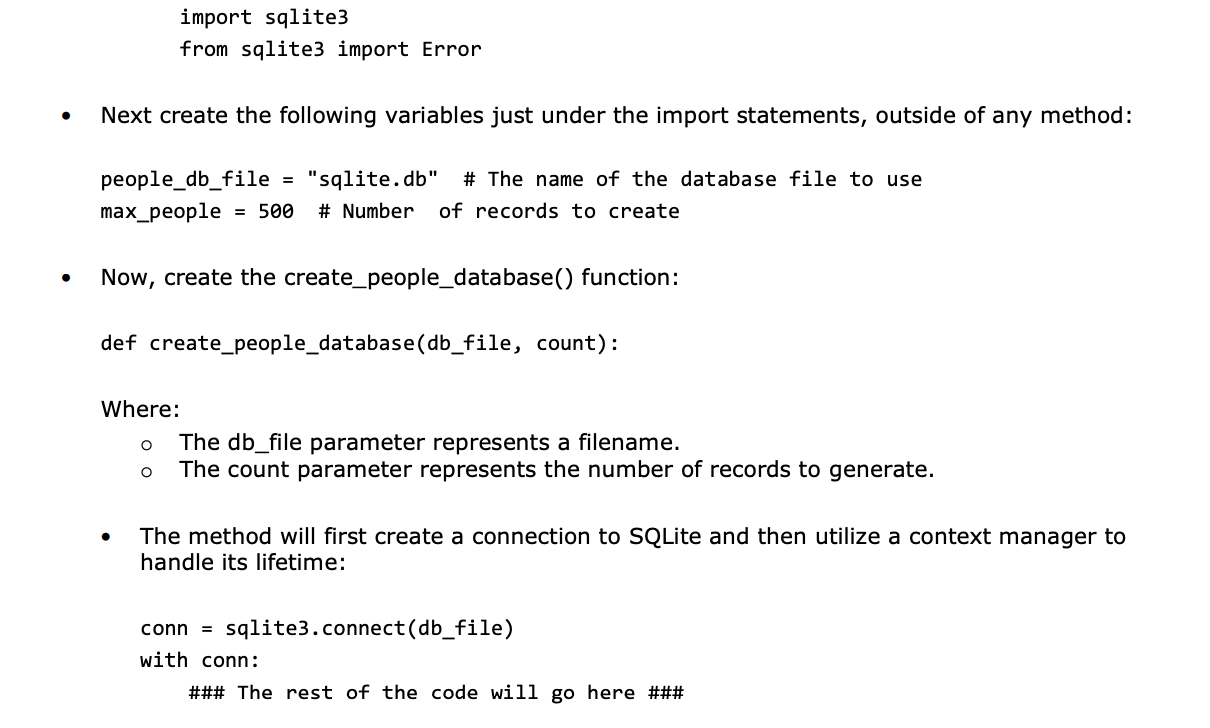
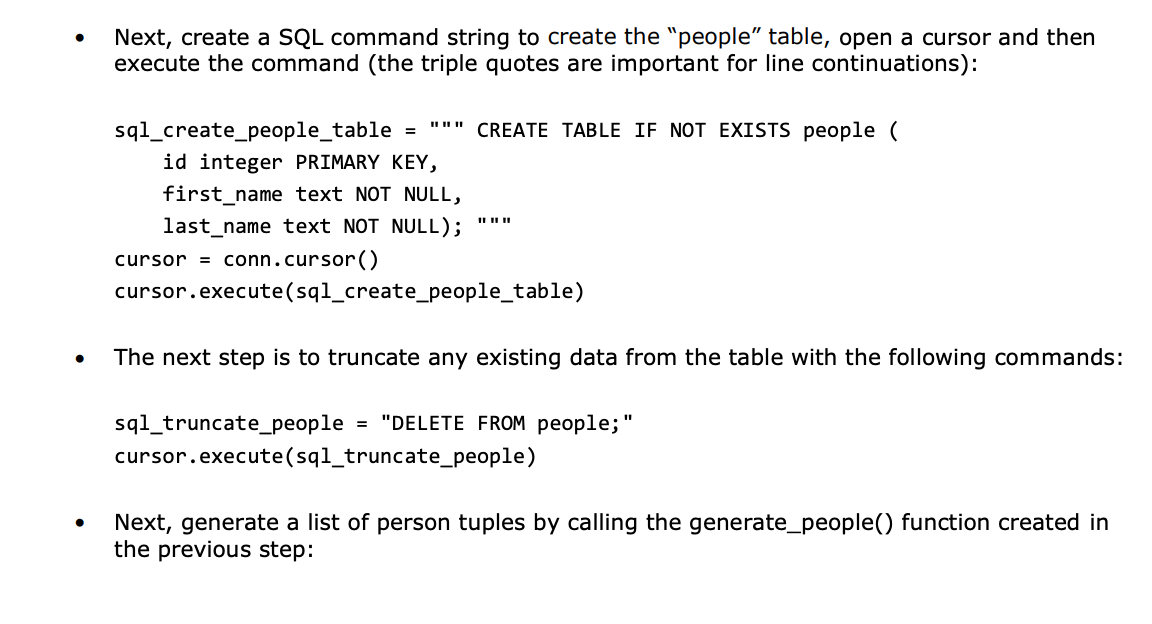
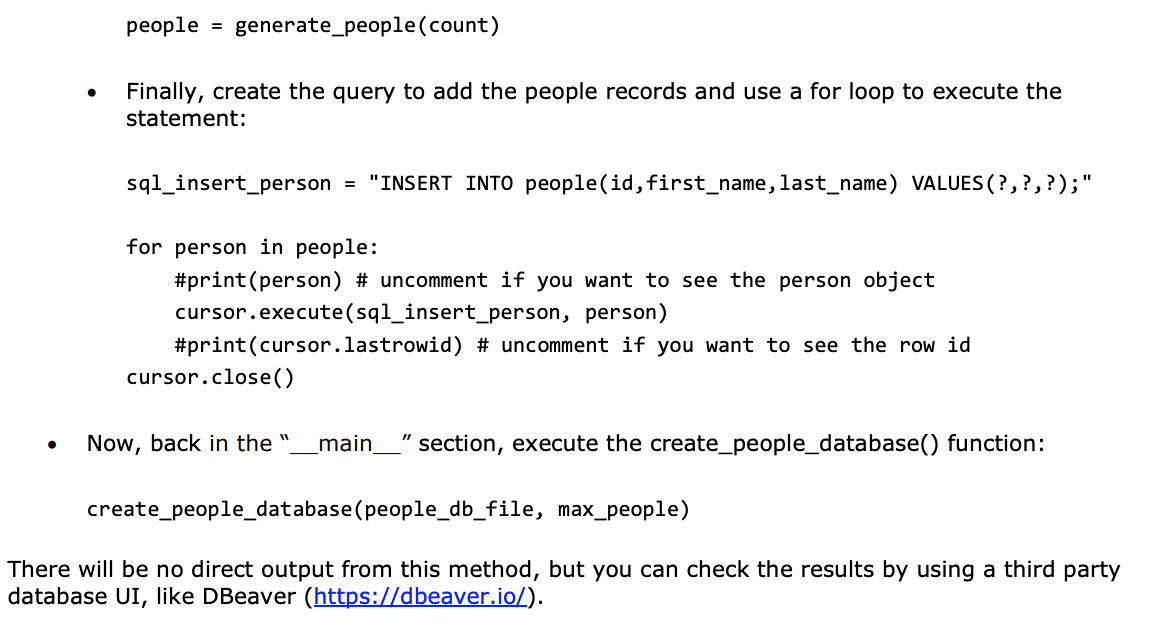
First, add the following import statements at the top of the Lab5.py file in addition to any existing statements: import sqlite3 from sqlite3 import Error Next create the following variables just under the import statements, outside of any method: people_db_file = "sqlite.db" # The name of the database file to use max_people = 500 # Number of records to create . Now, create the create_people_database() function: def create_people_database (db_file, count): Where: The db_file parameter represents a filename. The count parameter represents the number of records to generate. O O The method will first create a connection to SQLite and then utilize a context manager to handle its lifetime: conn = sqlite3.connect(db_file) with conn: ### The rest of the code will go here ### . Next, create a SQL command string to create the "people table, open a cursor and then execute the command (the triple quotes are important for line continuations): sql_create_people_table = "" CREATE TABLE IF NOT EXISTS people ( id integer PRIMARY KEY, first_name text NOT NULL, last_name text NOT NULL); cursor = conn.cursor() cursor.execute(sql_create_people_table) II II II . The next step is to truncate any existing data from the table with the following commands: sql_truncate_people = "DELETE FROM people;" cursor.execute(sql_truncate_people) Next, generate a list of person tuples by calling the generate_people() function created in the previous step: people = generate_people(count) . Finally, create the query to add the people records and use a for loop to execute the statement: sql_insert_person = "INSERT INTO people(id, first_name, last_name) VALUES (?,?,?);" for person in people: #print(person) # uncomment if you want to see the person object cursor.execute(sql_insert_person, person) #print(cursor.lastrowid) # uncomment if you want to see the row id cursor.close() Now, back in the _main_" section, execute the create_people_database() function: create_people_database (people_db_file, max_people) There will be no direct output from this method, but you can check the results by using a third party database UI, like DBeaver (https://dbeaver.io/). First, add the following import statements at the top of the Lab5.py file in addition to any existing statements: import sqlite3 from sqlite3 import Error Next create the following variables just under the import statements, outside of any method: people_db_file = "sqlite.db" # The name of the database file to use max_people = 500 # Number of records to create . Now, create the create_people_database() function: def create_people_database (db_file, count): Where: The db_file parameter represents a filename. The count parameter represents the number of records to generate. O O The method will first create a connection to SQLite and then utilize a context manager to handle its lifetime: conn = sqlite3.connect(db_file) with conn: ### The rest of the code will go here ### . Next, create a SQL command string to create the "people table, open a cursor and then execute the command (the triple quotes are important for line continuations): sql_create_people_table = "" CREATE TABLE IF NOT EXISTS people ( id integer PRIMARY KEY, first_name text NOT NULL, last_name text NOT NULL); cursor = conn.cursor() cursor.execute(sql_create_people_table) II II II . The next step is to truncate any existing data from the table with the following commands: sql_truncate_people = "DELETE FROM people;" cursor.execute(sql_truncate_people) Next, generate a list of person tuples by calling the generate_people() function created in the previous step: people = generate_people(count) . Finally, create the query to add the people records and use a for loop to execute the statement: sql_insert_person = "INSERT INTO people(id, first_name, last_name) VALUES (?,?,?);" for person in people: #print(person) # uncomment if you want to see the person object cursor.execute(sql_insert_person, person) #print(cursor.lastrowid) # uncomment if you want to see the row id cursor.close() Now, back in the _main_" section, execute the create_people_database() function: create_people_database (people_db_file, max_people) There will be no direct output from this method, but you can check the results by using a third party database UI, like DBeaver (https://dbeaver.io/)
Step by Step Solution
There are 3 Steps involved in it

Get step-by-step solutions from verified subject matter experts
 Study Help