Question: i'd like you to please do the following window (4th window) don't take the answer from chegg its a different question answer it yourself please

i'd like you to please do the following window (4th window) don't take the answer from chegg its a different question answer it yourself please or don't answer the question
use pycharm(python) and take a screenshot for the code please i'd like you to please do the following window
i'd like you to please do the following window
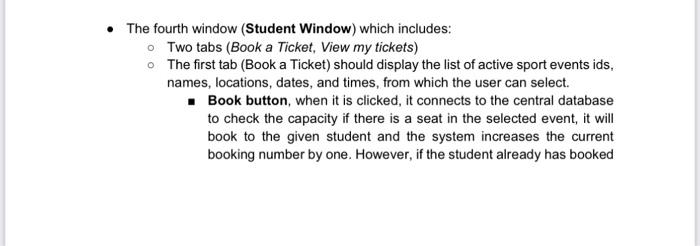
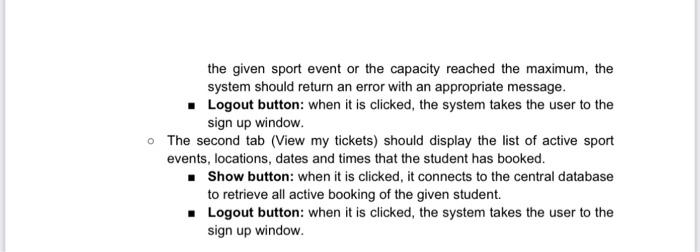
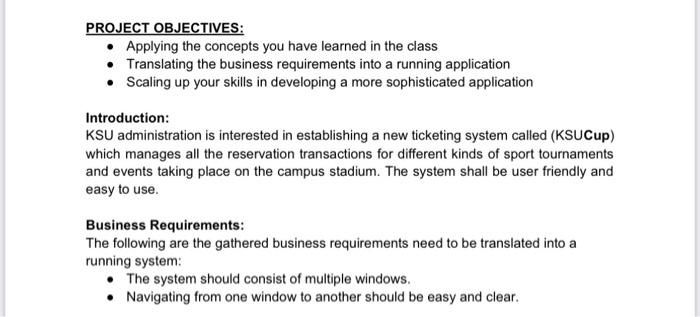
PROJECT OBJECTIVES: - Applying the concepts you have learned in the class - Translating the business requirements into a running application - Scaling up your skills in developing a more sophisticated application Introduction: KSU administration is interested in establishing a new ticketing system called (KSUCup) which manages all the reservation transactions for different kinds of sport tournaments and events taking place on the campus stadium. The system shall be user friendly and easy to use. Business Requirements: The following are the gathered business requirements need to be translated into a running system: - The system should consist of multiple windows. - Navigating from one window to another should be easy and clear. - The fourth window (Student Window) which includes: - Two tabs (Book a Ticket, View my tickets) - The first tab (Book a Ticket) should display the list of active sport events ids, names, locations, dates, and times, from which the user can select. - Book button, when it is clicked, it connects to the central database to check the capacity if there is a seat in the selected event, it will book to the given student and the system increases the current booking number by one. However, if the student already has booked the given sport event or the capacity reached the maximum, the system should return an error with an appropriate message. - Logout button: when it is clicked, the system takes the user to the sign up window. - The second tab (View my tickets) should display the list of active sport events, locations, dates and times that the student has booked. - Show button: when it is clicked, it connects to the central database to retrieve all active booking of the given student. - Logout button: when it is clicked, the system takes the user to the sign up window

Step by Step Solution

There are 3 Steps involved in it

1 Expert Approved Answer
Step: 1 Unlock blur-text-image

Question Has Been Solved by an Expert!

Get step-by-step solutions from verified subject matter experts

Step: 2 Unlock
Step: 3 Unlock

Students Have Also Explored These Related General Management Questions!