



Question: id-22991194 2/courses/213408/ Chapte computer may also have autoconfigured another IP address. If so, what address did your computer resort to? 6. In the window on
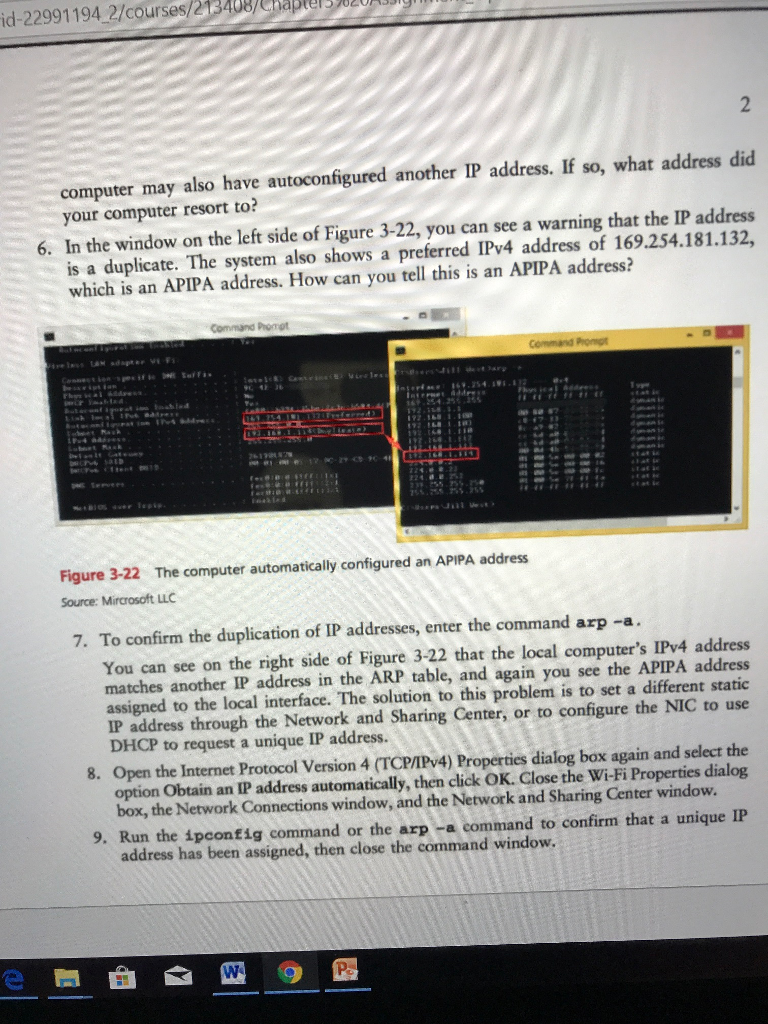
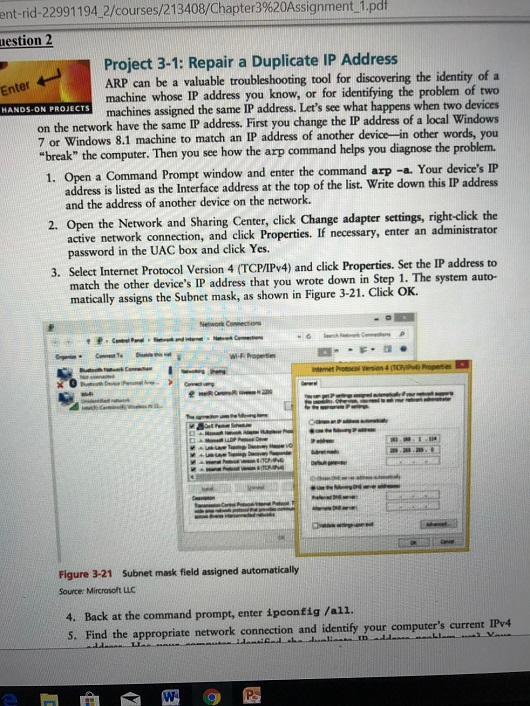
id-22991194 2/courses/213408/ Chapte computer may also have autoconfigured another IP address. If so, what address did your computer resort to? 6. In the window on the left side of Figure 3-22, you can see a warning that the IP address is a duplicate. The system also shows a preferred IPv4 address of 169.254.181.132, which is an APIPA address. How can you tell this is an APIPA address? Figure 3-22 The computer automatically configured an APIPA address Source: Mircrosoft LLC 7. To confirm the duplication of IP addresses, enter the command arp -a You can see on the right side of Figure 3-22 that the local computer's IPv4 address matches another IP address in the ARP table, and again you see the APIPA address assigned to the local interface. The solution to this problem is to set a different static IP address through the Network and Sharing Center, or to configure the NIC to use DHCP to request a unique IP address. 8. Open the Internet Protocol Version 4 (TCP/IPv4) Properties dialog box again and select the option Obtain an IP address automatically, then click OK. Close the Wi-Fi Properties dialog box, the Network Connections window, and the Network and Sharing Center window. 9. Run the ipconfig command or the arp -a command to confirm that a unique IP address has been assigned, then close the command window. id-22991194 2/courses/213408/ Chapte computer may also have autoconfigured another IP address. If so, what address did your computer resort to? 6. In the window on the left side of Figure 3-22, you can see a warning that the IP address is a duplicate. The system also shows a preferred IPv4 address of 169.254.181.132, which is an APIPA address. How can you tell this is an APIPA address? Figure 3-22 The computer automatically configured an APIPA address Source: Mircrosoft LLC 7. To confirm the duplication of IP addresses, enter the command arp -a You can see on the right side of Figure 3-22 that the local computer's IPv4 address matches another IP address in the ARP table, and again you see the APIPA address assigned to the local interface. The solution to this problem is to set a different static IP address through the Network and Sharing Center, or to configure the NIC to use DHCP to request a unique IP address. 8. Open the Internet Protocol Version 4 (TCP/IPv4) Properties dialog box again and select the option Obtain an IP address automatically, then click OK. Close the Wi-Fi Properties dialog box, the Network Connections window, and the Network and Sharing Center window. 9. Run the ipconfig command or the arp -a command to confirm that a unique IP address has been assigned, then close the command window
Step by Step Solution
There are 3 Steps involved in it

Get step-by-step solutions from verified subject matter experts