







Question: [IF POSSIBLE -> Please build within NetBeans :) ] Link to download Project Template: http://www.mediafire.com/file/guwj3ms8fi5vzt9/ch16_ex2_PizzaOrder.zip Basic GUI Code for PizzaFrame: public class PizzaOrderFrame extends javax.swing.JFrame
[IF POSSIBLE -> Please build within NetBeans :) ]
Link to download Project Template: http://www.mediafire.com/file/guwj3ms8fi5vzt9/ch16_ex2_PizzaOrder.zip
![[IF POSSIBLE -> Please build within NetBeans :) ] Link to](https://dsd5zvtm8ll6.cloudfront.net/si.experts.images/questions/2024/09/66f96c8ab2f33_28266f96c8a0b9d5.jpg)
Basic GUI Code for PizzaFrame:
public class PizzaOrderFrame extends javax.swing.JFrame {
/** Creates new form PizzaOrderFrame */ public PizzaOrderFrame() { initComponents(); }
/** This method is called from within the constructor to * initialize the form. * WARNING: Do NOT modify this code. The content of this method is * always regenerated by the Form Editor. */ @SuppressWarnings("unchecked") //
setDefaultCloseOperation(javax.swing.WindowConstants.EXIT_ON_CLOSE);
javax.swing.GroupLayout layout = new javax.swing.GroupLayout(getContentPane()); getContentPane().setLayout(layout); layout.setHorizontalGroup( layout.createParallelGroup(javax.swing.GroupLayout.Alignment.LEADING) .addGap(0, 400, Short.MAX_VALUE) ); layout.setVerticalGroup( layout.createParallelGroup(javax.swing.GroupLayout.Alignment.LEADING) .addGap(0, 300, Short.MAX_VALUE) );
pack(); }//
/** * @param args the command line arguments */ public static void main(String args[]) { java.awt.EventQueue.invokeLater(new Runnable() {
public void run() { new PizzaOrderFrame().setVisible(true); } }); } // Variables declaration - do not modify // End of variables declaration }
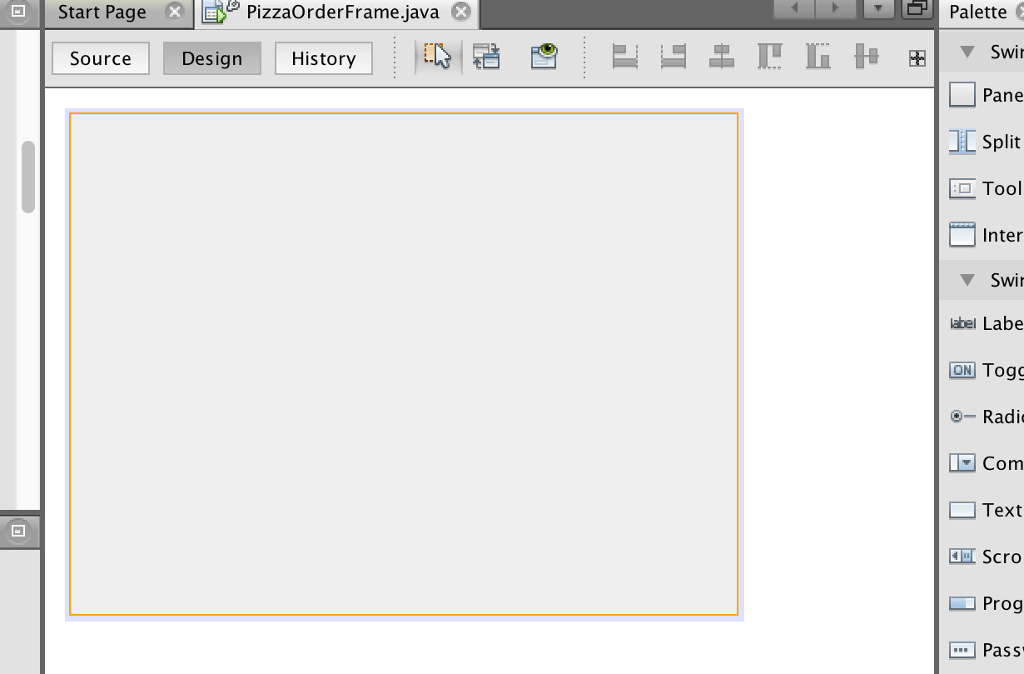
Visual Base GUI Design:
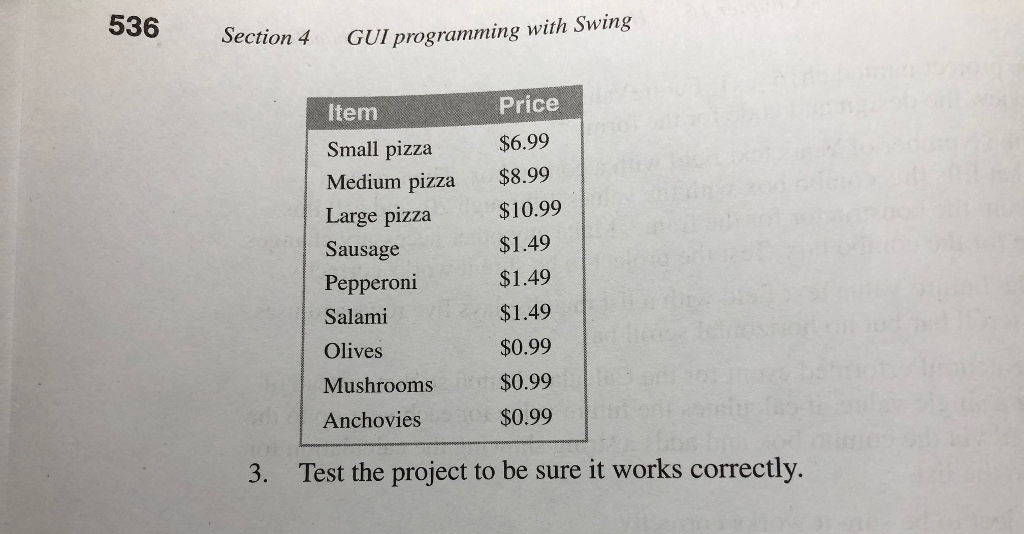
pplication For this exercise, you'll develo p an application that calculates the price of a ed on its size and toppings. The user interface for this application should look something like this: Pizza Calculator Size Small O Medium Large Toppings Sausage El Pepperoni salami Olives Mushrooms Anchovies Price: $12.96 Calculate Exit Open the project named ch16_ex2_PizzaOrder in the ex starts directory. This project contains an empty form Add the controls and code necessary to implement this application. When the user selects a size and toppings for the pizza and clicks the Calculate button, the application should calculate the price of the pizza and display that price in the text field. To calculate the price of the pizza, add the price of the selected .toppings to the base price of the pizza: 1. 2
Step by Step Solution
There are 3 Steps involved in it

Get step-by-step solutions from verified subject matter experts
 Study Help