







Question: I'm having trouble with a assignment that I'm working on, I'm not sure what is wrong, can someone help me fix the mistake or error?
I'm having trouble with a assignment that I'm working on, I'm not sure what is wrong, can someone help me fix the mistake or error?
Here is the instruction:
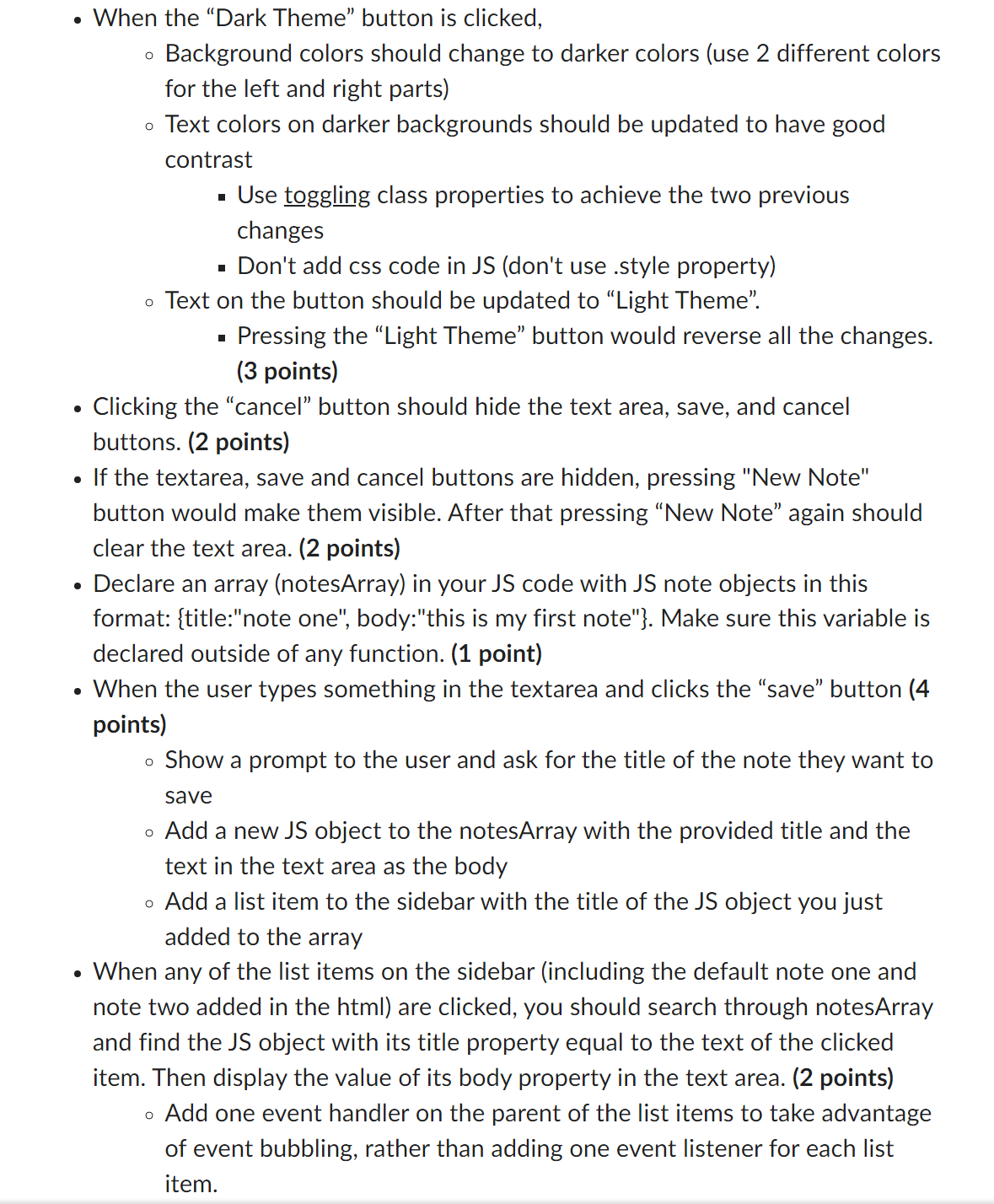
The other instructions work, but the only steps that I'm having trouble on is the Declare an array and the "Save" button part, in the sidebar contents list, when note one is clicked, it doesn't have to be clickable, it will show "this is my first note" in the text area, the same goes for note two, in the text area it will show "this is my second note", but I'm not sure how to put it in the .js file.
Also when the 'save' button is pressed, it should also show the new title name in the list section that was inserted into the prompt after the button was pressed, but it only shows a marker in the console.log meaning that the list section is still not connected in the .js file, but I'm just not sure where is wrong at this point since I'm sure I already connected it
can someone help me fix these errors?
you can test the code yourself in browser so you can have a better idea on what I meant, here is a onedrive link to the file: https://1drv.ms/f/s!AsRPBAaoRM-TsWNALP0SGegX-u9I?e=0u16uH
When the "Dark Theme" button is clicked, Background colors should change to darker colors (use 2 different colors for the left and right parts) o Text colors on darker backgrounds should be updated to have good contrast Use toggling class properties to achieve the two previous changes Don't add css code in JS (don't use .style property) o Text on the button should be updated to "Light Theme". O Pressing the "Light Theme" button would reverse all the changes. (3 points) Clicking the "cancel" button should hide the text area, save, and cancel buttons. (2 points) If the textarea, save and cancel buttons are hidden, pressing "New Note" button would make them visible. After that pressing "New Note" again should clear the text area. (2 points) Declare an array (notesArray) in your JS code with JS note objects in this format: {title:"note one", body:"this is my first note"}. Make sure this variable is declared outside of any function. (1 point) When the user types something in the textarea and clicks the "save" button (4 points) O Show a prompt to the user and ask for the title of the note they want to save Add a new JS object to the notesArray with the provided title and the text in the text area as the body Add a list item to the sidebar with the title of the JS object you just added to the array When any of the list items on the sidebar (including the default note one and note two added in the html) are clicked, you should search through notesArray and find the JS object with its title property equal to the text of the clicked item. Then display the value of its body property in the text area. (2 points) Add one event handler on the parent of the list items to take advantage of event bubbling, rather than adding one event listener for each list item.
Step by Step Solution
There are 3 Steps involved in it

Get step-by-step solutions from verified subject matter experts
 Study Help