







Question: # Import necessary libraries from sklearn.model _ selection import train _ test _ split from sklearn.tree import DecisionTreeClassifier, plot _ tree from sklearn.metrics import classification
# Import necessary libraries
from sklearn.modelselection import traintestsplit
from sklearn.tree import DecisionTreeClassifier, plottree
from sklearn.metrics import classificationreport
import pandas as pd
import matplotlib.pyplot as plt
# Sample data replace this with your actual data
data
'Age':
'Gender': Woman 'Man', 'Man', 'Woman', 'Woman', 'Woman', 'Man', 'Woman', 'Man', 'Man'
'Health Status': Good 'Sick', 'Good', 'Sick', 'Sick', 'Good', 'Good', 'Sick', 'Good', 'Good'
'Employment Status': Manager 'Worker', 'Unemployed', 'Worker', 'Manager', 'Unemployed', 'Worker', 'Official', 'Official', 'Manager'
'Salary':
'Loan Granted': Yes 'Yes', No 'Yes', No 'Yes', No 'Yes', No 'Yes'
# Convert the data to a DataFrame
df pdDataFramedata
# Convert categorical variables to numerical using onehot encoding
dfencoded pdgetdummiesdf columnsGender 'Health Status', 'Employment Status'
# Separate the features X and the target variable y
X dfencoded.dropLoan Granted', axis
y dfencodedLoan Granted'
# Split the dataset into training and testing sets
Xtrain, Xtest, ytrain, ytest traintestsplitX y testsize randomstate
# Initialize the Decision Tree Classifier
clf DecisionTreeClassifier
# Train the model on the training set
clffitXtrain, ytrain
# Predict the target variable for the test set
ypred clfpredictXtest
# Evaluate the model's performance
report classificationreportytest, ypred
printClassification Report:
report
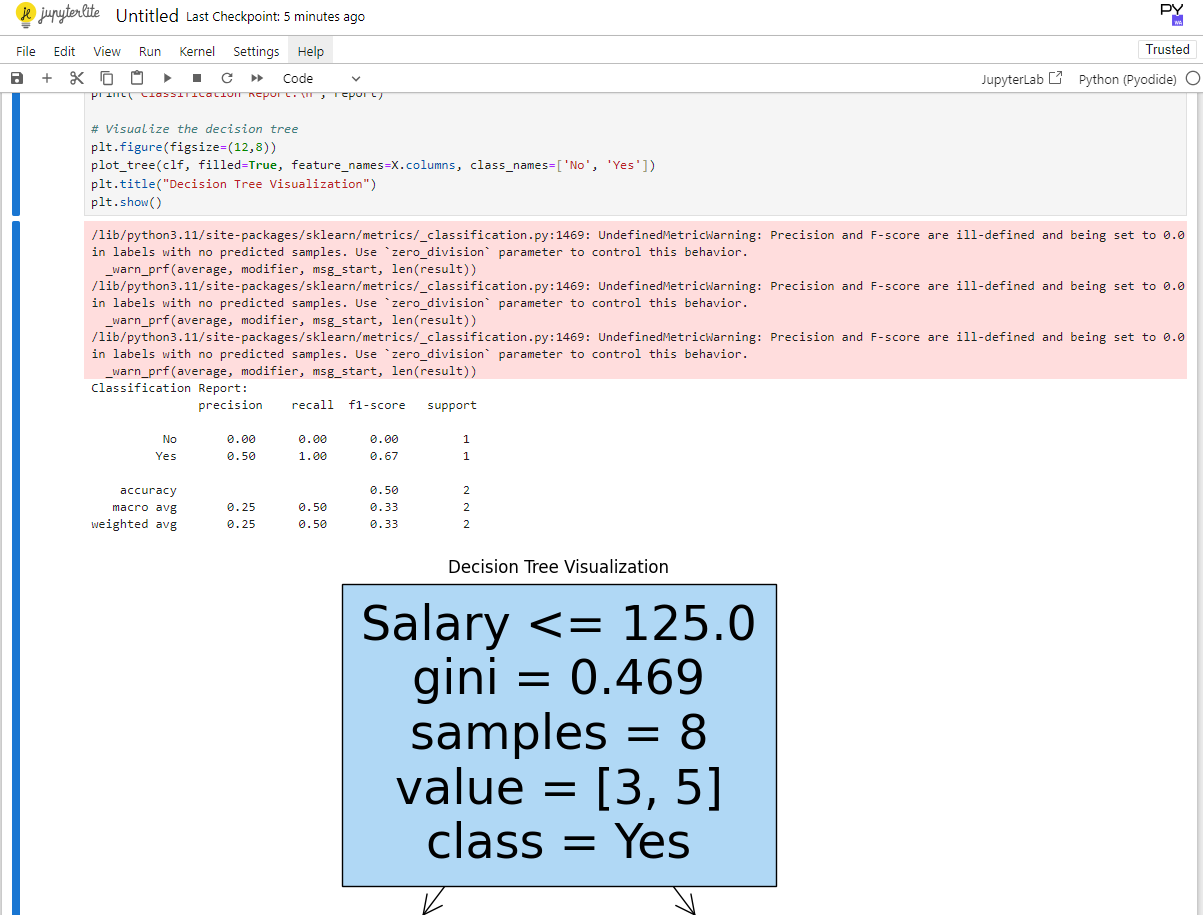
# Visualize the decision tree
pltfigurefigsize
plottreeclf filledTrue, featurenamesXcolumns, classnamesNo 'Yes'
plttitleDecision Tree Visualization"
pltshow Programda bu ekilde bir hata alyorumzm iin acil yardma ihtiyacm var.
Step by Step Solution
There are 3 Steps involved in it
1 Expert Approved Answer
Step: 1 Unlock

Question Has Been Solved by an Expert!
Get step-by-step solutions from verified subject matter experts
Step: 2 Unlock
Step: 3 Unlock
 Study Help