







Question: Important: Do not click Score Lab until after you have attempted all tasks. Once you click Score Lab, you will advance to the next lab
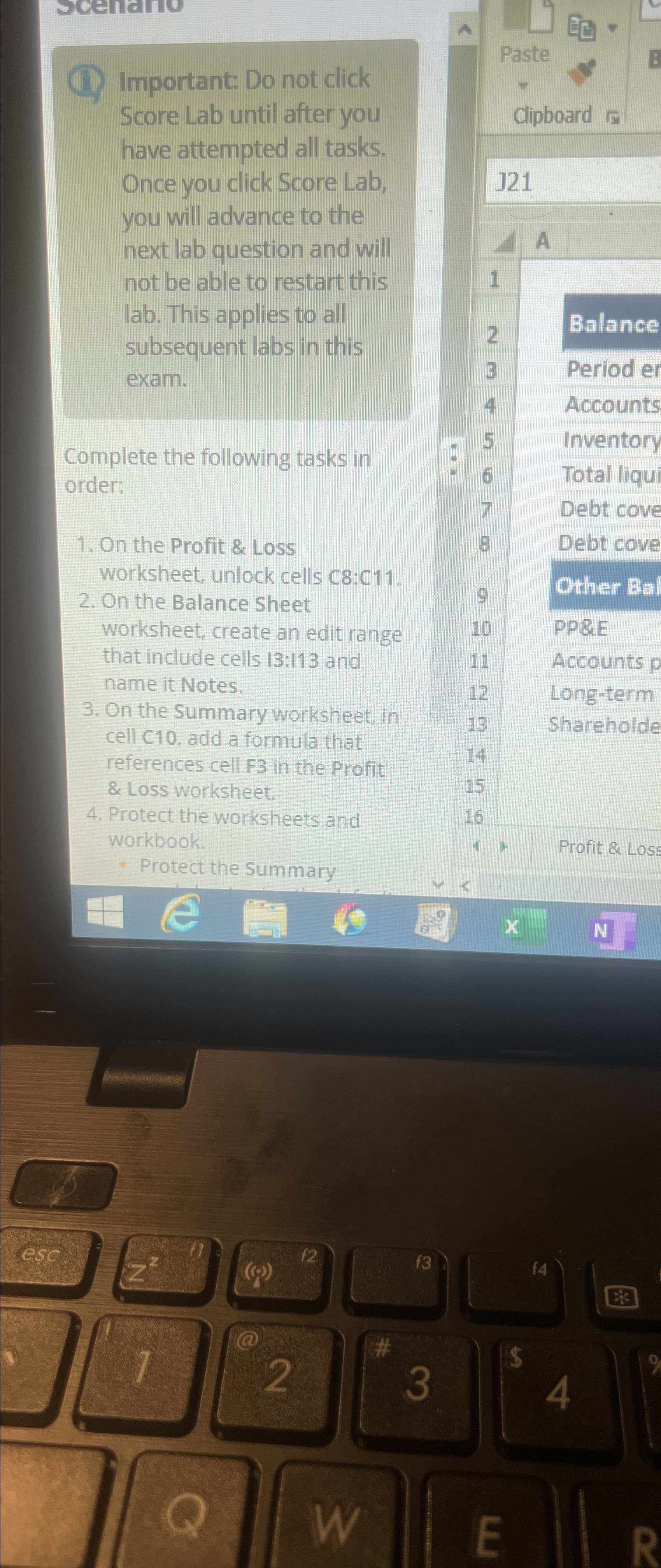
Important: Do not click Score Lab until after you have attempted all tasks. Once you click Score Lab, you will advance to the next lab question and will not be able to restart this lab. This applies to all subsequent labs in this exam.
Complete the following tasks in order:
On the Profit & Loss worksheet, unlock cells C:C
On the Balance Sheet worksheet, create an edit range that include cells : and name it Notes.
On the Summary worksheet, in cell C add a formula that references cell F in the Profit & Loss worksheet.
Protect the worksheets and workbook.
Protect the Summary
Paste
Clipboard
Balance
Period er
Accounts
Inventory
Total liqu
Debt cove
Debt cove
Other Bal
PP&E
Accounts
Longterm
Shareholde
Profit & Loss
Step by Step Solution
There are 3 Steps involved in it
1 Expert Approved Answer
Step: 1 Unlock

To complete the tasks outlined follow these steps Step 1 Unlock Cells in the Profit Loss Worksheet G... View full answer
Question Has Been Solved by an Expert!
Get step-by-step solutions from verified subject matter experts
Step: 2 Unlock
Step: 3 Unlock
 Study Help