







Question: In Apple Xcode 10.1 using swift 4 complete the following assignment Objectives: The student will design and implement the application MVC, UI, model class, and
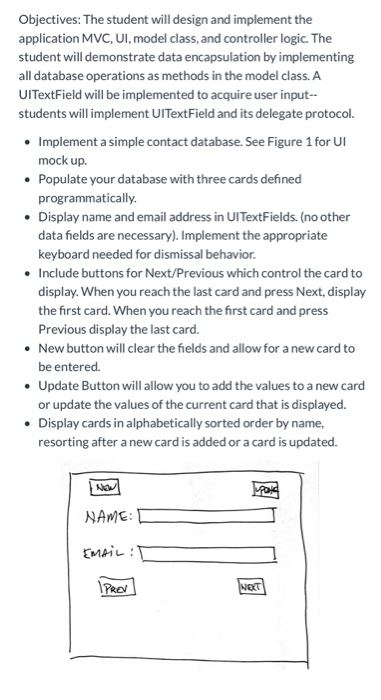
Objectives: The student will design and implement the application MVC, UI, model class, and controller logic. The student will demonstrate data encapsulation by implementing all database operations as methods in the model class. A UITextField will be implemented to acquire user input-- students will implement UITextField and its delegate protocol. Implement a simple contact database. See Figure 1 for UI mock up. Populate your database with three cards defined programmatically. Display name and email address in UITextFields. (no other data fields are necessary). Implement the appropriate keyboard needed for dismissal behavior. Include buttons for Next/Previous which control the card to display. When you reach the last card and press Next, display the first card. When you reach the first card and press Previous display the last card. New button will clear the fields and allow for a new card to be entered. Update Button will allow you to add the values to a new card or update the values of the current card that is displayed. Display cards in alphabetically sorted order by name, resorting after a new card is added or a card is updated. NAME: EMAIL : IPROV NOT Objectives: The student will design and implement the application MVC, UI, model class, and controller logic. The student will demonstrate data encapsulation by implementing all database operations as methods in the model class. A UITextField will be implemented to acquire user input-- students will implement UITextField and its delegate protocol. Implement a simple contact database. See Figure 1 for UI mock up. Populate your database with three cards defined programmatically. Display name and email address in UITextFields. (no other data fields are necessary). Implement the appropriate keyboard needed for dismissal behavior. Include buttons for Next/Previous which control the card to display. When you reach the last card and press Next, display the first card. When you reach the first card and press Previous display the last card. New button will clear the fields and allow for a new card to be entered. Update Button will allow you to add the values to a new card or update the values of the current card that is displayed. Display cards in alphabetically sorted order by name, resorting after a new card is added or a card is updated. NAME: EMAIL : IPROV NOT
Step by Step Solution
There are 3 Steps involved in it

Get step-by-step solutions from verified subject matter experts
 Study Help