







Question: In Assignment 3, you will build a HTML table with Hyper-Links enabled based on these inputs Base URL: Agile Release Train (ART) Names of the
In Assignment 3, you will build a HTML table with Hyper-Links enabled based on these inputs
Base URL:
Agile Release Train (ART)
Names of the Teams with in that ART
Program Increment ID
You will use HTML, CSS and JavaScript (if you already know Jquery, using Jquery is also OK)
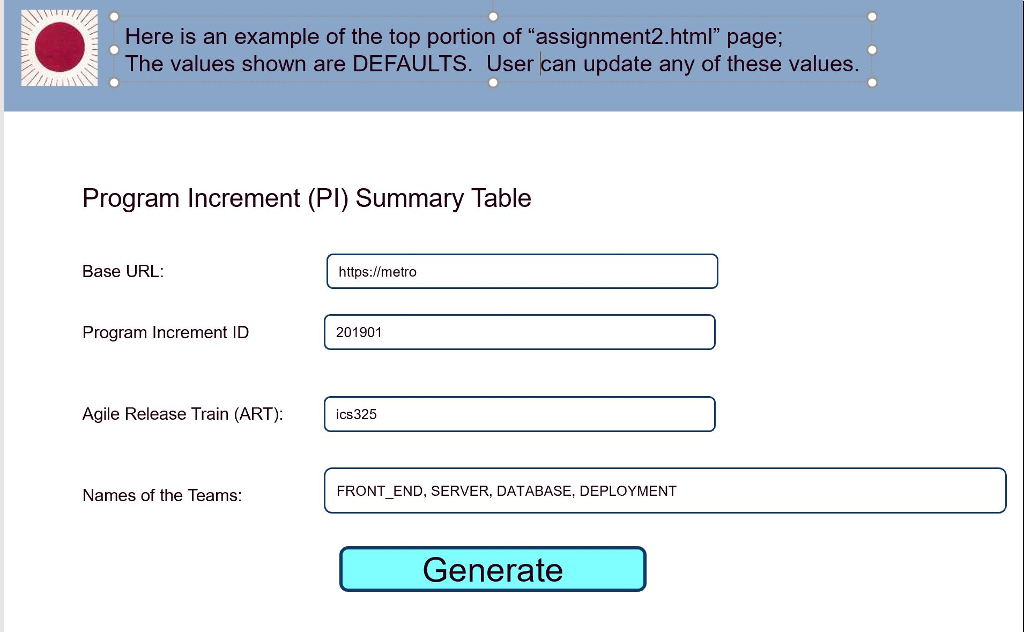
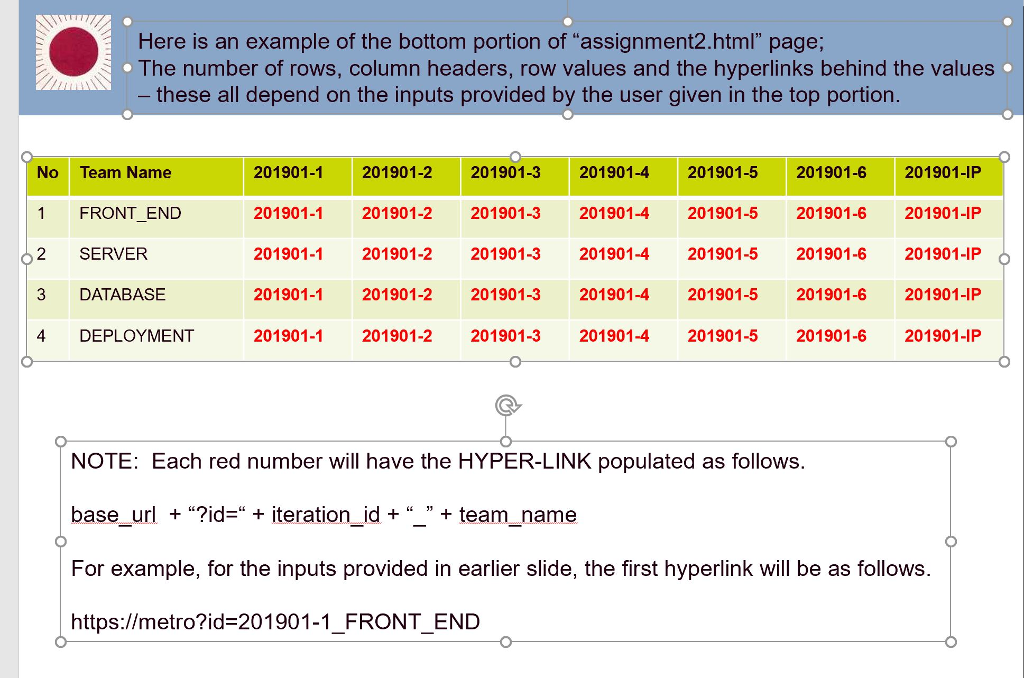
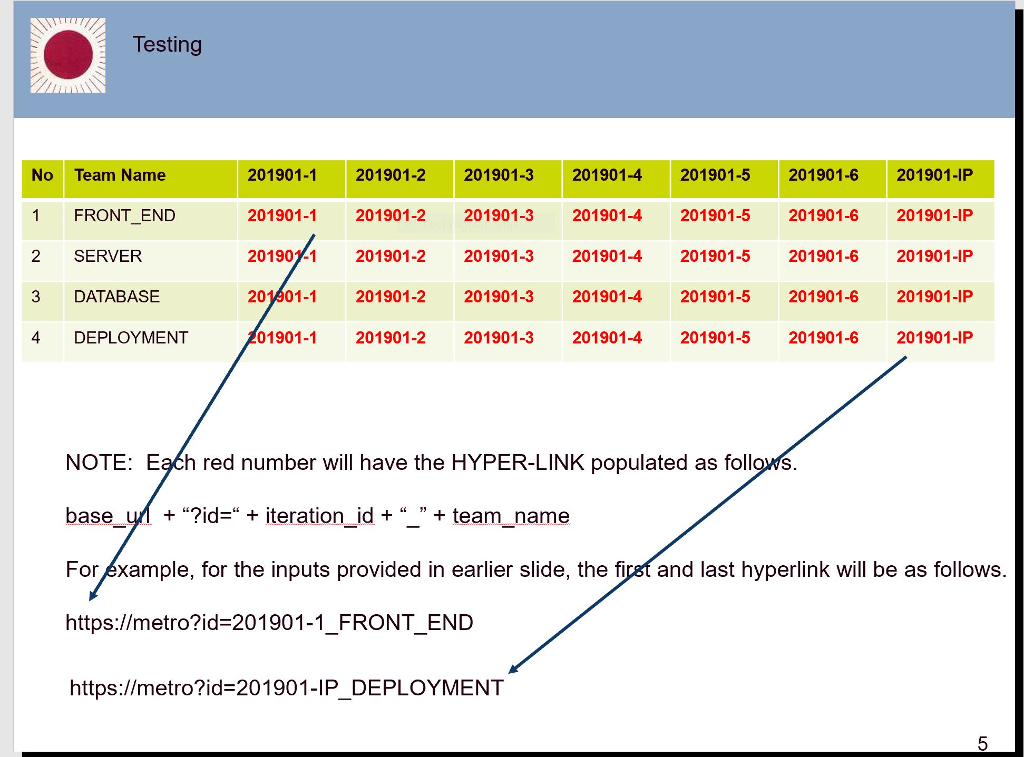
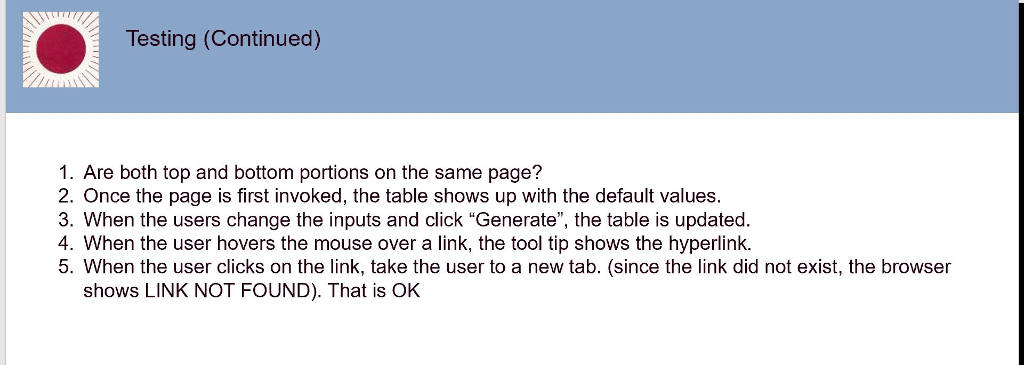
Here is an example of the top portion of "assignment2.html" page; The values shown are DEFAULTS. User can update any of these values. Program Increment (PI) Summary Table Base URL https://metro Program Increment ID 201901 Agile Release Train (ART) ics325 Names of the Teams: FRONT_END, SERVER, DATABASE, DEPLOYMENT Generate Testing No Team Name 1 FRONT_END 2 SERVER 3 DATABASE 4 DEPLOYMENT 201901-1 201901-2 201901-3 201901-4 201901-5 201901-6 201901-IP 201901-1 201901-2201901-3 201901-4 201901-5 201901-6 201901-IP 20190y-1 201901-2 201901-3 201901-4 201901-5 201901-6 201901-IP 201301-1 201901-2 201901-3 201901-4 201901-5 201901-6 201901-IP 01901-1 201901-2 201901-3 201901-4 201901-5 201901-6 201901-IP NOTE: Each red number will have the HYPER-LINK populated as followS base-y +"?id=" + iteration_id + "" + team-name For xample, for the inputs provided in earlier slide, the firsf and last hyperlink will be as follows https://metro?id-201901-1_FRONT_END https://metro?id-201901-1P_DEPLOYMENT Testing (Continued) 1. Are both top and bottom portions on the same page? 2. Once the page is first invoked, the table shows up with the default values 3. When the users change the inputs and click "Generate", the table is updated 4. When the user hovers the mouse over a link, the tool tip shows the hyperlink. 5. When the user clicks on the link, take the user to a new tab. (since the link did not exist, the browser shows LINK NOT FOUND). That is OkK
Step by Step Solution
There are 3 Steps involved in it

Get step-by-step solutions from verified subject matter experts
 Study Help