







Question: In C++... 1) Create your class with at least 4 private data member variables. 2) Create the get and set functions for all of those
In C++...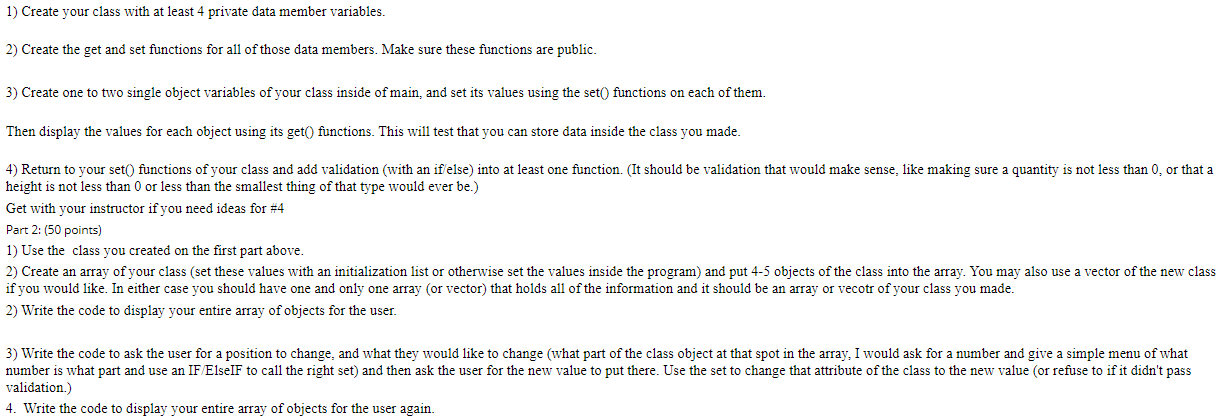
1) Create your class with at least 4 private data member variables. 2) Create the get and set functions for all of those data members. Make sure these functions are public. 3) Create one to two single object variables of your class inside of main, and set its values using the set() functions on each of them. Then display the values for each object using its get() functions. This will test that you can store data inside the class you made. 4) Return to your set() functions of your class and add validation (with an if else) into at least one function. (It should be validation that would make sense, like making sure a quantity is not less than 0, or that a height is not less than 0 or less than the smallest thing of that type would ever be.) Get with your instructor if you need ideas for #4 Part 2: (50 points) 1) Use the class you created on the first part above. 2) Create an array of your class (set these values with an initialization list or otherwise set the values inside the program) and put 4-5 objects of the class into the array. You may also use a vector of the new class if you would like. In either case you should have one and only one array (or vector) that holds all of the information and it should be an array or vecotr of your class you made. 2) Write the code to display your entire array of objects for the user. 3) Write the code to ask the user for a position to change, and what they would like to change (what part of the class object at that spot in the array, I would ask for a number and give a simple menu of what number is what part and use an IF/Elself to call the right set) and then ask the user for the new value to put there. Use the set to change that attribute of the class to the new value (or refuse to if it didn't pass validation.) 4. Write the code to display your entire array of objects for the user again
Step by Step Solution
There are 3 Steps involved in it

Get step-by-step solutions from verified subject matter experts
 Study Help