Question: In C++ Make sure to follow every step please. Create a Television class. A UML diagram has been provided to help you determine the proper

In C++ Make sure to follow every step please.

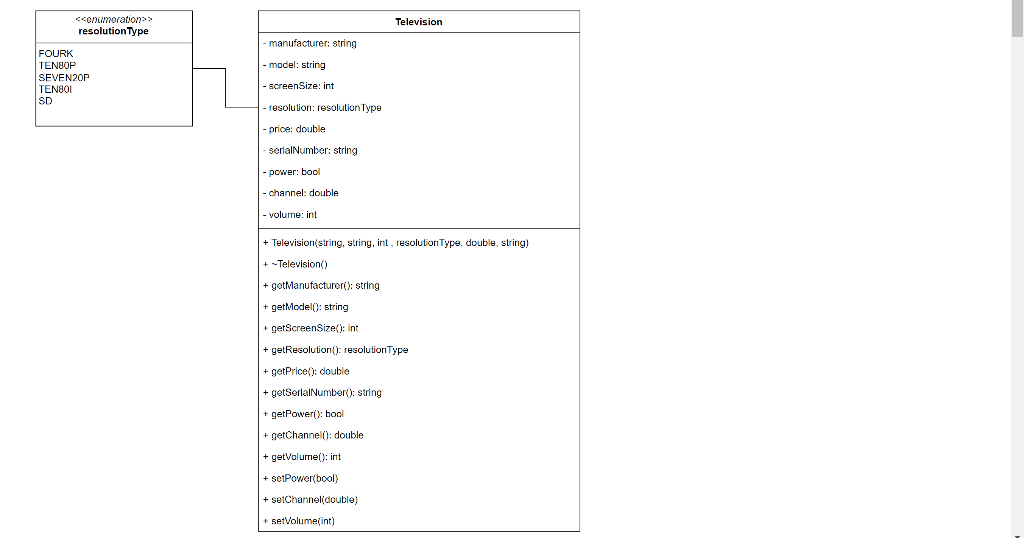
Create a Television class. A UML diagram has been provided to help you determine the proper spelling for attributes and functions.
 In C++ Make sure to follow every step please. Create a

  1. The attributes for the Television are:
    1. Manufacturer
    2. Model
    3. Screen Size
    4. Resolution
    5. Price
    6. Serial Number
    7. Power (i.e. on or off)
    8. Channel
    9. Volume
  2. Create a constructor for the class that receives Manufacturer, Model, Screen Size, Resolution, Price, and Serial Number. The constructor should set the attributes provided and provide default values for all other attributes. The default power state is off, the default channel is 3, and he default volume is 1.
  3. Create an appropriate destructor.
  4. Provide separate Accessor/Get Methods that will return the values of the various attributes.
  5. Provide separate Mutator/Set Methods that will allow a user to turn the tv on/off, change the channel, and set the volume. Do not provide mutator methods for any other attributes.

Create a main program that utilizes the Television class

  1. Allow the user to create multiple televisions. Prompt the user for the number of televisions to create.
  2. For each television:
    1. Prompt the user for the Manufacturer, Model, Screen Size, Resolution, Price, and Serial Number Ensure your program validates the information.
    2. Create an object for the Television.
    3. Using the Accessor Methods, display the Television's information (manufacturer, model, etc.).
    4. Allow the user to change the television's state (on/off, channel, volume, etc.). Validate any input before calling the appropriate functions.
    5. Allow the user to change any of the attributes you created (appropriately)
  3. Display the list of Television's and their information.

Be sure to include in your program:

  • An appropriate header comment and annotation,
  • Input validation of any values provided by the user.

Sample Output:
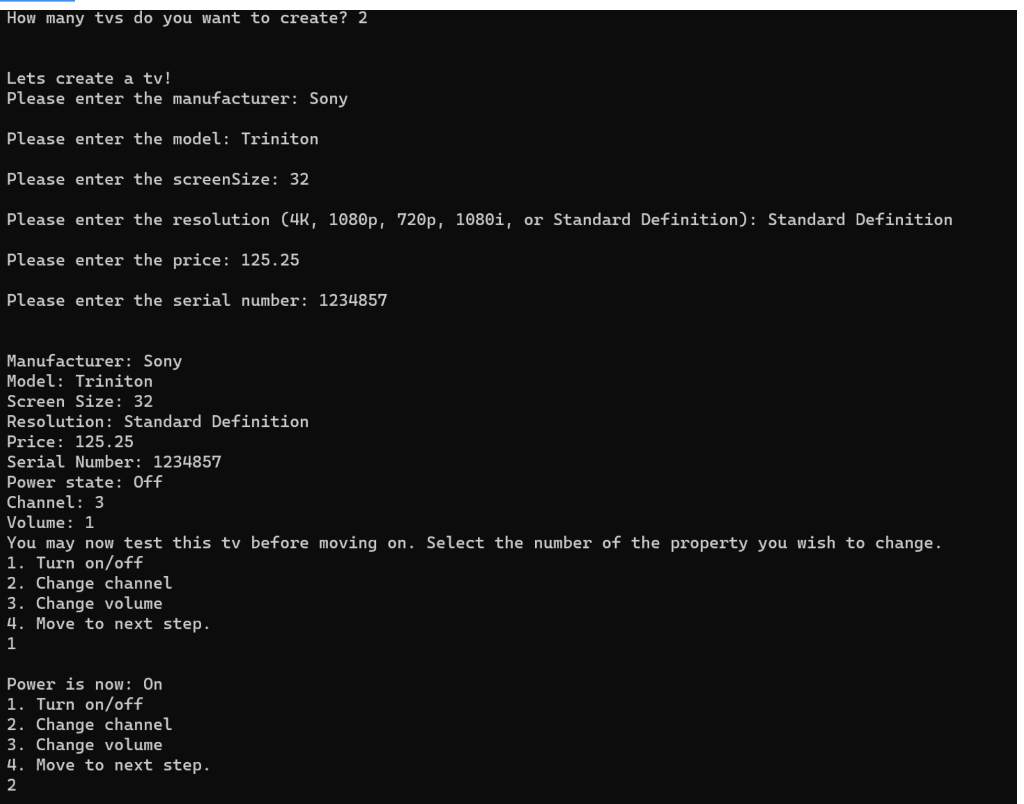
Television class. A UML diagram has been provided to help you determine

the proper spelling for attributes and functions. The attributes for the Television

are: Manufacturer Model Screen Size Resolution Price Serial Number Power (i.e. on

or off) Channel Volume Create a constructor for the class that receives

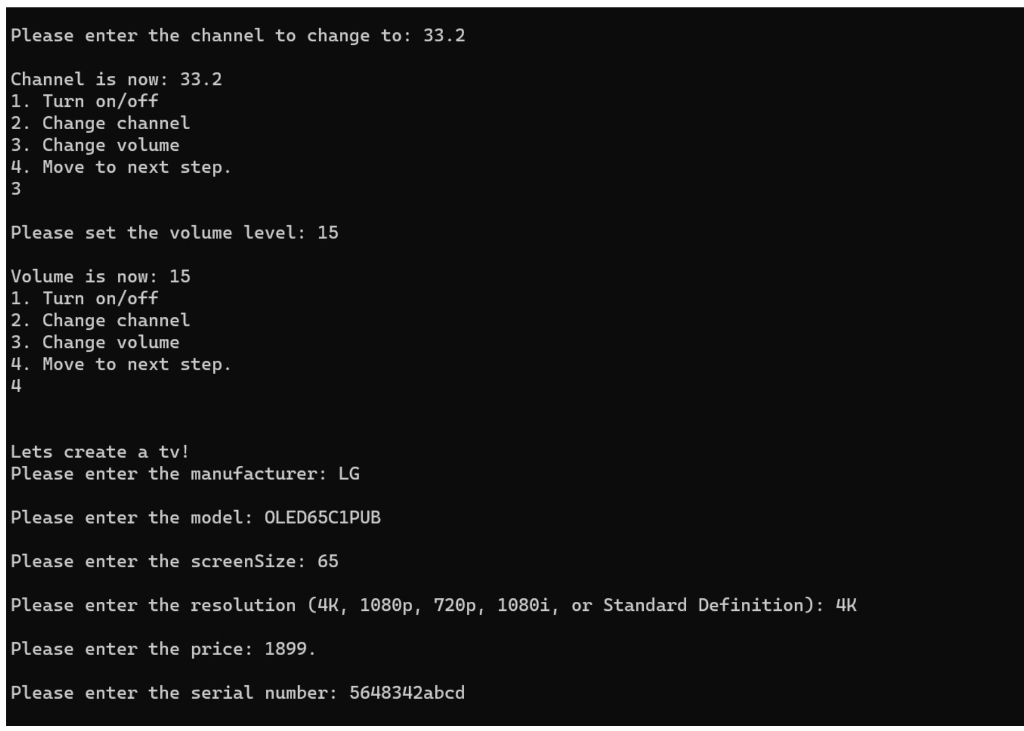
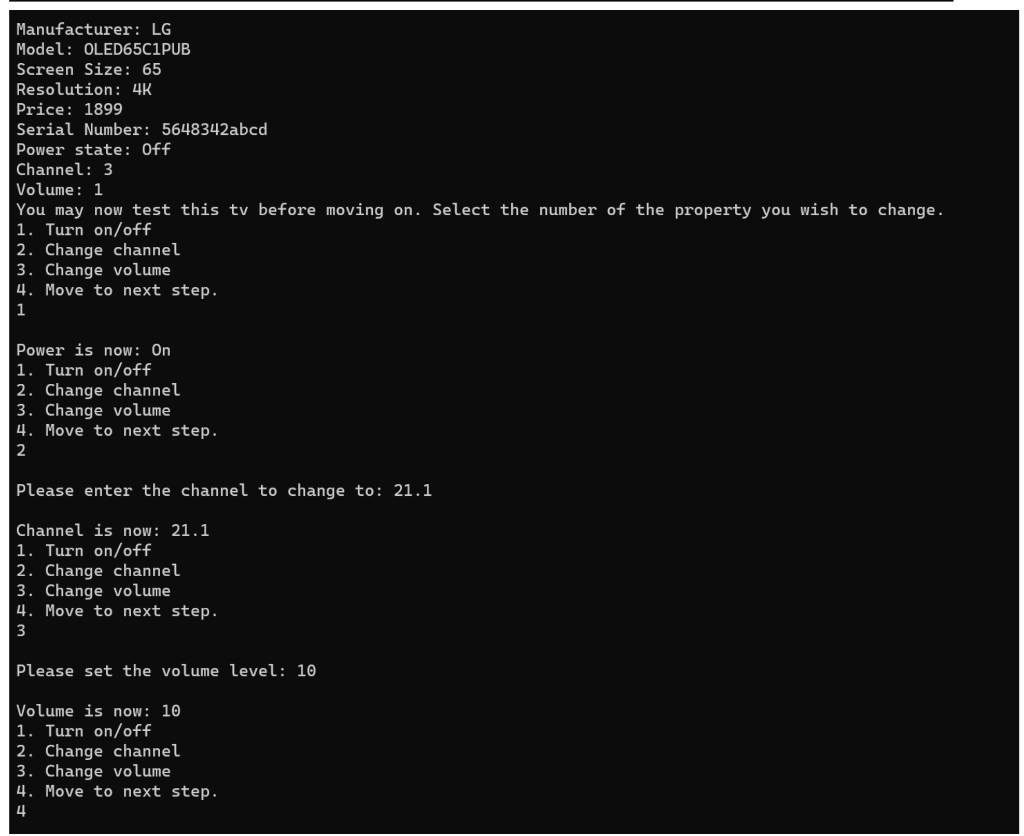
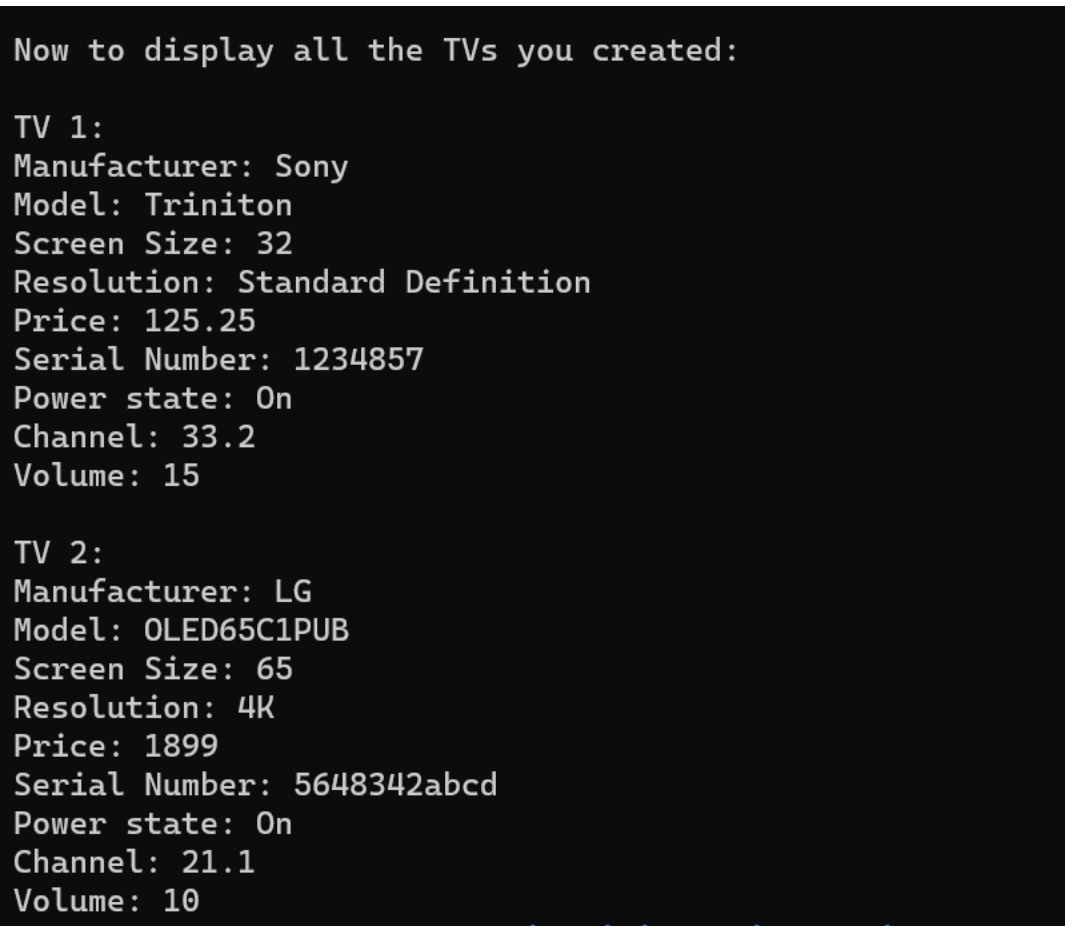
resolution Type Television manufacturer: string - model: string FOURK TENBOP SEVENPOP TEN801 SD -screen Size: int -resolution: resolution Type - price: double serialNumber: string - power: bool - channel: double volume: int + Television(string, string, int, resolution Type, double, string) + --Television) + getManufacturer(): string + getModel(): string getScreenSize(); int + getResolution (): resolution Type + getPrice(): double + getSerialNumber(): string + getPower(): bool + getChannel(): double + getVolume(): int + setPower(bool) + setChannel(double) + setVolume(int) How many tvs do you want to create? 2 Lets create a tv! Please enter the manufacturer: Sony Please enter the model: Triniton Please enter the screen Size: 32 Please enter the resolution (4K, 1080p, 720p, 1080i, or Standard Definition): Standard Definition Please enter the price: 125.25 Please enter the serial number: 1234857 Manufacturer: Sony Model: Triniton Screen Size: 32 Resolution: Standard Definition Price: 125.25 Serial Number: 1234857 Power state: Off Channel: 3 Volume: 1 You may now test this tv before moving on. Select the number of the property you wish to change. 1. Turn on/off 2. Change channel 3. Change volume 4. Move to next step. 1 Power is now: On 1. Turn on/off 2. Change channel 3. Change volume 4. Move to next step. 2 Please enter the channel to change to: 33.2 Channel is now: 33.2 1. Turn on/off 2. Change channel 3. Change volume 4. Move to next step. 3 Please set the volume level: 15 Volume is now: 15 1. Turn on/off 2. Change channel 3. Change volume 4. Move to next step. 4 Lets create a tv! Please enter the manufacturer: LG Please enter the model: OLED65C1PUB Please enter the screen Size: 65 Please enter the resolution (4K, 1080p, 720p, 1080i, or Standard Definition): 4K Please enter the price: 1899. Please enter the serial number: 5648342abcd Manufacturer: LG Model: OLED65C1PUB Screen Size: 65 Resolution: 4K Price: 1899 Serial Number: 5648342abcd Power state: Off Channel: 3 Volume: 1 You may now test this tv before moving on. Select the number of the property you wish to change. 1. Turn on/off 2. Change channel 3. Change volume 4. Move to next step. 1 Power is now: On 1. Turn on/off 2. Change channel 3. Change volume 4. Move to next step. 2 Please enter the channel to change to: 21.1 Channel is now: 21.1 1. Turn on/off 2. Change channel 3. Change volume 4. Move to next step. 3 Please set the volume level: 10 Volume is now: 10 1. Turn on/off 2. Change channel 3. Change volume 4. Move to next step. 4 Now to display all the TVs you created: TV 1: Manufacturer: Sony Model: Triniton Screen Size: 32 Resolution: Standard Definition Price: 125.25 Serial Number: 1234857 Power state: On Channel: 33.2 Volume: 15 TV 2: Manufacturer: LG Model: OLED65C1PUB Screen Size: 65 Resolution: 4K Price: 1899 Serial Number: 5648342abcd Power state: On Channel: 21.1 Volume: 10

Step by Step Solution

There are 3 Steps involved in it

1 Expert Approved Answer
Step: 1 Unlock blur-text-image

Question Has Been Solved by an Expert!

Get step-by-step solutions from verified subject matter experts

Step: 2 Unlock
Step: 3 Unlock

Students Have Also Explored These Related Databases Questions!