







Question: In c + + please . Write a program that converts values using decimal and binary prefixes. Historically, computer professionals have used the SI prefixes
In c please Write a program that converts values using decimal and binary prefixes. Historically, computer
professionals have used the SI prefixes kilo, mega, giga, etc. to mean multiples of instead of the usual
: a kilobyte is bytes, a megabyte is bytes, etc. This was convenient since
computer professionals generally work in powers of two, and is "close enough" to In
computing, the meaning of etc. is not always based on multiples of Disk and solidstate drive
manufacturers assume that a KB is bytes, a MB is bytes, and so forth. Therefore,
today's drive capacities are measured in GB bytes or TB bytes Computer hardware engineers
and software developers still generally refer to powers of two when sizing memory. As the values
represented by the prefixes get larger, so does the divergence between the binary and decimal
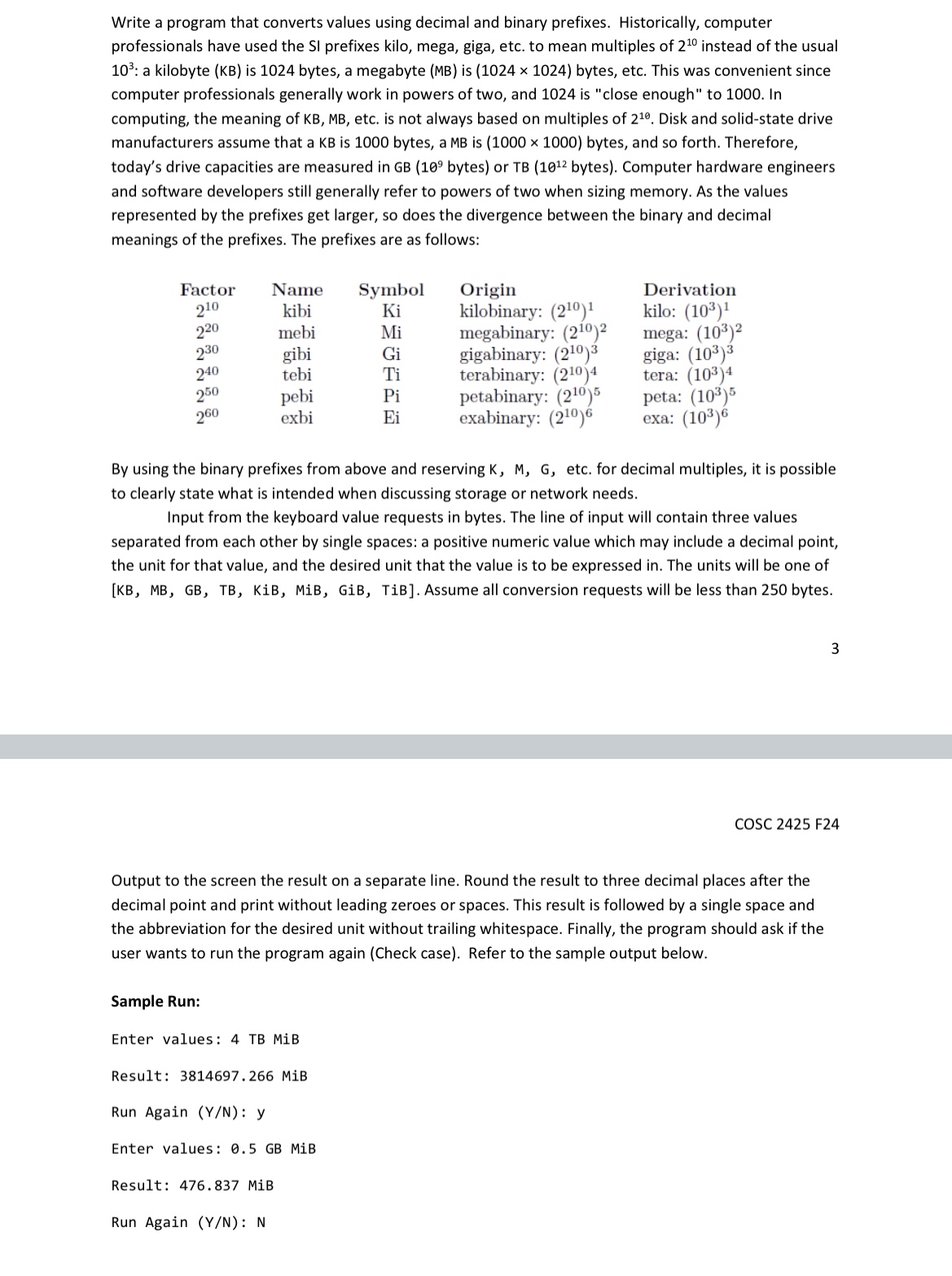
meanings of the prefixes. The prefixes are as follows:
By using the binary prefixes from above and reserving K M G etc. for decimal multiples, it is possible
to clearly state what is intended when discussing storage or network needs.
Input from the keyboard value requests in bytes. The line of input will contain three values
separated from each other by single spaces: a positive numeric value which may include a decimal point,
the unit for that value, and the desired unit that the value is to be expressed in The units will be one of
KB MB GB TB KiB, MiB, GiB, TiB Assume all conversion requests will be less than bytes.
Output to the screen the result on a separate line. Round the result to three decimal places after the
decimal point and print without leading zeroes or spaces. This result is followed by a single space and
the abbreviation for the desired unit without trailing whitespace. Finally, the program should ask if the
user wants to run the program again Check case Refer to the sample output below.
Sample Run:
Enter values: TB MiB
Result: MiB
Run Again : y
Enter values: GB MiB
Result: MiB
Run Again : N
Step by Step Solution
There are 3 Steps involved in it
1 Expert Approved Answer
Step: 1 Unlock

Question Has Been Solved by an Expert!
Get step-by-step solutions from verified subject matter experts
Step: 2 Unlock
Step: 3 Unlock
 Study Help