





Question: in c++ Problem 1 Overview: You will write a program that reads up to 100 numbers from a file. As you read the numbers, insert
in c++ Problem 1 Overview: You will write a program that readsup to 100 numbers from a file. As you read the numbers,in c++

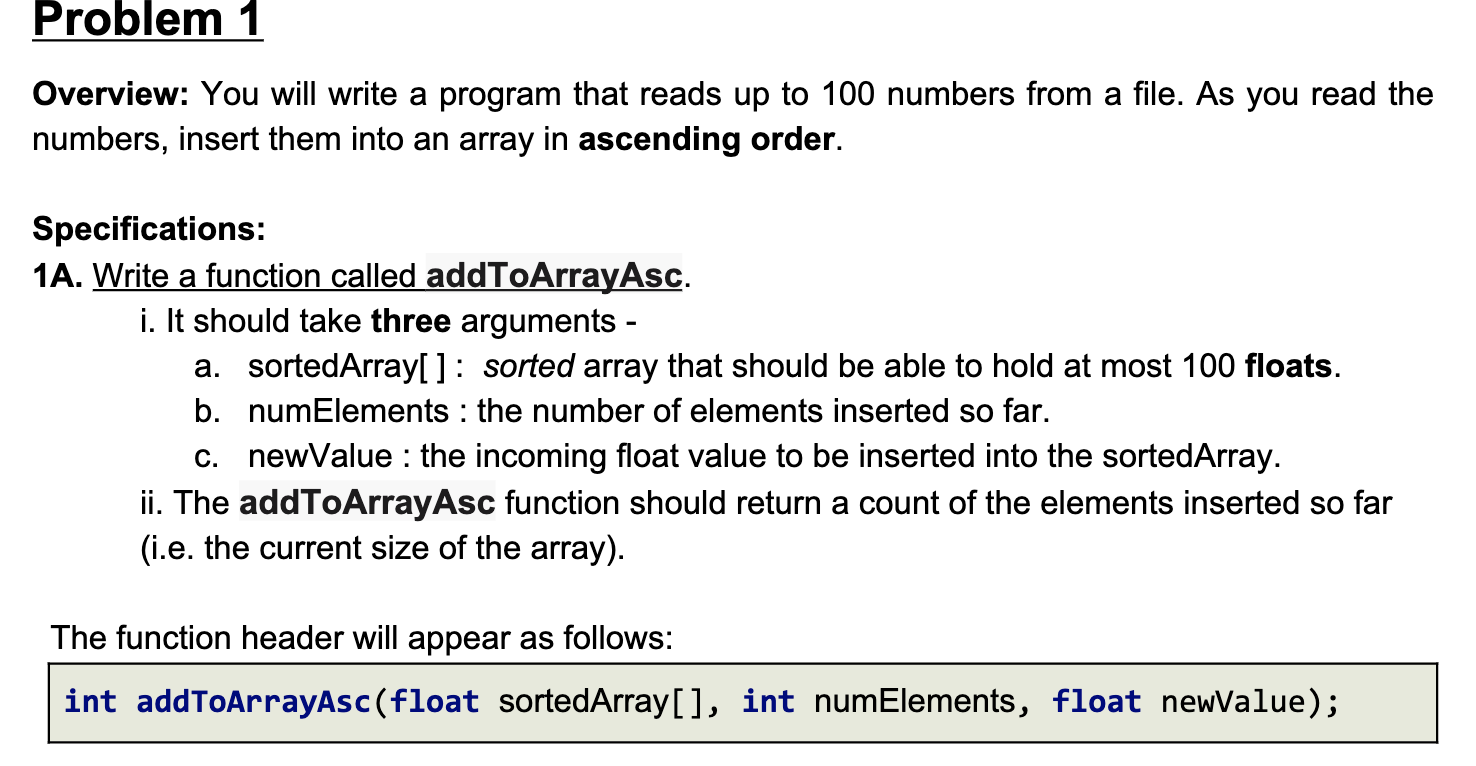
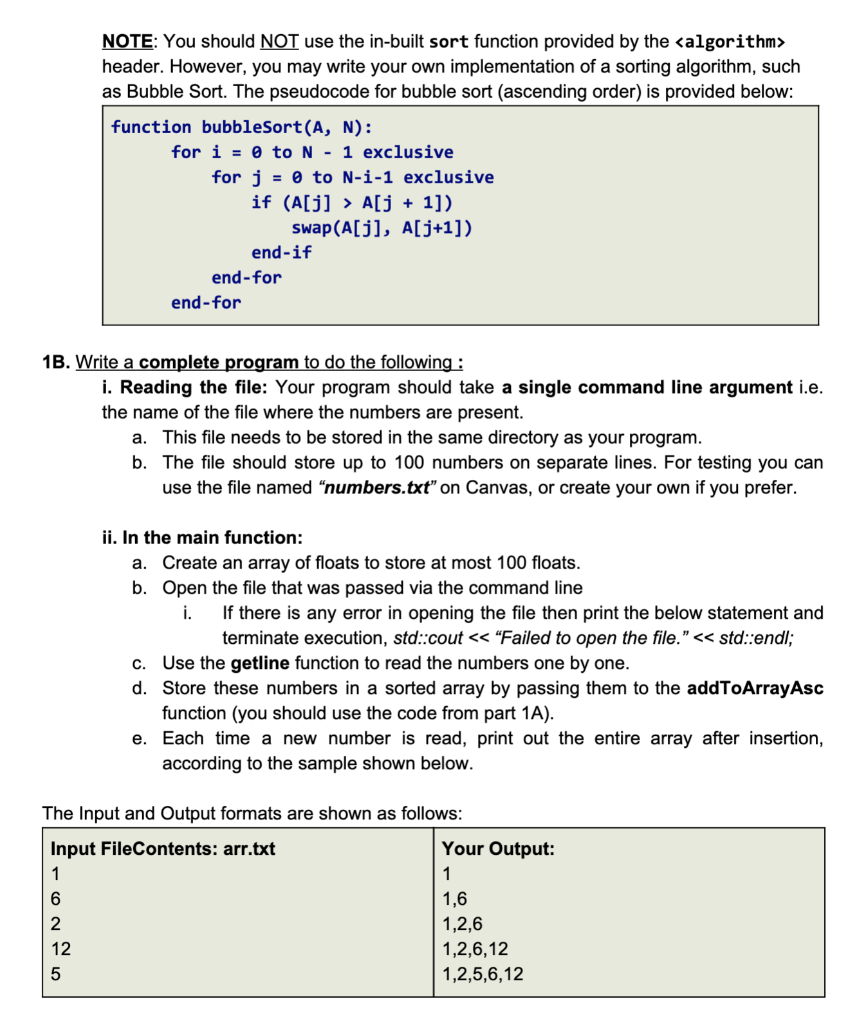
Problem 1 Overview: You will write a program that reads up to 100 numbers from a file. As you read the numbers, insert them into an array in ascending order. Specifications: 1A. Write a function called addToArrayAsc. i. It should take three arguments - a. sortedArray[]: sorted array that should be able to hold at most 100 floats. b. numElements : the number of elements inserted so far. C. newValue : the incoming float value to be inserted into the sortedArray. ii. The addToArrayAsc function should return a count of the elements inserted so far (i.e. the current size of the array). The function header will appear as follows: int addToArrayAsc(float sortedArray[], int numElements, float newValue); NOTE: You should NOT use the in-built sort function provided by the header. However, you may write your own implementation of a sorting algorithm, such as Bubble Sort. The pseudocode for bubble sort (ascending order) is provided below: function bubbleSort(A, N): for i = 0 to N - 1 exclusive for j = to N-1-1 exclusive if (A[j] > A[j + 1]) swap(A[j], A[j+1]) end-if end - for end - for 1B. Write a complete program to do the following: i. Reading the file: Your program should take a single command line argument i.e. the name of the file where the numbers are present. a. This file needs to be stored in the same directory as your program. b. The file should store up to 100 numbers on separate lines. For testing you can use the file named "numbers.txt on Canvas, or create your own if you prefer. ii. In the main function: a. Create an array of floats to store at most 100 floats. b. Open the file that was passed via the command line i. If there is any error in opening the file then print the below statement and terminate execution, std::cout

Step by Step Solution

There are 3 Steps involved in it

1 Expert Approved Answer
Step: 1 Unlock blur-text-image
Question Has Been Solved by an Expert!

Get step-by-step solutions from verified subject matter experts

Step: 2 Unlock
Step: 3 Unlock

Students Have Also Explored These Related Databases Questions!