





Question: In C, thanks. #include void set-flag (unsigned int* flag-holder , int flag-position); void unset-flag (unsigned int * flag-holder, int flag-position); int check-flag (unsigned int flag-holder
In C, thanks. #include void set-flag (unsigned int* flag-holder , int flag-position);In C, thanks.

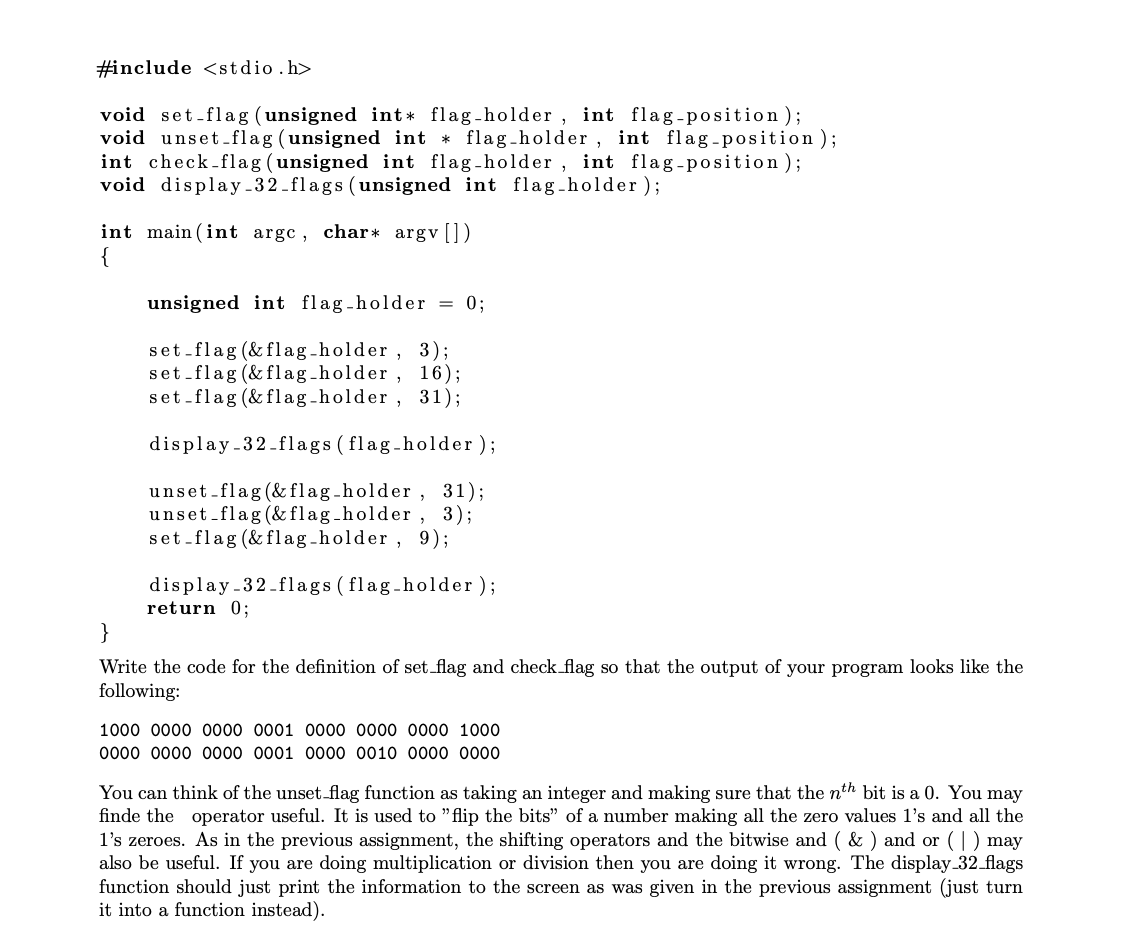
#include void set-flag (unsigned int* flag-holder , int flag-position); void unset-flag (unsigned int * flag-holder, int flag-position); int check-flag (unsigned int flag-holder , int flag-position); void display -32_flags (unsigned int flag-holder); int main(int argc, char* argv (1) unsigned int flag -holder = 0; set-flag (& flag-holder, 3); set-flag (& flag-holder, 16); set-flag (& flag-holder, 31); display-32-flags (flag-holder); unset-flag(& flag-holder , 31); unset-flag (& flag-holder, 3); set-flag (& flag-holder , 9); display-32-flags (flag-holder ); return 0; Write the code for the definition of set_flag and check flag so that the output of your program looks like the following: 1000 0000 0000 0001 0000 0000 0000 1000 0000 0000 0000 0001 0000 0010 0000 0000 You can think of the unset_flag function as taking an integer and making sure that the nth bit is a 0. You may finde the operator useful. It is used to "flip the bits" of a number making all the zero values l's and all the l's zeroes. As in the previous assignment, the shifting operators and the bitwise and (&) and or (1) may also be useful. If you are doing multiplication or division then you are doing it wrong. The display_32_flags function should just print the information to the screen as was given in the previous assignment (just turn it into a function instead)

Step by Step Solution

There are 3 Steps involved in it

1 Expert Approved Answer
Step: 1 Unlock blur-text-image
Question Has Been Solved by an Expert!

Get step-by-step solutions from verified subject matter experts

Step: 2 Unlock
Step: 3 Unlock

Students Have Also Explored These Related Databases Questions!