







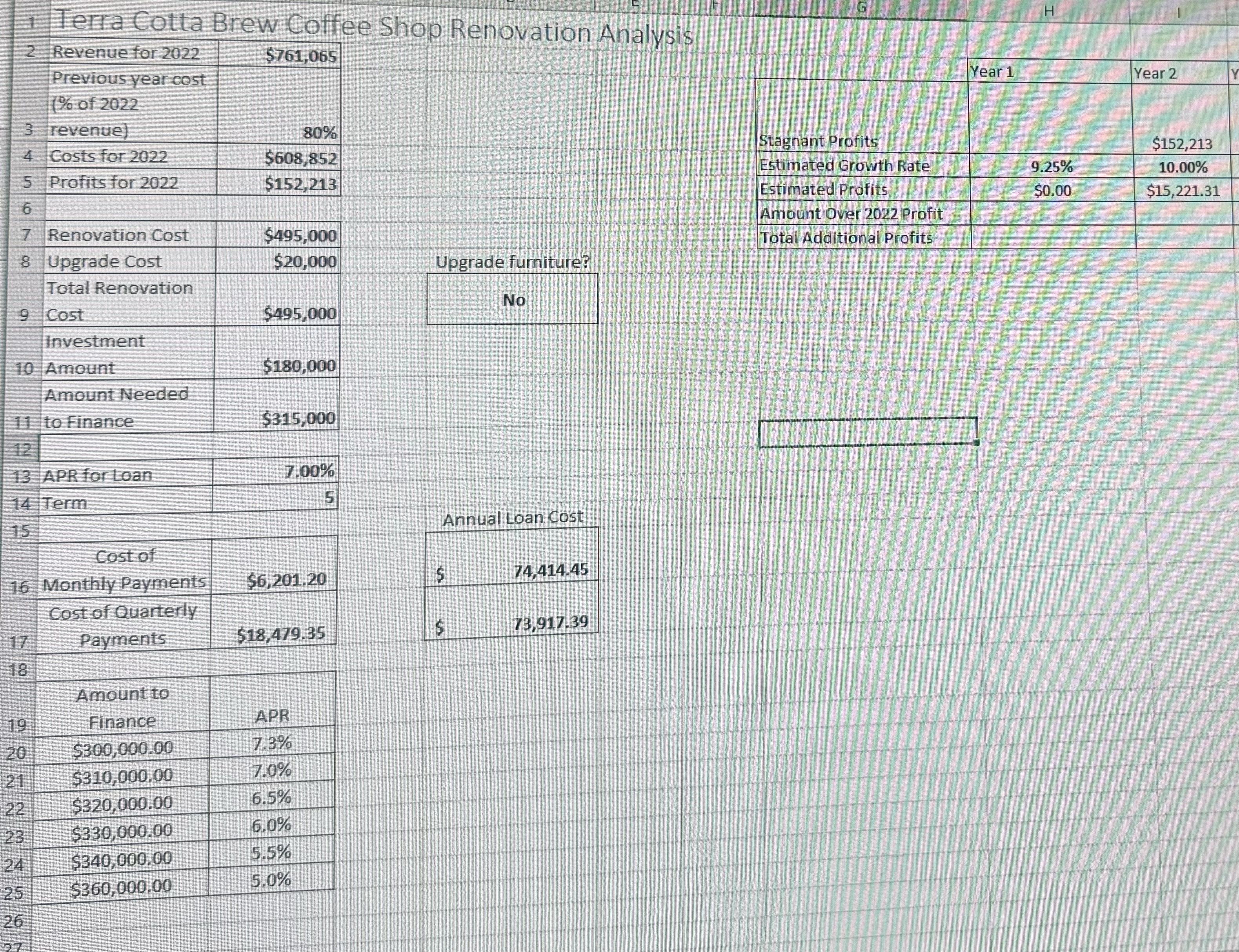
Question: In cell H 3 , type an absolute cell reference to the cell calculate the profits for 2 0 2 2 . Copy the formula
In cell Htype an absolute cell reference to the cell calculate the profits for
Copy the formula across the row to cell NIn cell type an absolute cell reference to the cell that calculates the profits for
Copy the formula across the row to cell N This will display results for years of stagnant
profits. Increase the width of columns I: N if necessary.
Use the values in the list below as the estimated growth rates of annual profits in cells :
Format the values as percentage with decimal places.
Year :
Year :
Year
Years :
In cell H calculate the Estimated Annual Profits in year based on the "Stagnant Annual
Profit" amount in H and the "Estimated Growth Rate" in H Format results in Currency with
zero decimals.
Hint: No function is necessary; simple math. Your answers in cells : will all be greater
than $
In cell H calculate the difference between the Year "Stagnant Annual Profits" and the Year
"Estimated Annual Profits". AutoFill the calculation over to N and format as Currency with
zero decimals.
In cell H use the SUM function to calculate the total amount of additional profits eamed
throughout the year period. Format cell as Currency with zero decimals.
In cell use an IF function that will display "Yes" if the Total Additional Profits would be
more than the annual cost of monthly payments D Otherwise, have cell display NoThis will display results for years of stagnant profits.
Step by Step Solution
There are 3 Steps involved in it
1 Expert Approved Answer
Step: 1 Unlock

Question Has Been Solved by an Expert!
Get step-by-step solutions from verified subject matter experts
Step: 2 Unlock
Step: 3 Unlock
 Study Help