







Question: In cell K8, add a VLOOKUP function nested in an IFERROR function to retrieve the price per hour, located in column 3 in the Lesson_Pricing
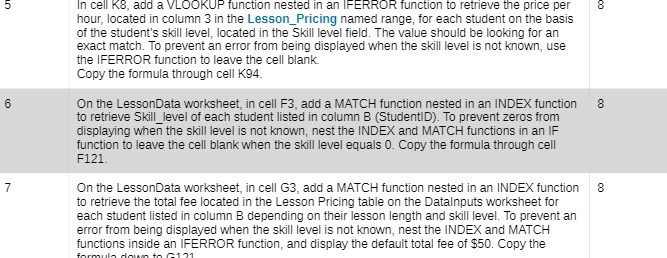
In cell K8, add a VLOOKUP function nested in an IFERROR function to retrieve the price per hour, located in column 3 in the Lesson_Pricing named range, for each student on the basis of the student's skill level, located in the Skill level field. The value should be looking for an exact match. To prevent an error from being displayed when the skill level is not known, use the IFERROR function to leave the cell blank Copy the formula through cell K94. 6 On the LessonData worksheet, in cell F3, add a MATCH function nested in an INDEX function 8 to retrieve Skill level of each student listed in column B (StudentID). To prevent zeros from displaying when the skill level is not known, nest the INDEX and MATCH functions in an IF function to leave the cell blank when the skill level equals 0. Copy the formula through cell F121. 7 On the LessonData worksheet, in cell G3, add a MATCH function nested in an INDEX function 8 to retrieve the total fee located in the Lesson Pricing table on the Datainputs worksheet for each student listed in column B depending on their lesson length and skill level. To prevent an error from being displayed when the skill level is not known, nest the INDEX and MATCH functions inside an IFERROR function, and display the default total fee of $50. Copy the
Step by Step Solution
There are 3 Steps involved in it

Get step-by-step solutions from verified subject matter experts
 Study Help