







Question: Couple simple.html from Lecture 12 exercise. Create simpleframe.html to setup frames with cols=25%, 75%. Use frame1.html for the left frame and simple.html for the
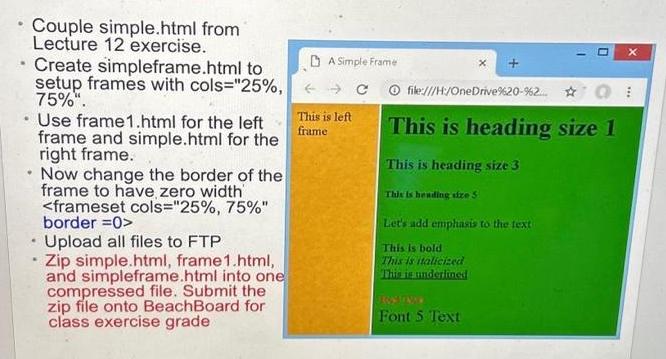
Couple simple.html from Lecture 12 exercise. Create simpleframe.html to setup frames with cols="25%, 75%". Use frame1.html for the left frame and simple.html for the right frame. Now change the border of the frame to have zero width Upload all files to FTP Zip simple.html, frame1.html, and simpleframe.html into one compressed file. Submit the zip file onto BeachBoard for class exercise grade A Simple Frame This is left frame file:///H:/OneDrive %20-%2... This is heading size 1 This is heading size 3 This is heading size 5 Let's add emphasis to the text This is bold This is italicized This is underlined Font 5 Text X ***
Step by Step Solution
3.34 Rating (148 Votes )
There are 3 Steps involved in it
Heres a stepbystep guide to help you achieve the requirements you mentioned Step 1 Create simplehtml ... View full answer

Get step-by-step solutions from verified subject matter experts
 Study Help