







Question: In Class Exercise Four Create a new Xamarin. Forms project named Inclass4 previous heading labels. CarouselPage, not ContP 1. 2. Add a ResourceDictionary to your
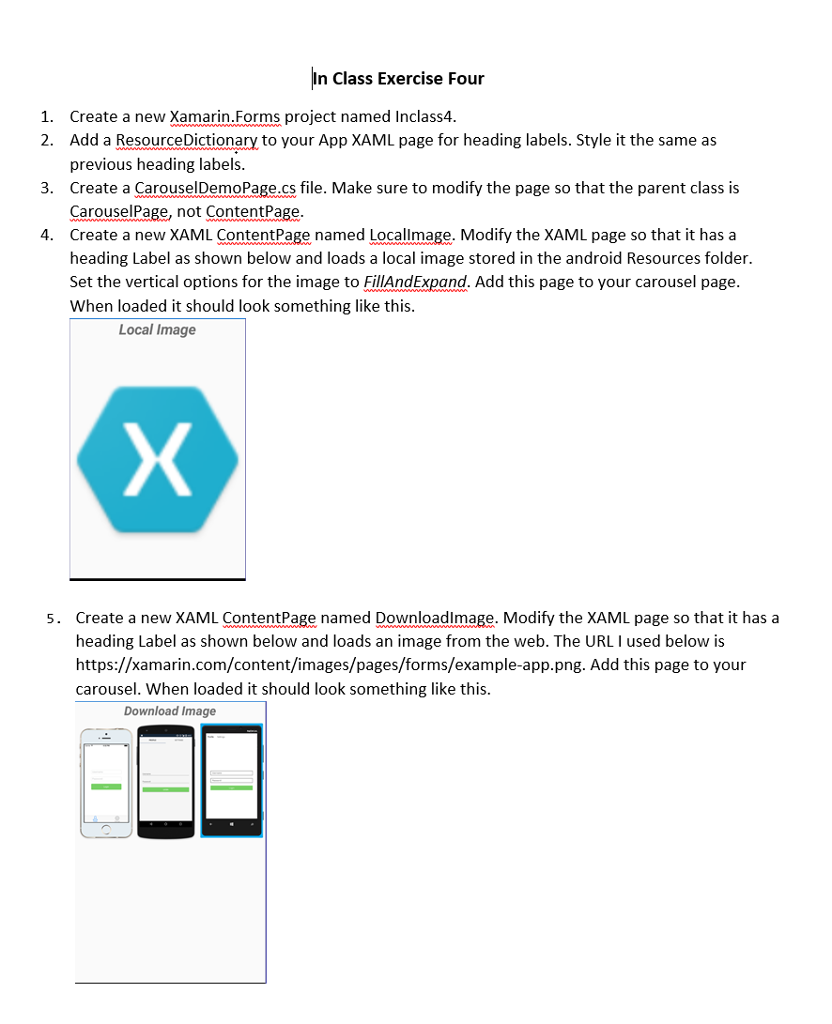
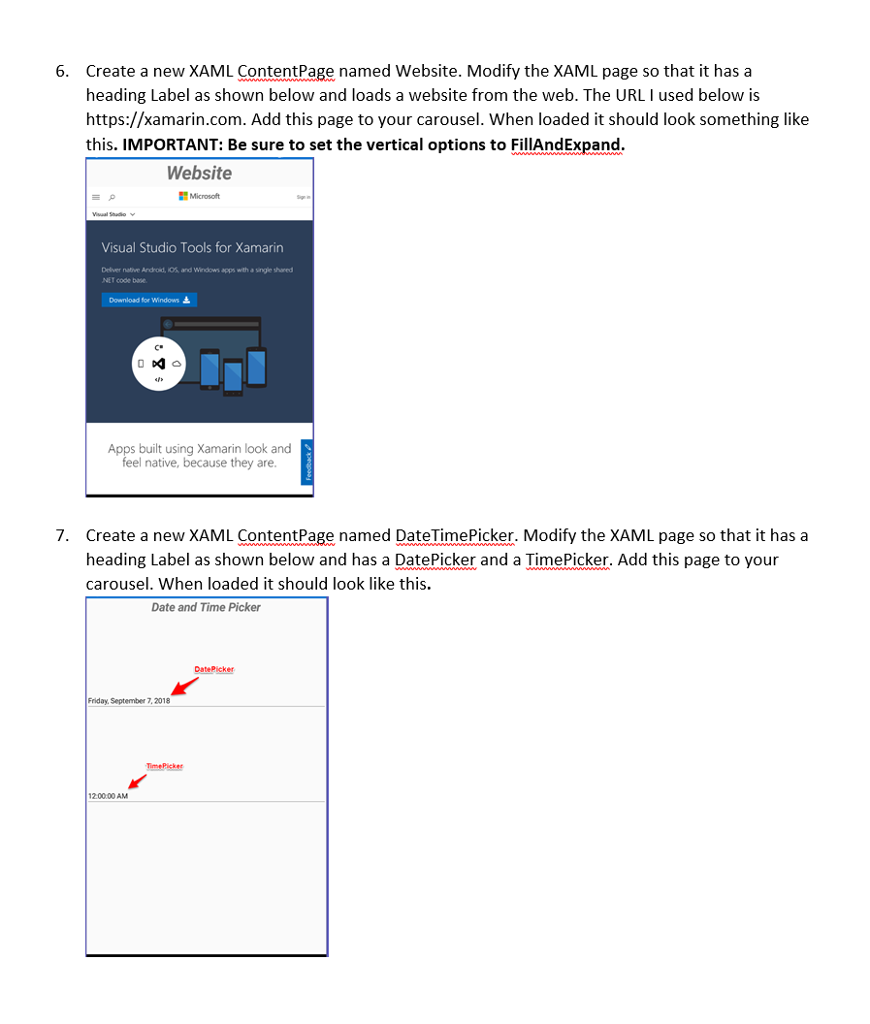
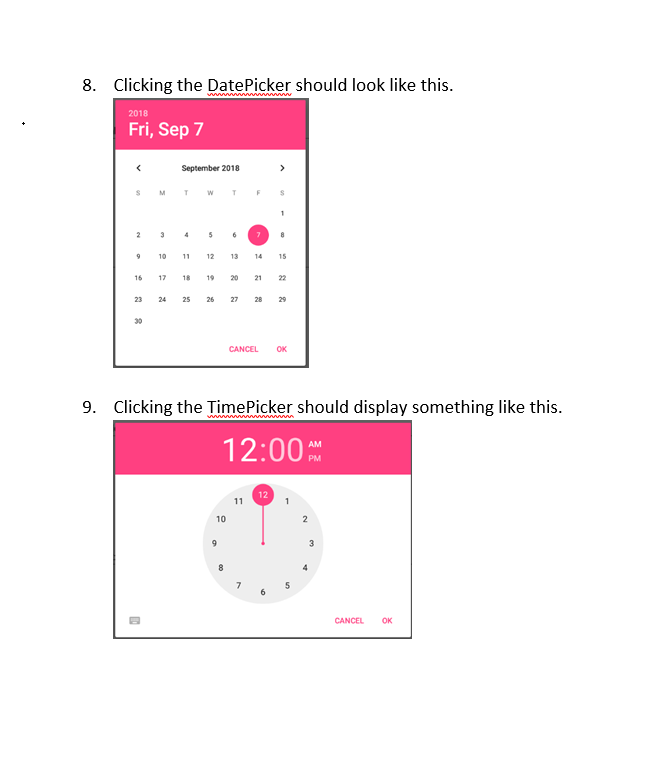
In Class Exercise Four Create a new Xamarin. Forms project named Inclass4 previous heading labels. CarouselPage, not ContP 1. 2. Add a ResourceDictionary to your App XAML page for heading labels. Style it the same as 3. Create a CarouselDemoPage.cs file. Make sure to modify the page so that the parent class is 4. Create a new XAMContentPage named Locallmage. Modify the XAML page so that it has a heading Label as shown below and loads a local image stored in the android Resources folder. Set the vertical options for the imageto FillAndExpand. Add this page to your carousel page. When loaded it should look something like this. Local Image Create a new XAML ContentPage named Downloadlmage. Modify the XAML page so that it has a heading Label as shown below and loads an image from the web. The URL I used below is https://xamarin.com/content/images/pages/forms/example-app.png. Add this page to your carousel. When loaded it should look something like this. 5. Download Image In Class Exercise Four Create a new Xamarin. Forms project named Inclass4 previous heading labels. CarouselPage, not ContP 1. 2. Add a ResourceDictionary to your App XAML page for heading labels. Style it the same as 3. Create a CarouselDemoPage.cs file. Make sure to modify the page so that the parent class is 4. Create a new XAMContentPage named Locallmage. Modify the XAML page so that it has a heading Label as shown below and loads a local image stored in the android Resources folder. Set the vertical options for the imageto FillAndExpand. Add this page to your carousel page. When loaded it should look something like this. Local Image Create a new XAML ContentPage named Downloadlmage. Modify the XAML page so that it has a heading Label as shown below and loads an image from the web. The URL I used below is https://xamarin.com/content/images/pages/forms/example-app.png. Add this page to your carousel. When loaded it should look something like this. 5. Download Image
Step by Step Solution
There are 3 Steps involved in it

Get step-by-step solutions from verified subject matter experts
 Study Help