







Question: -in excel Section 2; Short Answer Consider the Excel Spreadsheet below. d. What VBA code would retrieve the value from cell A6 and store it
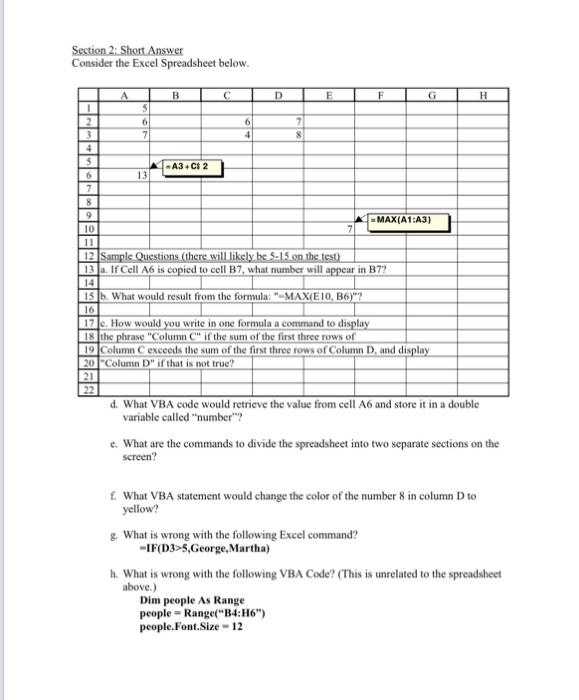
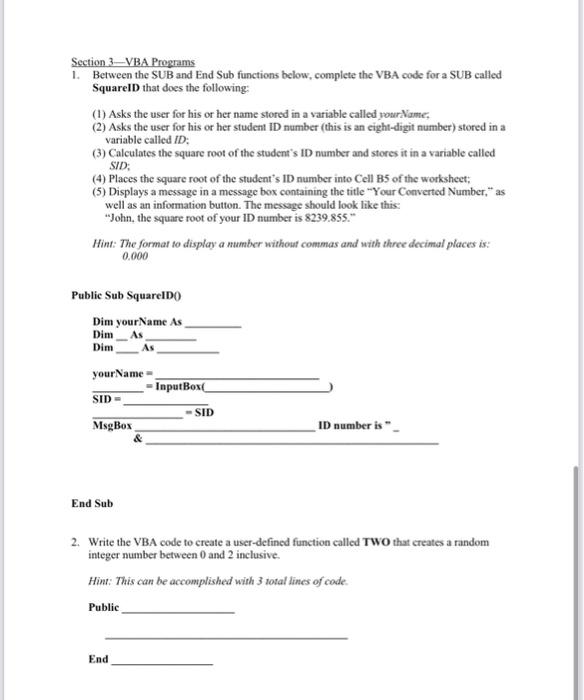
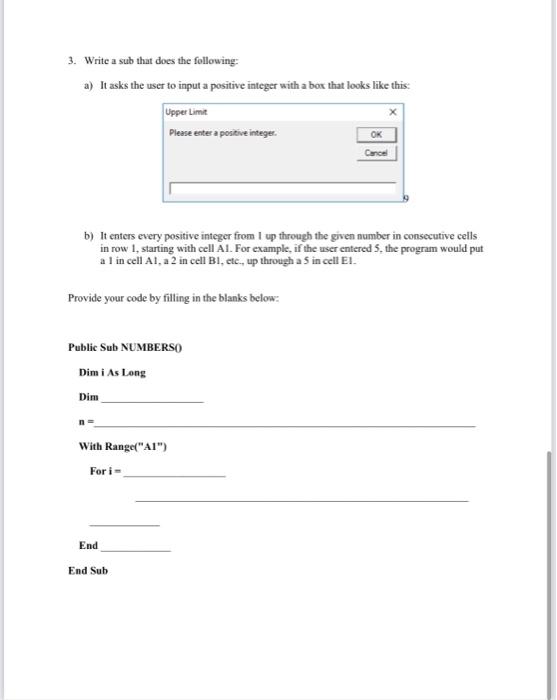
Section 2; Short Answer Consider the Excel Spreadsheet below. d. What VBA code would retrieve the value from cell A6 and store it in a double variable called "number"? e. What are the commands to divide the spreadsheet into two separate sections on the sereen? f. What VBA statement would change the color of the number 8 in column D to yellow? g. What is wrong with the following Excel command? -IF(D3>5,George, Martha) h. What is wrong with the following VBA Code? (This is unrelated to the spreadsheet above.) Dim people As Range people = Range( +B4:H6") people.Font.Size =12 Section 3-VBA Programs 1. Between the SUB and End Sub functions below, complete the VBA code for a SUB called SquarelD that does the following: (1) Asks the user for his or her name stored in a variable called yourName; (2) Asks the user for his or her student ID number (this is an cight-digit number) stored in a variable called ID; (3) Calculates the square root of the student's ID number and stores it in a variable called SID; (4) Places the square root of the student's ID number into Cell B5 of the worksheet; (5) Displays a message in a message box containing the title "Your Converted Number," as well as an information button. The message should look like this: "John, the square root of your ID number is 8239.855." Hint: The format to display a number without commas and with three decimal places is: 0.000 Public Sub SquareID0 Dim yourName As Dim _ As Dim As yourName = SID = = InputBox MsgBox = SID \& ID number is " - End Sub 2. Write the VBA code to create a user-defined function called TWO that creates a random integer number between 0 and 2 inclusive. Hint: This can be accomplished with 3 wotal lines of code. Public End 3. Write a sub that does the following: a) It asks the user to input a positive integer with a box that looks like this: b) It enters every positive integer from I up through the given number in consecutive cells in row 1, starting with cell A.1. For example, if the user entered 5 , the program would put a 1 in cell Al, a 2 in cell B1, etc., up through a 5 in cell E1. Provide your code by filling in the blanks below: Public Sub NUMBERS0 Dim i As long Dim n= With Range( AI ) For i= End End Sub
Step by Step Solution
There are 3 Steps involved in it

Get step-by-step solutions from verified subject matter experts
 Study Help