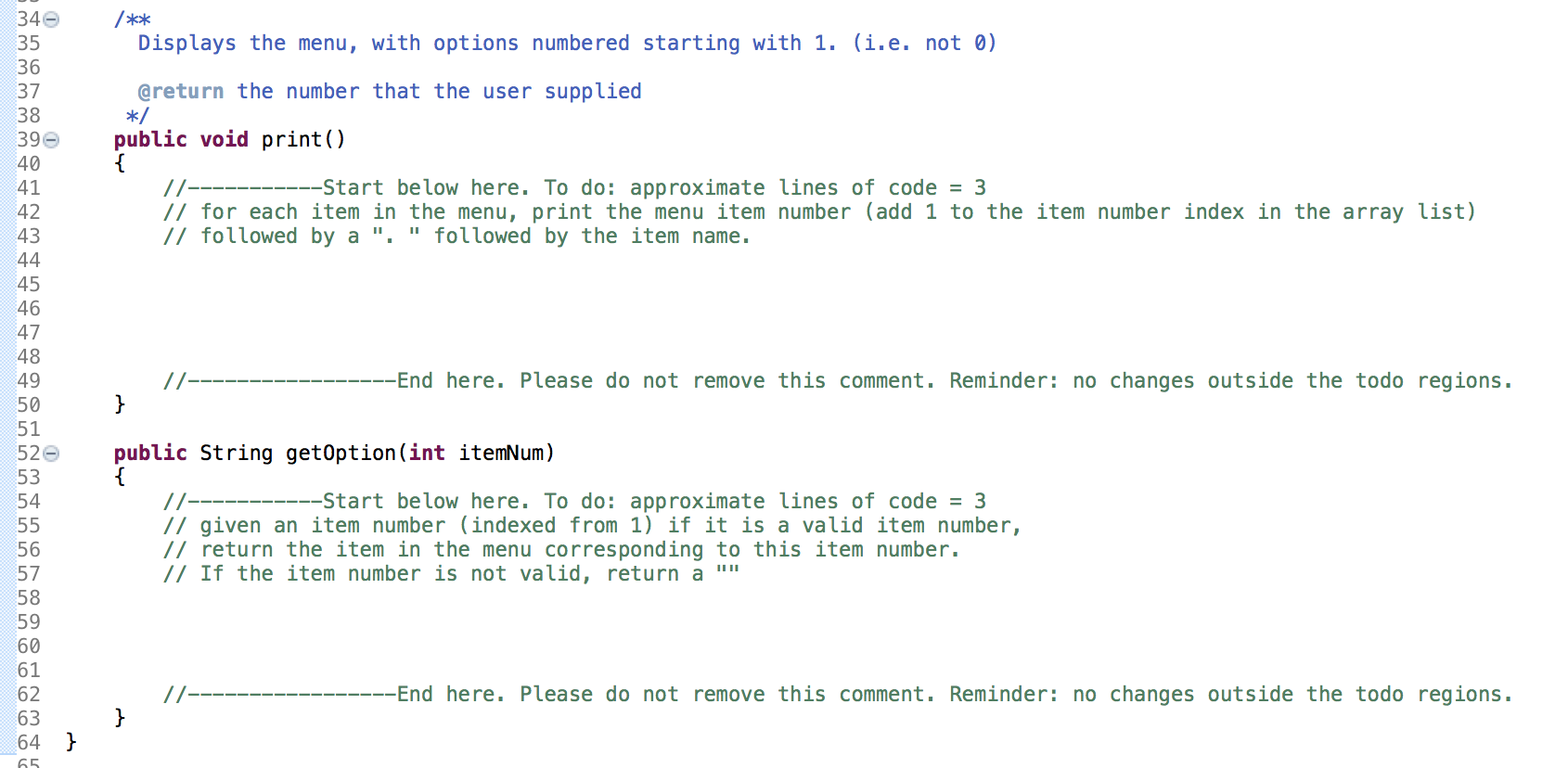
Question: IN JAVA */ 1 import java.util.ArrayList; 2 30 /** 4 A class that keeps track of a dynamic menu. 5 6 public class Menu 7

IN JAVA
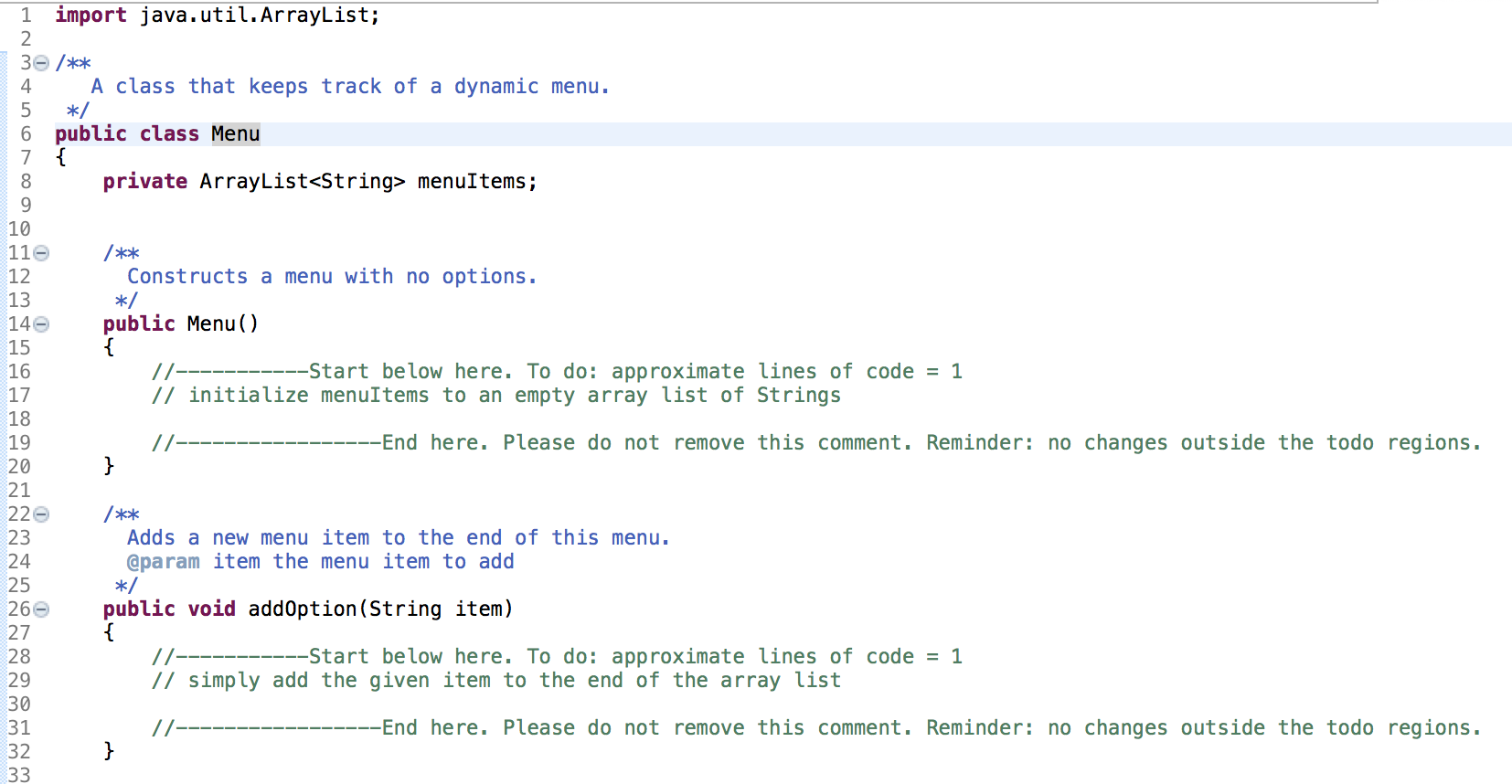
IN JAVA */ 1 import java.util.ArrayList; 2 30 /** 4 A classthat keeps track of a dynamic menu. 5 6 public class Menu

7 { 8 private ArrayList menuItems; 9 10 110 /** 12 Constructs

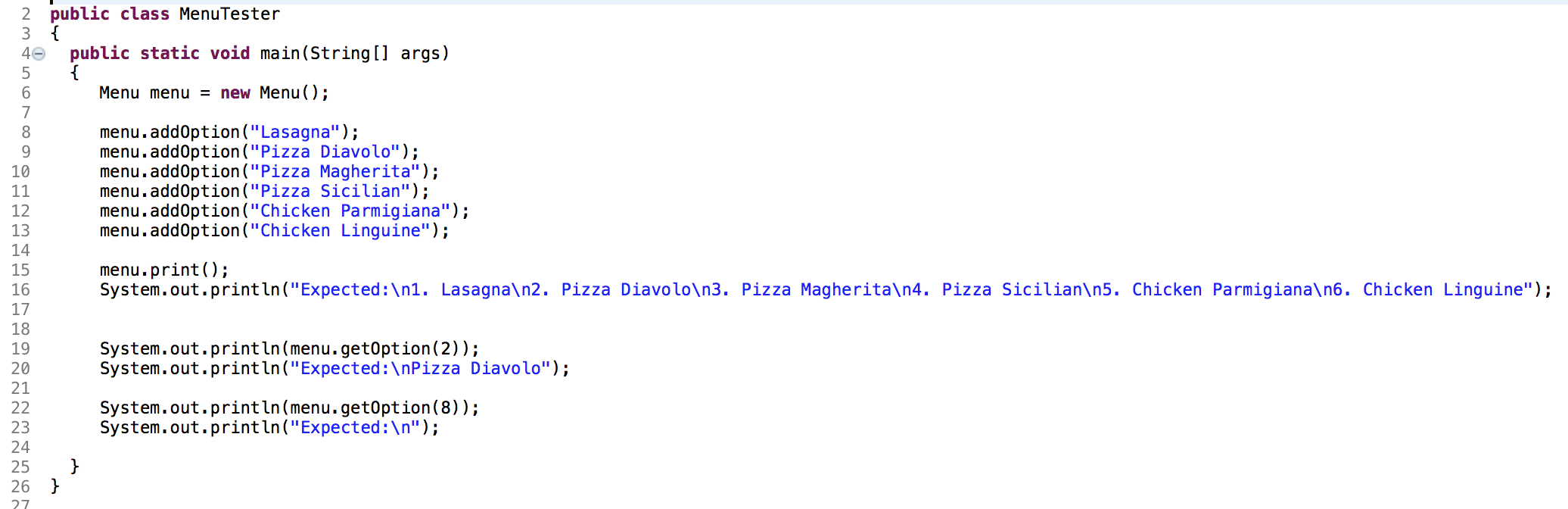
*/ 1 import java.util.ArrayList; 2 30 /** 4 A class that keeps track of a dynamic menu. 5 6 public class Menu 7 { 8 private ArrayList menuItems; 9 10 110 /** 12 Constructs a menu with no options. 13 */ 140 public Menu() 15 16 17- -Start below here. To do: approximate lines of code = 1 17 // initialize menuItems to an empty array list of Strings 18 19 // -End here. Please do not remove this comment. Reminder: no changes outside the todo regions. 20 } 21 22 /** 23 Adds a new menu item to the end of this menu. 24 @param item the menu item to add 25 */ 266 public void addOption(String item) 27 28 // -Start below here. To do: approximate lines of code = 1 29 // simply add the given item to the end of the array list 30 31 -End here. Please do not remove this comment. Reminder: no changes outside the todo regions. 32 } 33 340 35 36 37 38 390 40 41 42 43 44 45 46 47 /*** Displays the menu, with options numbered starting with 1. (i.e. not 0) @return the number that the user supplied */ public void print() { 17- --Start below here. To do: approximate lines of code = 3 // for each item in the menu, print the menu item number (add 1 to the item number index in the array list) // followed by a "." followed by the item name. 48 // -End here. Please do not remove this comment. Reminder: no changes outside the todo regions. } 49 50 51 520 53 54 55 56 57 public String getOption(int itemNum) { 11- -Start below here. To do: approximate lines of code = 3 // given an item number (indexed from 1) if it is a valid item number, // return the item in the menu corresponding to this item number. // If the item number is not valid, return a " 59 60 61 62 63 64 65 --End here. Please do not remove this comment. Reminder: no changes outside the todo regions. } } 2 public class Menu Tester 3 { 40 public static void main(String[] args) 5 { 6 Menu menu = new Menu(); 7 8 menu.addOption ("Lasagna"); 9 menu.addOption("Pizza Diavolo"); 10 menu.addOption ("Pizza Magherita"); 11 menu.addOption ("Pizza Sicilian"); 12 menu.addOption("Chicken Parmigiana"); 13 menu.addOption("Chicken Linguine"); 14 15 menu.print(); 16 System.out.println("Expected: 1. Lasagna 2. Pizza Diavolo 3. Pizza Magherita 4. Pizza Sicilian 5. Chicken Parmigiana 6. Chicken Linguine"); 17 18 19 System.out.println(menu.getOption(2)); 20 System.out.println("Expected: Pizza Diavolo"); 21 22 System.out.println(menu.getOption()); 23 System.out.println("Expected: "); 24 25 } 26 27

Step by Step Solution

There are 3 Steps involved in it

1 Expert Approved Answer
Step: 1 Unlock blur-text-image
Question Has Been Solved by an Expert!

Get step-by-step solutions from verified subject matter experts

Step: 2 Unlock
Step: 3 Unlock

Students Have Also Explored These Related Databases Questions!