







Question: In JAVA I need help with adjusting my code. This code is outputing incorrectly what do ineed to do to fix it ? The Question
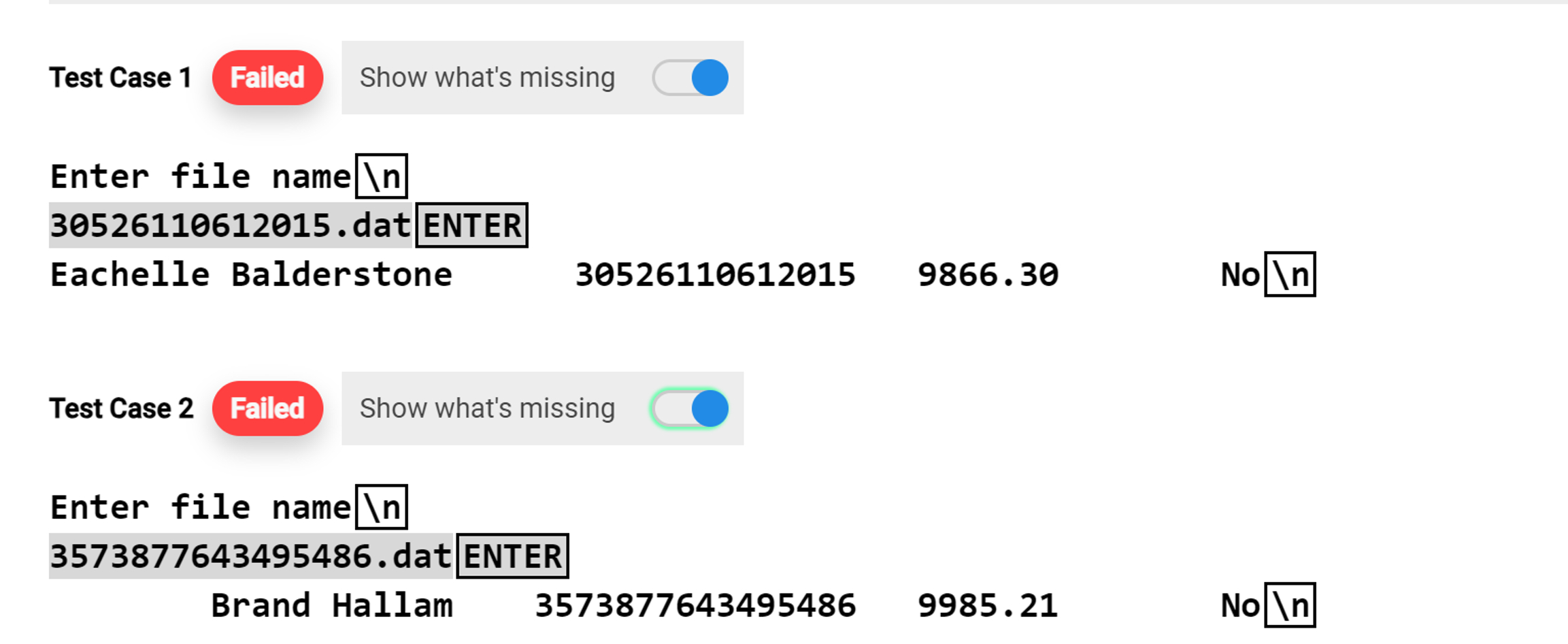
In JAVA I need help with adjusting my code. This code is outputing incorrectly what do ineed to do to fix it The Question is: Add a method called save to your Person class. This method will write the object out to a binary file. Use the Serializable format. Name the file accountNumber.dat where accountNumber is the credit card number from the object. MY CODE "PERSON" import java.util.ArrayList;
import java.util.Collections;
class Person implements Comparable, Serializable
String name;
long account;
double balance;
boolean back;
public PersonString name, long account, double balance, boolean back
this.name name;
this.account account;
this.balance balance;
this.back back;
public void save
try ObjectOutputStream out new ObjectOutputStreamnew FileOutputStreamaccount dat"
out.writeObjectthis;
Systemout.printfssfs
name, account, balance, back "Yes" : No;
catch IOException e
System.err.printlnError saving object: e;
@Override
public String toString
String s;
if back
s No;
else
s "Yes";
return String.formatsdfs
name, account, balance, s;
@Override
public int compareToPerson st
return this.name.compareTostname;
public static void mainString args
Person test new PersonEachelle Balderstone", L false;
testsave;
Person test new PersonBrand Hallam", L false;
testsave;
Person test new PersonTiphanie Oland", L true;
testsave;
ArrayList list new ArrayList;
list.addtest;
list.addtest;
list.addtest;
Collections.sortlist;
System.out.printfEnter file namensdatENTERn testaccount;
System.out.printlntesttoString;
System.out.printfEnter file namensdatENTERn testaccount;
System.out.printlntesttoString;
System.out.printfEnter file namensdatENTERn testaccount;
System.out.printlntesttoString;
DEMO CODE GIVEN import java.io;
import java.util.ArrayList;
import java.util.Collections;
import java.util.Scanner;
public class Demo
public static void mainString args throws IOException, ClassNotFoundException
Person test new PersonEachelle Balderstone",
L
false;
Person test new PersonBrand Hallam",
L
false;
Person test new PersonTiphanie Oland",
L
true;
testsave;
testsave;
testsave;
Scanner keyboard new ScannerSystemin;
System.out.printlnEnter file name";
String filename keyboard.nextLine;
FileInputStream istream new FileInputStreamfilename;
ObjectInputStream ois new ObjectInputStreamistream;
Person p PersonoisreadObject;
ois.close;
System.out.printlnp;
Step by Step Solution
There are 3 Steps involved in it
1 Expert Approved Answer
Step: 1 Unlock

Question Has Been Solved by an Expert!
Get step-by-step solutions from verified subject matter experts
Step: 2 Unlock
Step: 3 Unlock
 Study Help