







Question: In Java Overall Lab 10 Instructions Using the instructions from Closed Lab 01, create a new folder named ClosedLab10. Unlike with previous labs, you will
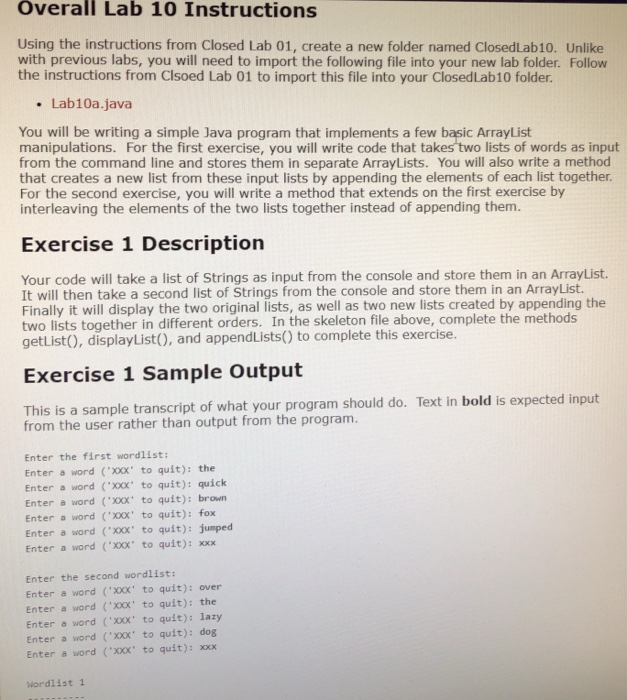
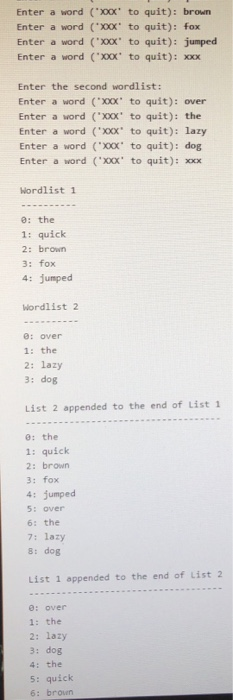
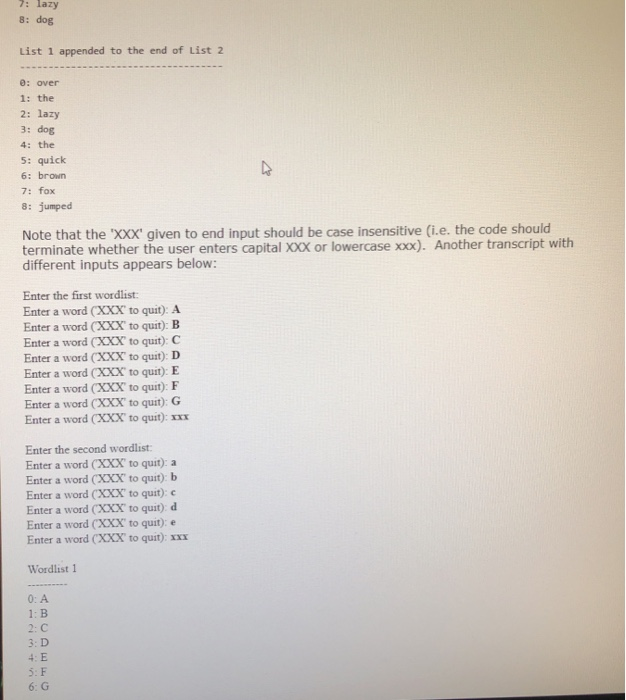
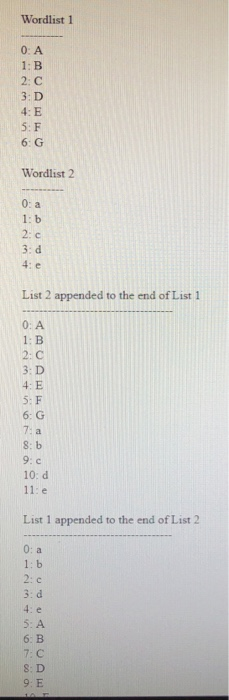
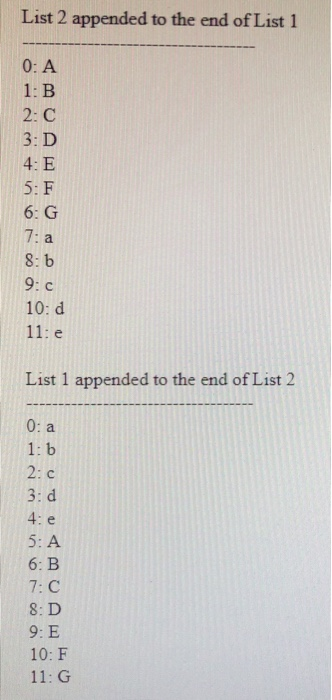
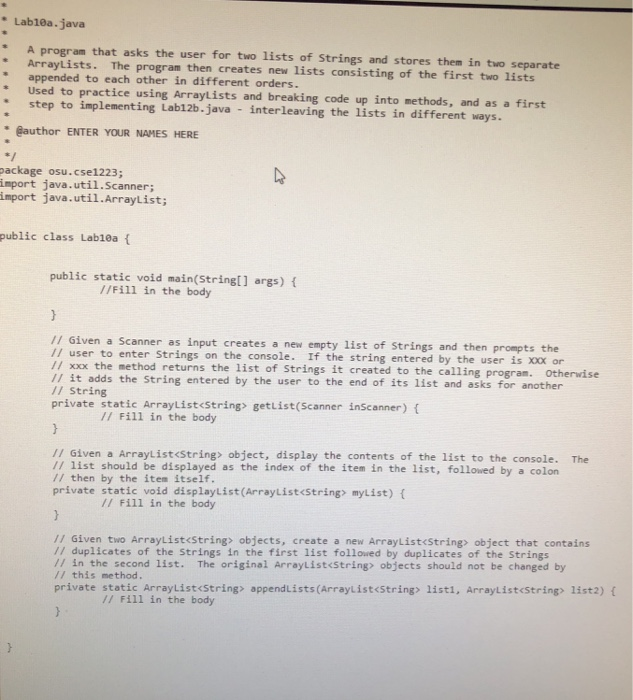
Overall Lab 10 Instructions Using the instructions from Closed Lab 01, create a new folder named ClosedLab10. Unlike with previous labs, you will need to import the following file into your new lab folder. Follow the instructions from Clsoed Lab 01 to import this file into your ClosedLab10 folder. Lab10a.java You will be writing a simple Java program that implements a few basic ArrayList manipulations. For the first exercise, you will write code that takes two lists of words as input from the command line and stores them in separate ArrayLists. You will also write a method that creates a new list from these input lists by appending the elements of each list together. For the second exercise, you will write a method that extends on the first exercise by interleaving the elements of the two lists together instead of appending them. Exercise 1 Description It will then take a second list of Strings from the console and store them in an ArrayList. getList), displayListO, and appendLists) to complete this exercise Exercise 1 Sample Output Your code will take a list of Strings as input from the console and store them in an ArrayList. Finally it will display the two original lists, as well as two new lists created by appending the two lists together in different orders. In the skeleton file above, complete the methods This is a sample transcript of what your program should do. Text in bold is expected input from the user rather than output from the program. Enter the first wordlist: Enter a word ('X0Xx' to quit): the Enter a word (XXX to quit): quick Enter a word (xXX to quit): brown Enter a word ('X00X' to quit): fox Enter a word ( to quit): jumped Enter a word (XX to quit):xxx Enter the second wordlist: Enter a word (00x to quit): over Enter a word "xX0X' to quit): the Enter a word ('xXXX' to quit): lazy Enter a word ('XXX' to quit): dog Enter a word ("XXX' to quit): xxx Wordlist 1
Step by Step Solution
There are 3 Steps involved in it

Get step-by-step solutions from verified subject matter experts
 Study Help