







Question: In java please! Letterhead.java Create a java file with a public class Letterhead. The purpose of this class is to hold/generate a fancy letterhead with
 In java please!
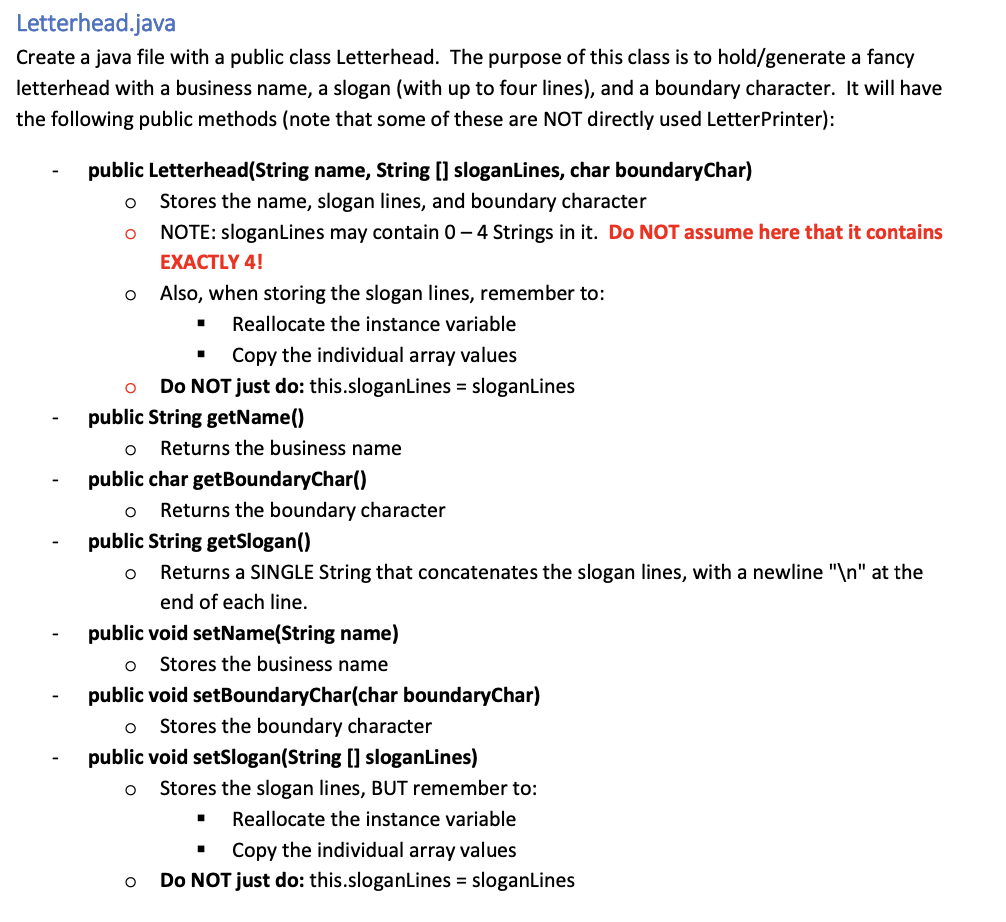
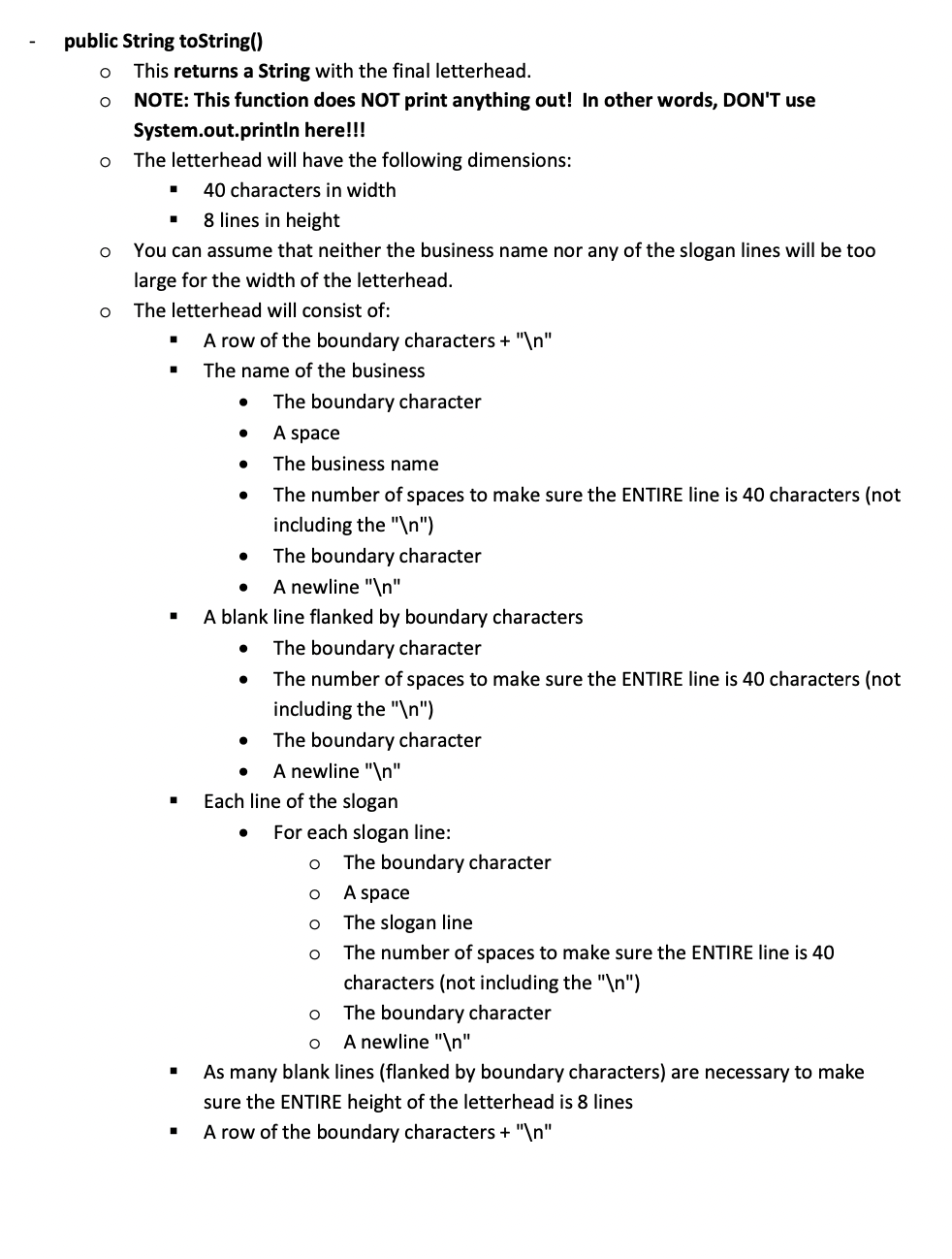
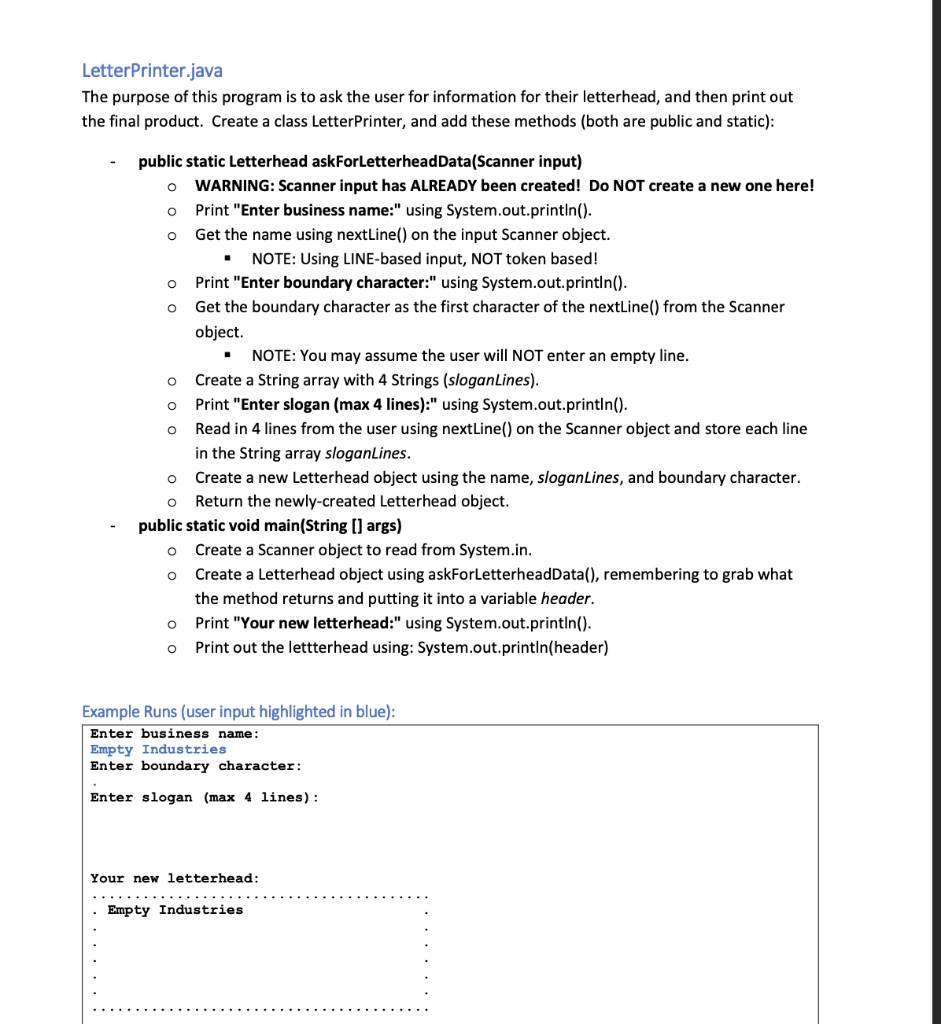
Letterhead.java Create a java file with a public class Letterhead. The purpose of this class is to hold/generate a fancy letterhead with a business name, a slogan (with up to four lines), and a boundary character. It will have the following public methods (note that some of these are NOT directly used LetterPrinter): - public Letterhead(String name, String [] sloganLines, char boundaryChar) - Stores the name, slogan lines, and boundary character - NOTE: sloganLines may contain 04 Strings in it. Do NOT assume here that it contains EXACTLY 4 ! - Also, when storing the slogan lines, remember to: - Reallocate the instance variable - Copy the individual array values Do NOT just do: this.sloganLines = sloganLines - public String getName() - Returns the business name - public char getBoundaryChar() - Returns the boundary character - public String getSlogan() - Returns a SINGLE String that concatenates the slogan lines, with a newline " " at the end of each line. - public void setName(String name) - Stores the business name - public void setBoundaryChar(char boundaryChar) - Stores the boundary character - public void setSlogan(String [] sloganLines) - Stores the slogan lines, BUT remember to: - Reallocate the instance variable - Copy the individual array values Do NOT just do: this.sloganLines = sloganLines public String toString() - This returns a String with the final letterhead. - NOTE: This function does NOT print anything out! In other words, DON'T use System.out.println here!!! The letterhead will have the following dimensions: - 40 characters in width - 8 lines in height - You can assume that neither the business name nor any of the slogan lines will be too large for the width of the letterhead. - The letterhead will consist of: - A row of the boundary characters + " \ " - The name of the business - The boundary character - A space - The business name - The number of spaces to make sure the ENTIRE line is 40 characters (not including the " ") - The boundary character - A newline " " - A blank line flanked by boundary characters - The boundary character - The number of spaces to make sure the ENTIRE line is 40 characters (not including the " ") - The boundary character - A newline " n " - Each line of the slogan - For each slogan line: - The boundary character - A space - The slogan line - The number of spaces to make sure the ENTIRE line is 40 characters (not including the "\} \mathrm { n } \text { ") } - The boundary character - A newline " n " - As many blank lines (flanked by boundary characters) are necessary to make sure the ENTIRE height of the letterhead is 8 lines - A row of the boundary characters + " \ n" " LetterPrinter.java The purpose of this program is to ask the user for information for their letterhead, and then print out the final product. Create a class LetterPrinter, and add these methods (both are public and static): - public static Letterhead askForLetterheadData(Scanner input) - WARNING: Scanner input has ALREADY been created! Do NOT create a new one here! - Print "Enter business name:" using System.out.println(). - Get the name using nextLine() on the input Scanner object. - NOTE: Using LINE-based input, NOT token based! - Print "Enter boundary character:" using System.out.println(). - Get the boundary character as the first character of the nextLine() from the Scanner object. - NOTE: You may assume the user will NOT enter an empty line. - Create a String array with 4 Strings (sloganLines). - Print "Enter slogan (max 4 lines):" using System.out.println(). - Read in 4 lines from the user using nextLine() on the Scanner object and store each line in the String array sloganLines. - Create a new Letterhead object using the name, sloganLines, and boundary character. - Return the newly-created Letterhead object. - public static void main(String [] args) - Create a Scanner object to read from System.in. - Create a Letterhead object using askForLetterheadData(), remembering to grab what the method returns and putting it into a variable header. - Print "Your new letterhead:" using System.out.println(). - Print out the lettterhead using: System.out.println(header) Example Runs (user input highlighted in blue): Enter business name: Empty Industries Enter boundary character: Enter slogan (max 4 lines): Your new letterhead
Step by Step Solution
There are 3 Steps involved in it

Get step-by-step solutions from verified subject matter experts
 Study Help