







Question: In java please Server Part: 1. Create a PrintServer.java Class Hint: two useful packages that you can import to your code: i. java.io, ii. java.net
In java please
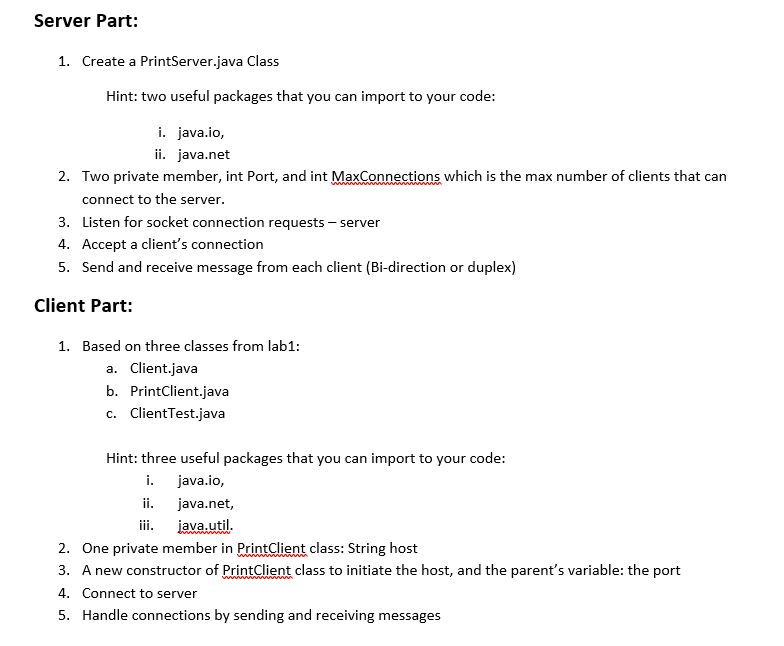
Server Part: 1. Create a PrintServer.java Class Hint: two useful packages that you can import to your code: i. java.io, ii. java.net Two private member, int Port, and int MaxConnections which is the max number of clients that can connect to the server Listen for socket connection requests - server Accept a client's connection Send and receive message from each client (Bi-direction or duplex) 2. 3. 4. 5. Client Part: 1, Based on three classes from lab1: a. Client.java b. PrintClient.java c. ClientTest.java Hint: three useful packages that you can import to your code i. java.io, java.net, ii. javautil 2. One private member in PrintClient class: String host 3. A new constructor of PrintCli class to initiate the host, and the parent's variable: the port 4. Connect to server 5. Handle connections by sending and receiving messages Server Part: 1. Create a PrintServer.java Class Hint: two useful packages that you can import to your code: i. java.io, ii. java.net Two private member, int Port, and int MaxConnections which is the max number of clients that can connect to the server Listen for socket connection requests - server Accept a client's connection Send and receive message from each client (Bi-direction or duplex) 2. 3. 4. 5. Client Part: 1, Based on three classes from lab1: a. Client.java b. PrintClient.java c. ClientTest.java Hint: three useful packages that you can import to your code i. java.io, java.net, ii. javautil 2. One private member in PrintClient class: String host 3. A new constructor of PrintCli class to initiate the host, and the parent's variable: the port 4. Connect to server 5. Handle connections by sending and receiving messages
Step by Step Solution
There are 3 Steps involved in it

Get step-by-step solutions from verified subject matter experts
 Study Help