







Question: In Java using NETBEANS Create an Application that has two JButtons one that has the text Red and the other that has the text Blue
In Java using NETBEANS
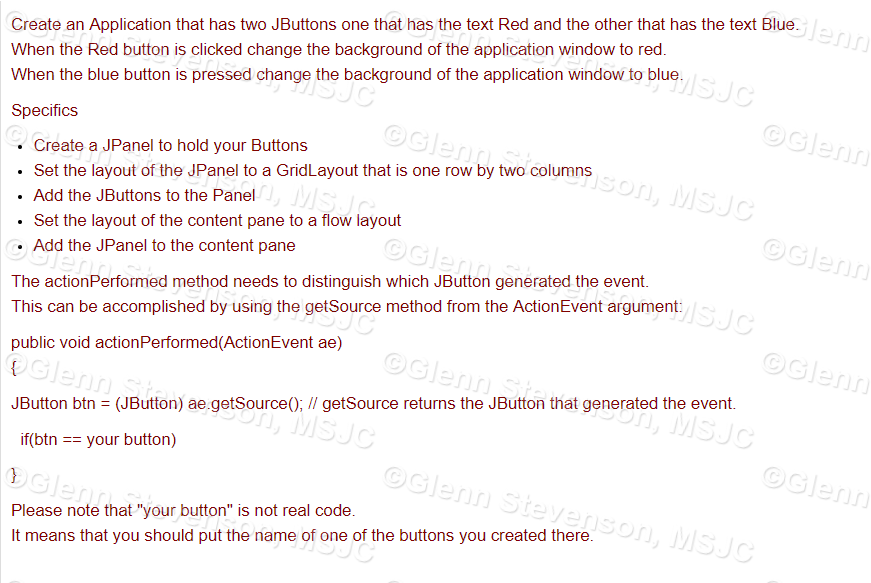
Create an Application that has two JButtons one that has the text Red and the other that has the text Blue When the Red button is clicked change the background of the application window to red When the blue button is pressed change the background of the application window to blue SpecificS enn sJo Create a JPanel to hold your Buttons . Set the layout of the JPanel to a GridLayout that is one row by two columns . Add the JButtons to the Panel . Set the layout of the content pane to a flow layout .Add the JPanel to the content pane son MSJc The actionPerformed method needs to distinguish which JButton generated the event. This can be accomplished by using the getSource method from the ActionEvent argument public void actionPerformed(ActionEvent ae) JButton btn (JButton) ae.getSource); // getSource returns the JButton that generated the event. if(btn your button) Please note that "your button" is not real code It means that you should put the name of one of the buttons you created there
Step by Step Solution
There are 3 Steps involved in it

Get step-by-step solutions from verified subject matter experts
 Study Help