







Question: in javascript html, and css i am making a tower defense game and I want to make a enemy follow a path like this, but
in javascript html, and css i am making a tower defense game and I want to make a enemy follow a path like this, but i want to be able to click start and the enemy starts to move:
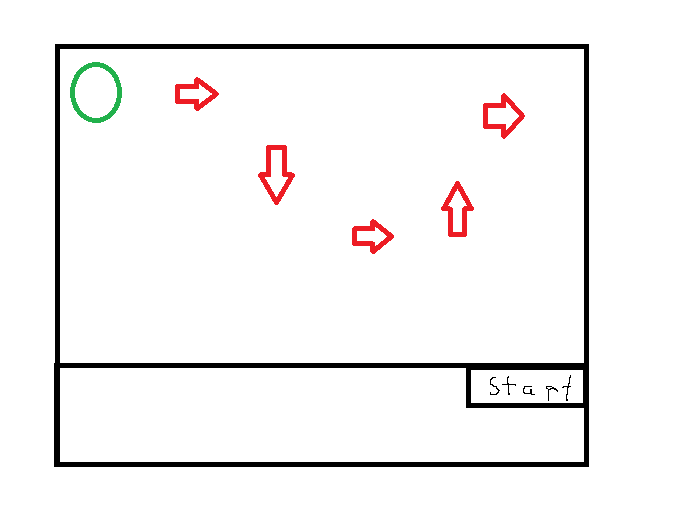
I need help on my code:
here is my html:
Here is my css:
#enemy {
position: absolute;
width: 20px;
height: 20px;
background-color: red;
border-radius: 50%;
left: 0;
top: 0;
}
and here is my js:
const path = [
{ x: 100, y: 0 },
{ x: 100, y: 200 },
{ x: 300, y: 200 },
{ x: 300, y: 400 },
{ x: 500, y: 400 }
];
// Get references to the elements
const startButton = document.getElementById('start-button');
const enemy = document.getElementById('enemy');
// Set up the animation
let currentPointIndex = 0;
let animationInterval;
function animate() {
const currentPoint = path[currentPointIndex];
const { x, y } = currentPoint;
enemy.style.left = `${x}px`;
enemy.style.top = `${y}px`;
currentPointIndex++;
if (currentPointIndex >= path.length) {
clearInterval(animationInterval);
}
}
// Add event listener to start button
startButton.addEventListener('click', () => {
currentPointIndex = 0;
animationInterval = setInterval(animate, 1000);
});
I NEED HELP WITH HOW TO FIX THIS CODE BECAUSE ITS NOT WORKING FOR ME, i also want to keep my enemy inside a box.
Step by Step Solution
There are 3 Steps involved in it

Get step-by-step solutions from verified subject matter experts
 Study Help