







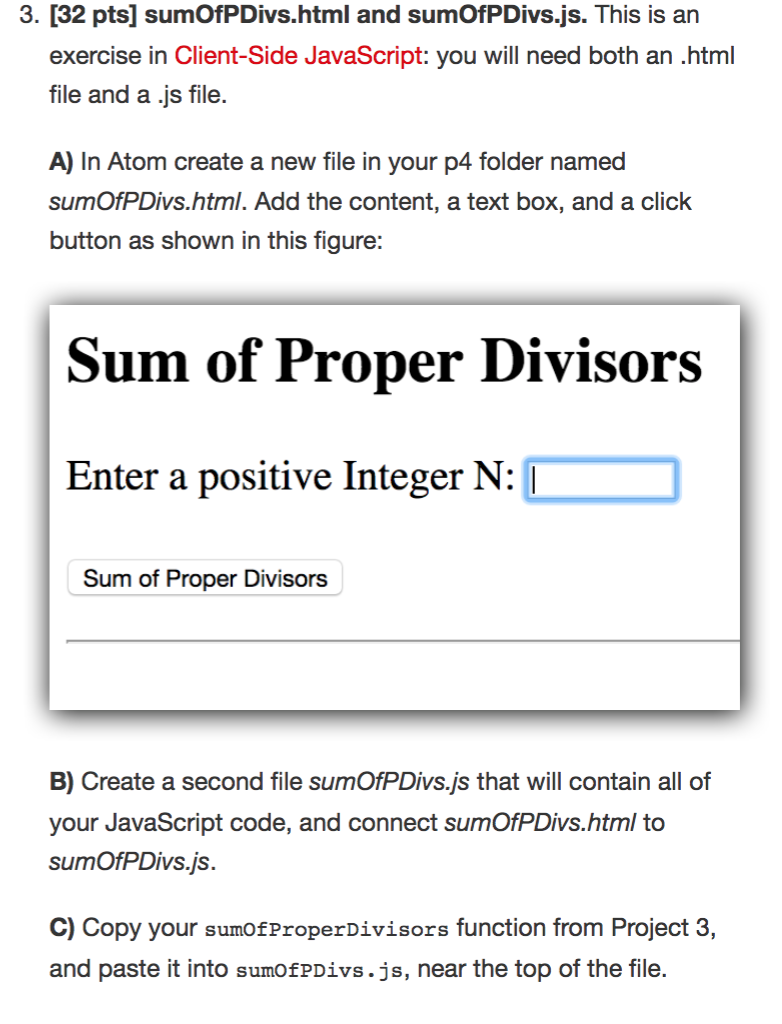
Question: In JavaScript text instructions: A) In Atom create a new file in your p4 folder named sumOfPDivs.html . Add the content, a text box, and
In JavaScript
text instructions:
A)
In Atom create a new file in your p4 folder named
sumOfPDivs.html
. Add the content, a text box, and a click
button
B)
Create a second file
sumOfPDivs.js
that will contain all of
your JavaScript code, and connect
sumOfPDivs.html
to
sumOfPDivs.js
C.
Copy your
sumOfProperDivisors
function from Project 3,
and paste it into
sumOfPDivs.js
, near the top of the file. (find sumOfProperDivisors code below):
function sumOfProperDivisors(n){ var result = 0; for(var x = 1;x Following the function declaration, define an onclick handler, (the call-back function that handles the onclick event).
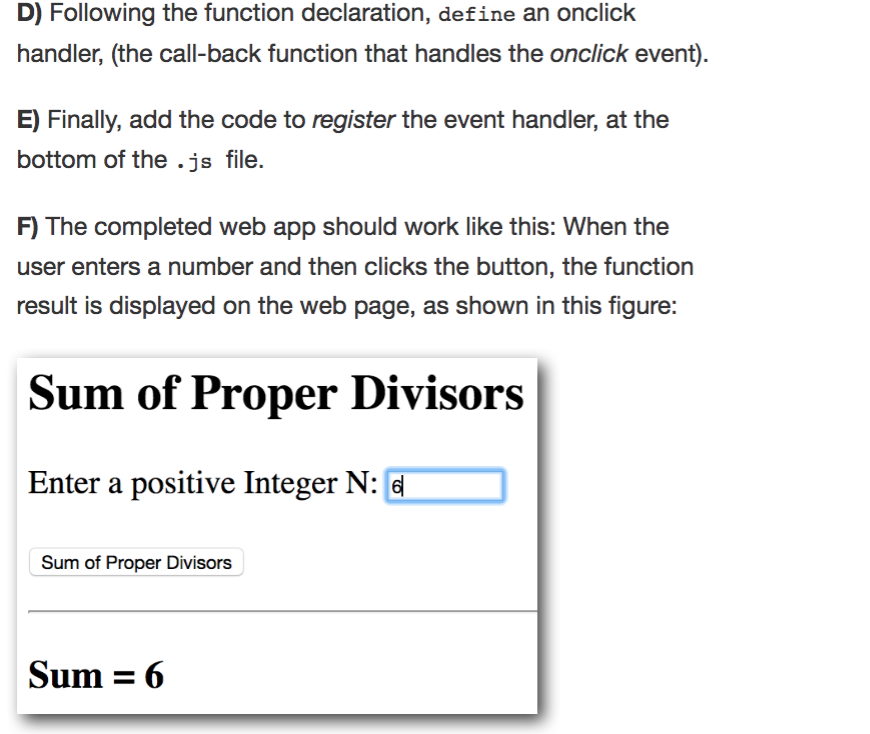
Finally, add the code to register the event handler, at the bottom of the .js file. The completed web app should work like this:
When the user enters a number and then clicks the button, the function result is displayed on the web page.
3. [32 pts] sumOfPDivs.html and sumOfPDivs.js. This is an exercise in Client-Side JavaScript: you will need both an .html file and a .js file. A) In Atom create a new file in your p4 folder named sumOfPDivs.html. Add the content, a text box, and a click button as shown in this figure: Sum of Proper Divisors Enter a positive Integer N: [ Sum of Proper Divisors B) Create a second file sumOfPDivs.js that will contain all of your JavaScript code, and connect sumOfPDivs.html to sumOfPDivs.js. C) Copy your sumofProperDivisors function from Project 3, and paste it into sumofpDivs.js, near the top of the file. D) Following the function declaration, define an onclick handler, (the call-back function that handles the onclick event). E) Finally, add the code to register the event handler, at the bottom of the .js file. F) The completed web app should work like this: When the user enters a number and then clicks the button, the function result is displayed on the web page. as shown in this figures Sum of Proper Divisors Enter a positive Integer N:G Sum of Proper Divisors Sum 6
Step by Step Solution
There are 3 Steps involved in it

Get step-by-step solutions from verified subject matter experts
 Study Help