







Question: In JavaScript/CSS I am embedding a previous website to the one I'm creating now. However, when I embed the website, the table is not as
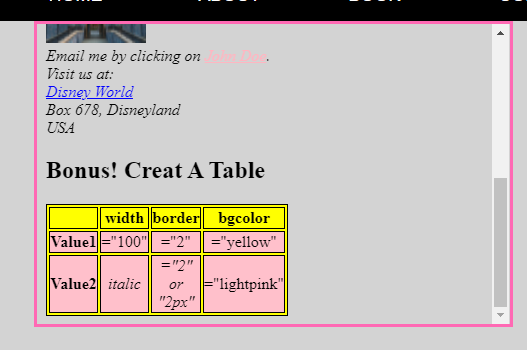
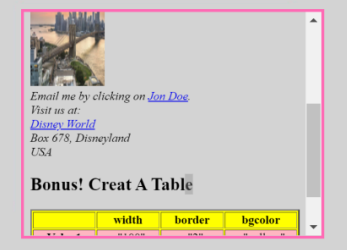
In JavaScript/CSS I am embedding a previous website to the one I'm creating now. However, when I embed the website, the table is not as close to the margin of the scroll bar (picture 1) as I would like it to be. I would like it to be as close to the scroll bar as seen in picture 2. Is there any way that you could show me the code to fix this problem? Also, please note that the scroll bar I am referring to is not the scroll bar for current website, but for the embedded website. Is there something I should change in current code or in previous website's code or both? My code for embedded and current website is pasted below.
NB. Notice the distance between the blue link "John Doe" and the scroll bar versus the table and the scroll bar seen in picture 2. That is what I'd like to achieve please.
EMBEDDED WEBSITE CODE:
| table, th { background-color: yellow; } table td{ background-color: pink; } table,th,td{ border: solid 1px; border-color: black; } Assignment 1 - Feb 8th 2021Hey! It looks like a paragraph, but there is a block/box here too. Find that HTML element other than <p> and <h>
This is a link to Google
Email me by clicking on John Doe. Visit us at: Disney World Box 678, Disneyland USA
Bonus! Creat A Table
|
|---|

Step by Step Solution
There are 3 Steps involved in it

Get step-by-step solutions from verified subject matter experts
 Study Help