







Question: In Linux, Manage processes a) Use the ps command to get a snapshot of current running processes. i) Use ps-e to get all processes i)
In Linux,
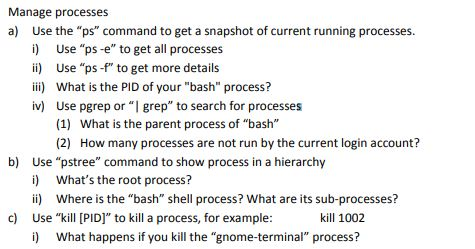
Manage processes a) Use the "ps" command to get a snapshot of current running processes. i) Use "ps-e" to get all processes i) Use "ps -f" to get more details ii) What is the PID of your "bash" process? iv) Use pgrep or " grep" to search for processes (1) What is the parent process of "bash" (2) Use "pstree" command to show process in a hierarchy i) What's the root process? ii) Where is the "bash" shell process? What are its sub-processes? How many processes are not run by the current login account? b) c) Use "kil [PID] to kill a process, for example kill 1002 i) What happens if you kill the "gnome-terminal" process? Manage processes a) Use the "ps" command to get a snapshot of current running processes. i) Use "ps-e" to get all processes i) Use "ps -f" to get more details ii) What is the PID of your "bash" process? iv) Use pgrep or " grep" to search for processes (1) What is the parent process of "bash" (2) Use "pstree" command to show process in a hierarchy i) What's the root process? ii) Where is the "bash" shell process? What are its sub-processes? How many processes are not run by the current login account? b) c) Use "kil [PID] to kill a process, for example kill 1002 i) What happens if you kill the "gnome-terminal" process
Step by Step Solution
There are 3 Steps involved in it

Get step-by-step solutions from verified subject matter experts
 Study Help