







Question: In Linux::: Task 3 BASH scripts are nothing more than a list of commands that run in order. Let's create our first script to demonstrate.
In Linux:::
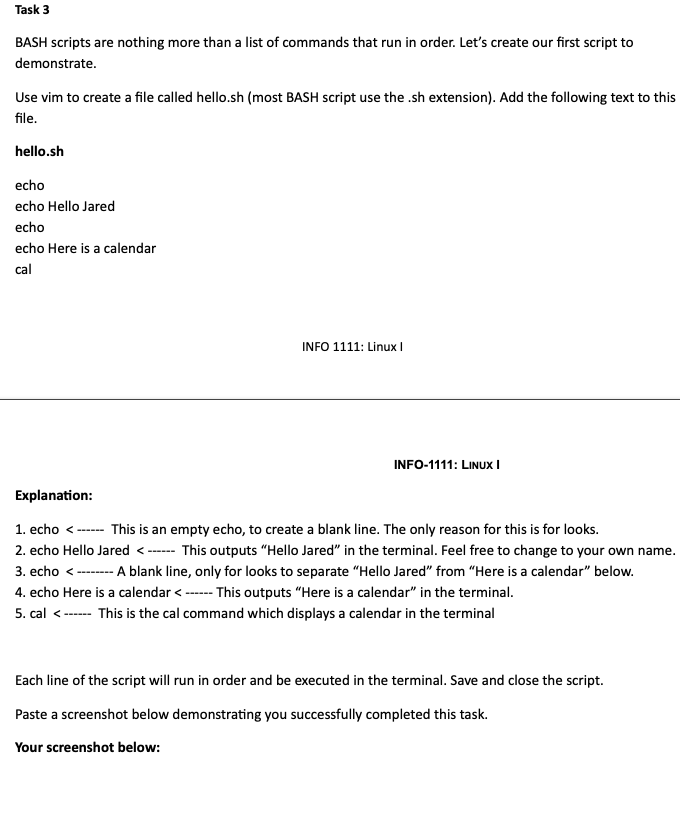
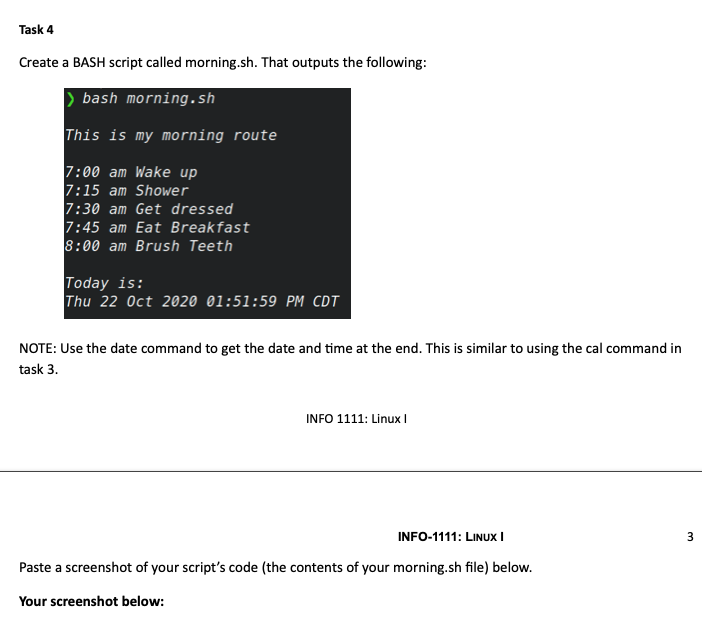
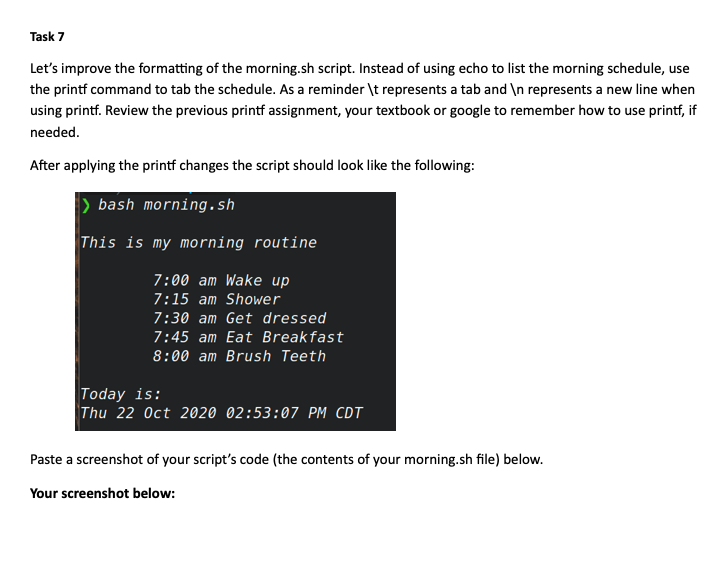
Task 3 BASH scripts are nothing more than a list of commands that run in order. Let's create our first script to demonstrate. Use vim to create a file called hello.sh (most BASH script use the .sh extension). Add the following text to this file. hello.sh echo echo Hello Jared echo echo Here is a calendar cal INFO 1111: Linux INFO-1111: LINUX Explanation: 1. echo bash morning.sh This is my morning route 7:00 am Wake up 7:15 am Shower 7:30 am Get dressed 7:45 am Eat Breakfast 8:00 am Brush Teeth Today is: Thu 22 Oct 2020 01:51:59 PM CDT NOTE: Use the date command to get the date and time at the end. This is similar to using the cal command in task 3. INFO 1111: Linux 3 INFO-1111: LINUX Paste a screenshot of your script's code (the contents of your morning.sh file) below. Your screenshot below: INFO-1111: LINUX Task 6 Open your morning.sh script and add at least 3 comments. Paste a screenshot below demonstrating you successfully completed this task. Your screenshot below: Task 7 Let's improve the formatting of the morning.sh script. Instead of using echo to list the morning schedule, use the printf command to tab the schedule. As a reminder \t represents a tab and represents a new line when using printf. Review the previous printf assignment, your textbook or google to remember how to use printf, if needed. After applying the printf changes the script should look like the following: bash morning.sh This is my morning routine 7:00 am Wake up 7:15 am Shower 7:30 am Get dressed 7:45 am Eat Breakfast 8:00 am Brush Teeth Today is: Thu 22 Oct 2020 02:53:07 PM CDT Paste a screenshot of your script's code (the contents of your morning.sh file) below. Your screenshot below
Step by Step Solution
There are 3 Steps involved in it

Get step-by-step solutions from verified subject matter experts
 Study Help