







Question: IN PYTHON: get length of list / string using len(), use string split, string formatting Problem 1: Count Words Your code should prompt user and
IN PYTHON: get length of list / string using len(), use string split, string formatting
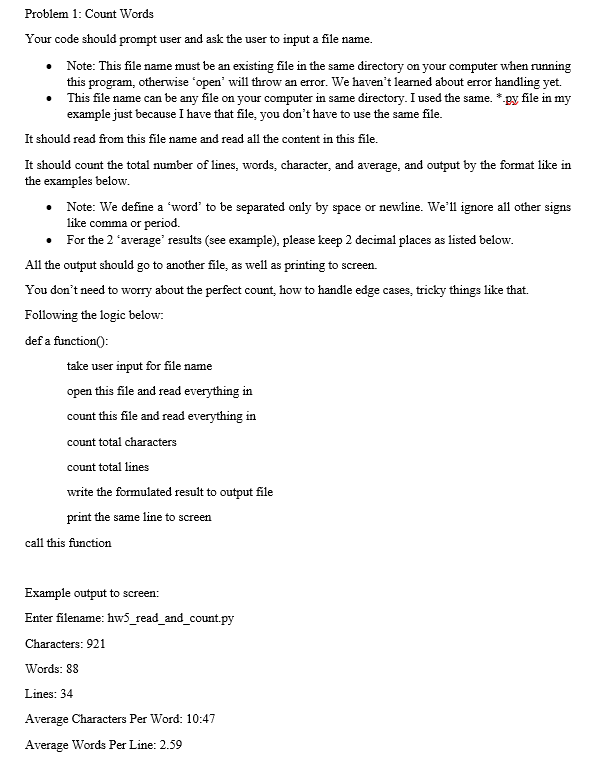
Problem 1: Count Words Your code should prompt user and ask the user to input a ile name. . Note: This file name must be an existing file in the same directory on your computer when running this program, otherwise 'open' will throw an error. We haven't learned about error handling yet. . This file name can be any file on your computer in same directory. I used the same. *py file in my example just because I have that file, you don't have to use the same file. It should read from this file name and read all the content in this file It should count the total number of lines, words, character, and average, and output by the format like in the examples below Note: We define a 'word' to be separated only by space or newline. We'll ignore all other signs like comma or period. . For the 2 'average' results (see example), please keep 2 decimal places as listed below All the output should go to another file, as well as printing to screen. You don't need to worry about the perfect count, how to handle edge cases, tricky things like that. Following the logic below: def a functionO take user input for fle name open this file and read everything in count this file and read everything in count total characters count total lines write the formulated result to output file print the same line to screen call this function Example output to screen: Enter filename: hw5 read and _count.py Characters: 921 Words: 88 Lines: 34 Average Characters Per Word: 10:47 Average Words Per Line: 2.59
Step by Step Solution
There are 3 Steps involved in it

Get step-by-step solutions from verified subject matter experts
 Study Help