







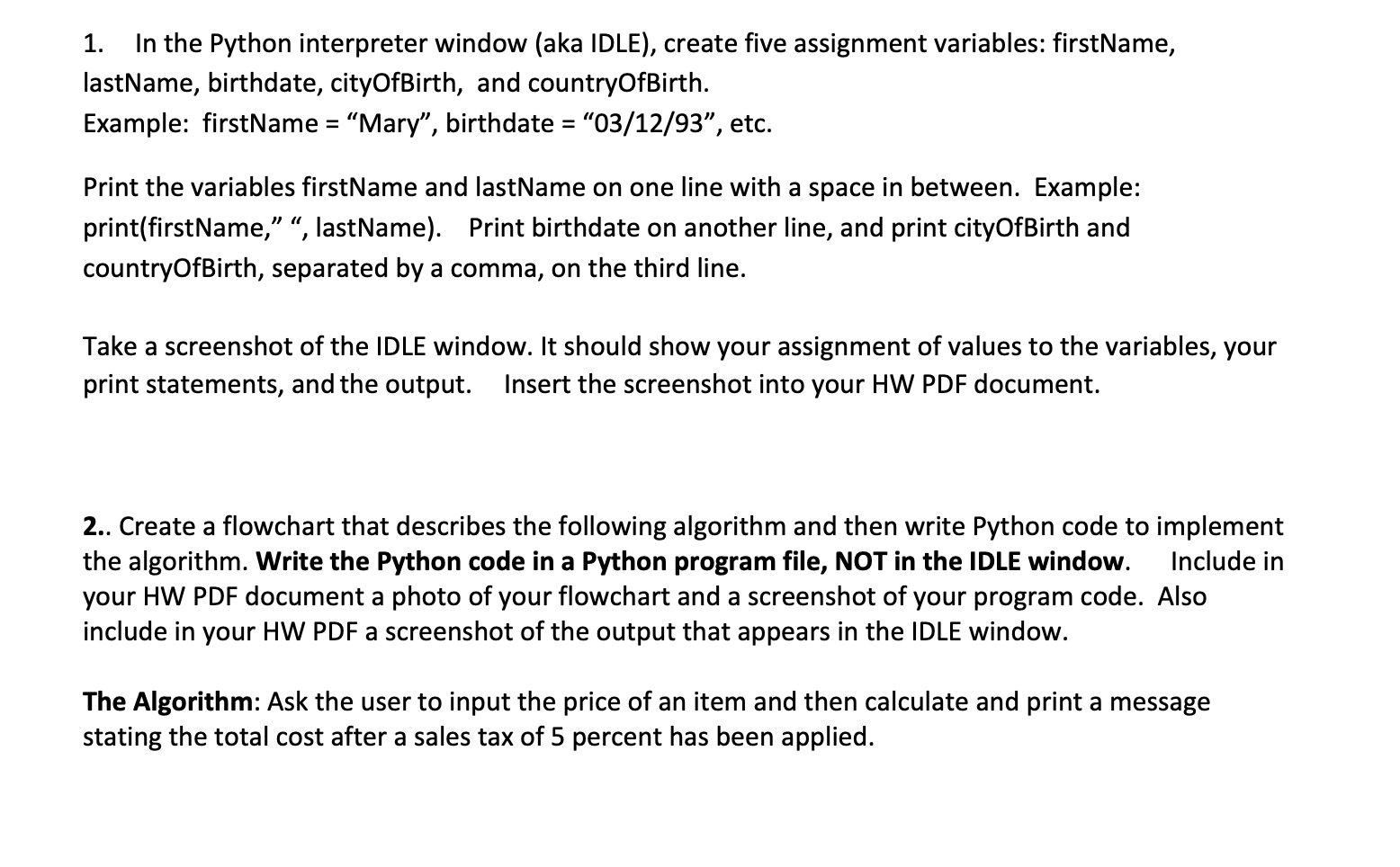
Question: In the Python interpreter window (aka IDLE), create five assignment variables: firstName, lastName, birthdate, cityOfBirth, and countryOfBirth. Example: firstName = Mary, birthdate = 03/12/93, etc.
In the Python interpreter window (aka IDLE), create five assignment variables: firstName, lastName, birthdate, cityOfBirth, and countryOfBirth. Example: firstName = Mary, birthdate = 03/12/93, etc.
Print the variables firstName and lastName on one line with a space in between. Example: print(firstName, , lastName). Print birthdate on another line, and print cityOfBirth and countryOfBirth, separated by a comma, on the third line.
Take a screenshot of the IDLE window. It should show your assignment of values to the variables, your print statements, and the output. Insert the screenshot into your HW PDF document.
2.. Create a flowchart that describes the following algorithm and then write Python code to implement the algorithm. Write the Python code in a Python program file, NOT in the IDLE window. Include in your HW PDF document a photo of your flowchart and a screenshot of your program code. Also include in your HW PDF a screenshot of the output that appears in the IDLE window.
The Algorithm: Ask the user to input the price of an item and then calculate and print a message stating the total cost after a sales tax of 5 percent has been applied.
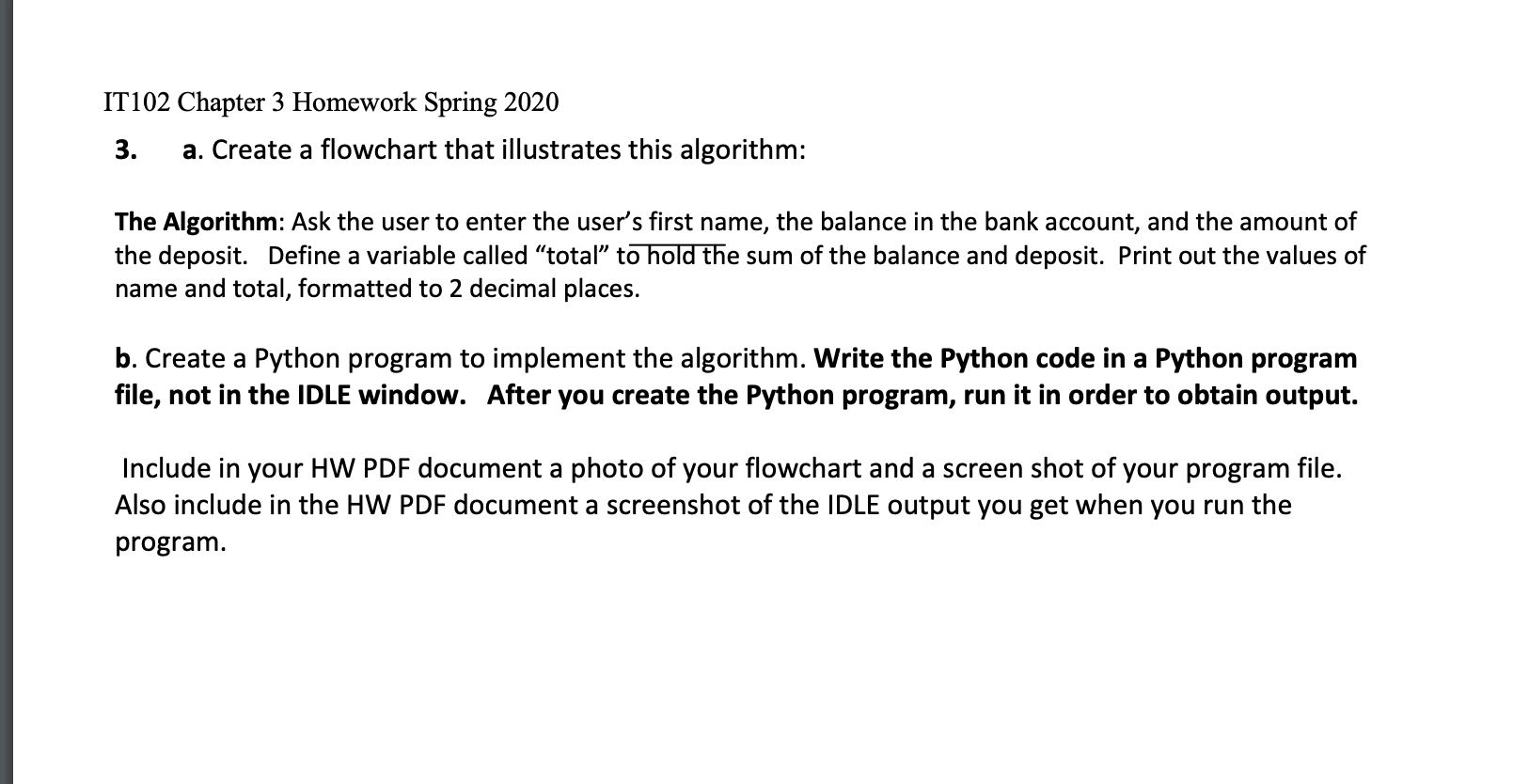
3. a. Create a flowchart that illustrates this algorithm:
The Algorithm: Ask the user to enter the users first name, the balance in the bank account, and the amount of the deposit. Define a variable called total to hold the sum of the balance and deposit. Print out the values of name and total, formatted to 2 decimal places.
b. Create a Python program to implement the algorithm. Write the Python code in a Python program file, not in the IDLE window. After you create the Python program, run it in order to obtain output.
Include in your HW PDF document a photo of your flowchart and a screen shot of your program file. Also include in the HW PDF document a screenshot of the IDLE output you get when you run the program.
1. In the Python interpreter window (aka IDLE), create five assignment variables: firstName, lastName, birthdate, cityOfBirth, and countryOfBirth. Example: firstName = Mary, birthdate = "03/12/93, etc. Print the variables firstName and lastName on one line with a space in between. Example: print(firstName, , lastName). Print birthdate on another line, and print cityOfBirth and countryOfBirth, separated by a comma, on the third line. Take a screenshot of the IDLE window. It should show your assignment of values to the variables, your print statements, and the output. Insert the screenshot into your HW PDF document. 2.. Create a flowchart that describes the following algorithm and then write Python code to implement the algorithm. Write the Python code in a Python program file, NOT in the IDLE window. Include in your HW PDF document a photo of your flowchart and a screenshot of your program code. Also include in your HW PDF a screenshot of the output that appears in the IDLE window. The Algorithm: Ask the user to input the price of an item and then calculate and print a message stating the total cost after a sales tax of 5 percent has been applied. IT102 Chapter 3 Homework Spring 2020 3. a. Create a flowchart that illustrates this algorithm: The Algorithm: Ask the user to enter the user's first name, the balance in the bank account, and the amount of the deposit. Define a variable called total to hold the sum of the balance and deposit. Print out the values of name and total, formatted to 2 decimal places. b. Create a Python program to implement the algorithm. Write the Python code in a Python program file, not in the IDLE window. After you create the Python program, run it in order to obtain output. Include in your HW PDF document a photo of your flowchart and a screen shot of your program file. Also include in the HW PDF document a screenshot of the IDLE output you get when you run the program
Step by Step Solution
There are 3 Steps involved in it

Get step-by-step solutions from verified subject matter experts
 Study Help