







Question: In this assessment, you will design and code your first JavaFX application that defines you to the world. The application displays your name and your
In this assessment, you will design and code your first JavaFX application that defines you to the world. The application displays your name and your favorite food in a font of your choice. In addition, the JavaFX application displays a picture of you and a picture of your favorite sport. If you could use Mark as the name, golf as the sport, pizza as the food and a male avatar picture as the selfie that would be most helpful.
The requirements of this application are as follows. The application is to use the JavaFX framework to:
The application should have the title About Me by JavaFX
Divide the display into four quadrants
In the upper left quadrant, display your name in the font of your choosing
In the upper right quadrant, display a picture of yourself
In the lower left quadrant, display a picture of your favorite sport
In the lower right quadrant, display the name of your favorite food in the font of your choosing
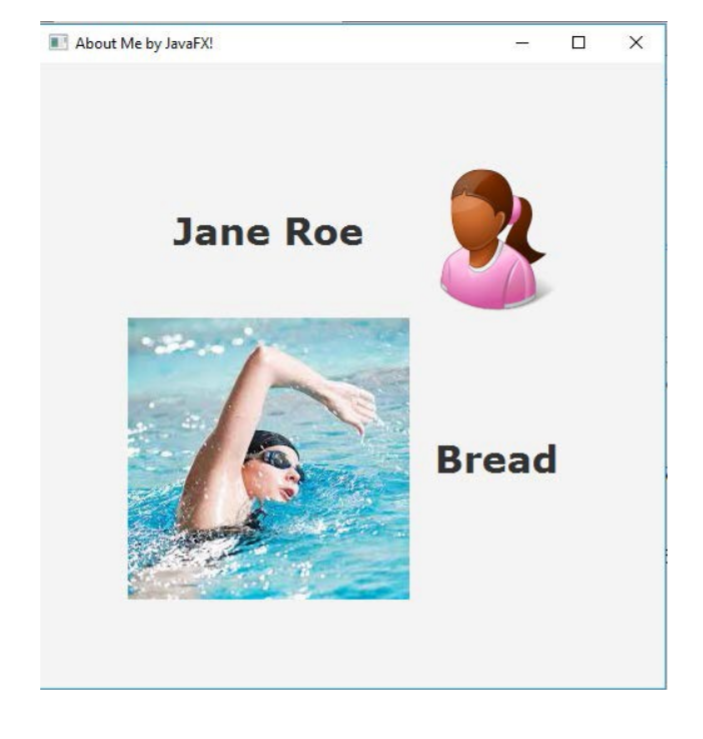
***Below is a sample output
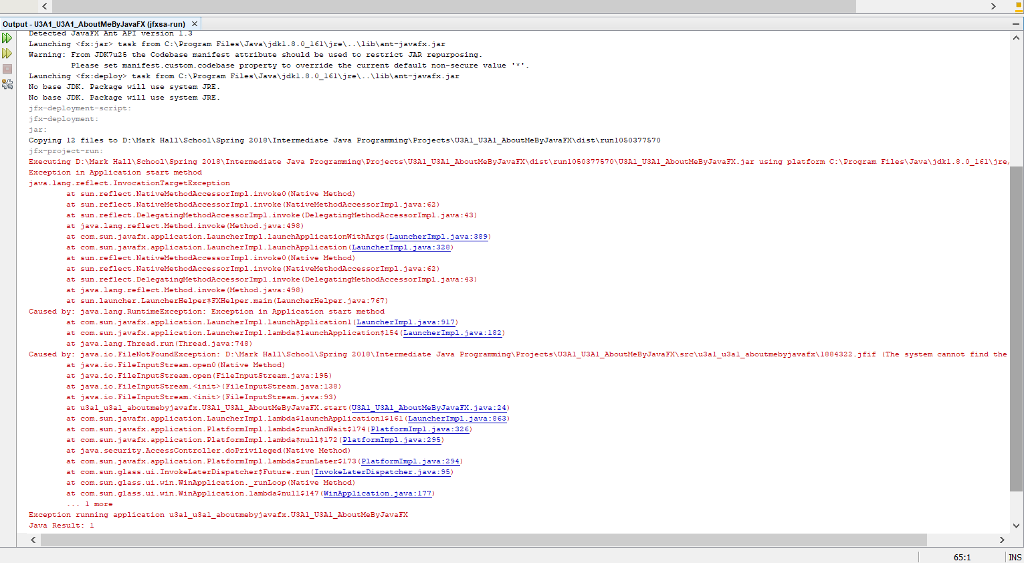
This is my code and the error im getting. If someone could use my information in my code to complete this problem and give a few sentences on how you completed it, that would be most helpful. I am using this stock male avatar photo and golf photo. With "Mark" as the name and "Pizza" as the favorite food.


package u3a1_u3a1_aboutmebyjavafx;
import javafx.application.Application; import javafx.scene.Group; import javafx.scene.Scene;
import javafx.scene.text.Text; import javafx.scene.text.Font; import javafx.scene.text.FontPosture; import javafx.scene.text.FontWeight; import javafx.scene.image.Image; import javafx.scene.image.ImageView; import javafx.stage.Stage; import java.io.FileInputStream; import java.io.FileNotFoundException;
public class U3A1_U3A1_AboutMeByJavaFX extends Application { @Override public void start(Stage stage) throws FileNotFoundException { Text text = new Text(); Text text2 = new Text(); Image image = new Image(new FileInputStream("D:\\Mark Hall\\School\\Spring 2018\\Intermediate Java Programming\\Projects\\U3A1_U3A1_AboutMeByJavaFX\\src\\u3a1_u3a1_aboutmebyjavafx\\1884322.jfif")); Image image2 = new Image(new FileInputStream("D:\\Mark Hall\\School\\Spring 2018\\Intermediate Java Programming\\Projects\\U3A1_U3A1_AboutMeByJavaFX\\src\\u3a1_u3a1_aboutmebyjavafx\\GolfImage.jfif")); ImageView imageView1 = new ImageView(image); ImageView imageView2 = new ImageView(image2); imageView1.setX(400); imageView1.setY(25); imageView2.setX(50); imageView2.setY(150); imageView1.setFitHeight(100); imageView1.setFitWidth(100); imageView2.setFitHeight(100); imageView2.setFitWidth(150); text.setX(50); text.setY(80); text2.setX(250); text2.setY(200); text.setText("Mark"); text2.setText("Pizza"); Group root = new Group(text,imageView1,imageView2,text2); Scene scene = new Scene(root, 600, 300); stage.setTitle("About me by Mark"); stage.setScene(scene); stage.show(); }
public static void main(String[] args) { launch(args); } }
About Me by JavaFX! Jane Roe Bread
Step by Step Solution
There are 3 Steps involved in it

Get step-by-step solutions from verified subject matter experts
 Study Help