







Question: In this assignment we will work with Microsoft Excel. I assume you all have some knowledge of Excel. We will use Microsoft Office for this
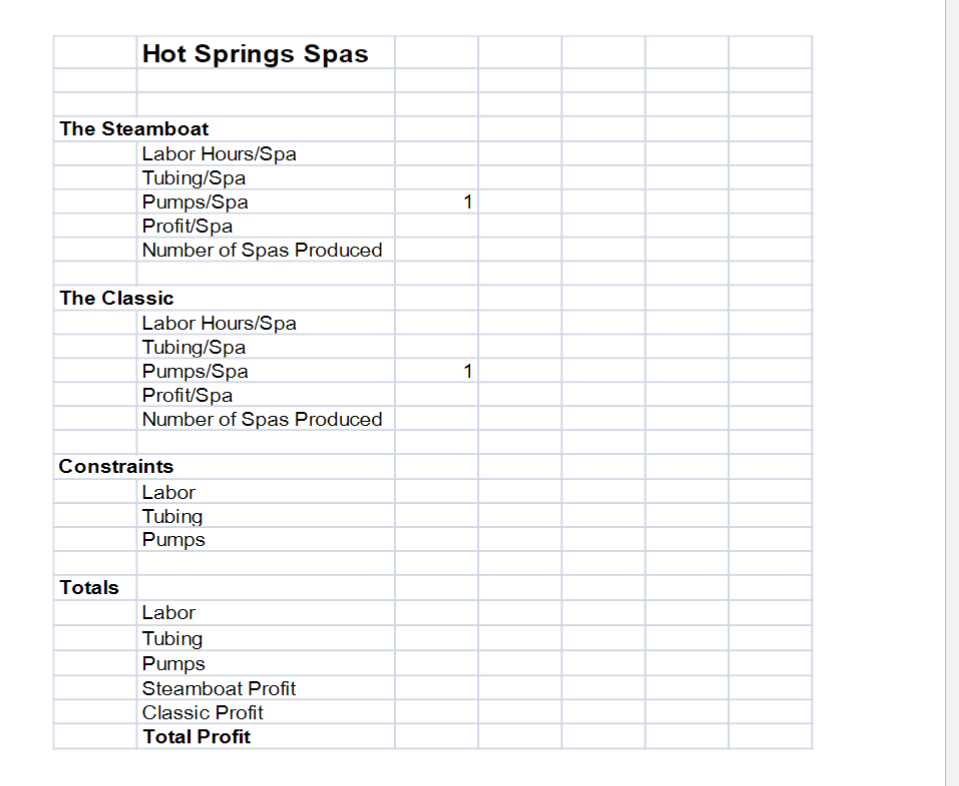
In this assignment we will work with Microsoft Excel. I assume you all have some knowledge of Excel. We will use Microsoft Office for this assignment. It is available in the lab/classroom in the College of Business. In all likelihood, it is available in other labs or library on campus as well. 2. Go to the Excel Solver Power Points on Canvas to learn how to use Solver. 3. Your assignment problem is in #4 below. I will give you a pattern to follow, but you can use your own set-up of the page if you wish. Mine is on the next page. 4. Maximizing Profit HotSprings Spas manufactures and sells two spa models: the Steamboat and the Classic. HotSprings Spas receives spa bodies from another manufacturer and then adds a pump and tubing to circulate the water. The Steamboat model demands 15.5 hours of labor and 14.5 feet of tubing. The Classic model requires 10.5 hours of labor and uses 20 feet of tubing. Based on selling patterns, the owner, Deborah liebson, has determined that the Steamboat model generates a profit of $400 per unit, and the Classic model generates $345 profit While Deborah would like a large labor capacity and sufficient tubing and motors to build any number of spas, her resources are limited. For the next production period, Deborah has 2,650 labor hours, 3,450 feet of tubing, and 231 pumps available. Deborah needs assistance in figuring out how many Steamboat and Classic models to build in order to maximize her profit. Given the constraints above, assist Deborah in her what-if analysis. 5. Before going into Tools/Solver, you need to write functions for each of the cells in the Totals section, that is, for total labor, total tubing, total pumps, total Steamboat profit, total Classic profit and total profit. 6. In Solver the target cell will be Total Profit which you will try to maximize. The variable cells will be the two Number of Spas Produced cells, one for Steamboat and one for Classic. Add the constraints and then solve. 7. Name your file [Assignment_Solver]_[YourFirstName]_[YourLastName]. Delete what is in the two variable cells, the two Number of Spas Produced cells, before you send it and all your totals should go back to 0. But dont delete your formulas or change your Solver dialog box. When this is working properly, submit it to Canvas. 8. Go to Canvas and choose the Assignments link from the Course Menu. Then click on Assignment 4. Then scroll down and click Add Attachments. Click on My Computer and add the .xlsx file from your computer. Click Submit. If everything went well, youll get a message that your assignment was submitted. Check under the Submitted tab under assignments to be sure youve properly submitted. 7. Submit your assignment before the due date.
Step by Step Solution
There are 3 Steps involved in it
StepbyStep Guide to Solve the Problem in Excel Using Solver Set Up Your Excel Sheet The Steamboat La... View full answer

Get step-by-step solutions from verified subject matter experts
 Study Help