







Question: In this exercise, you create an application that allows the user to enter two items of information for any number of students: whether the student
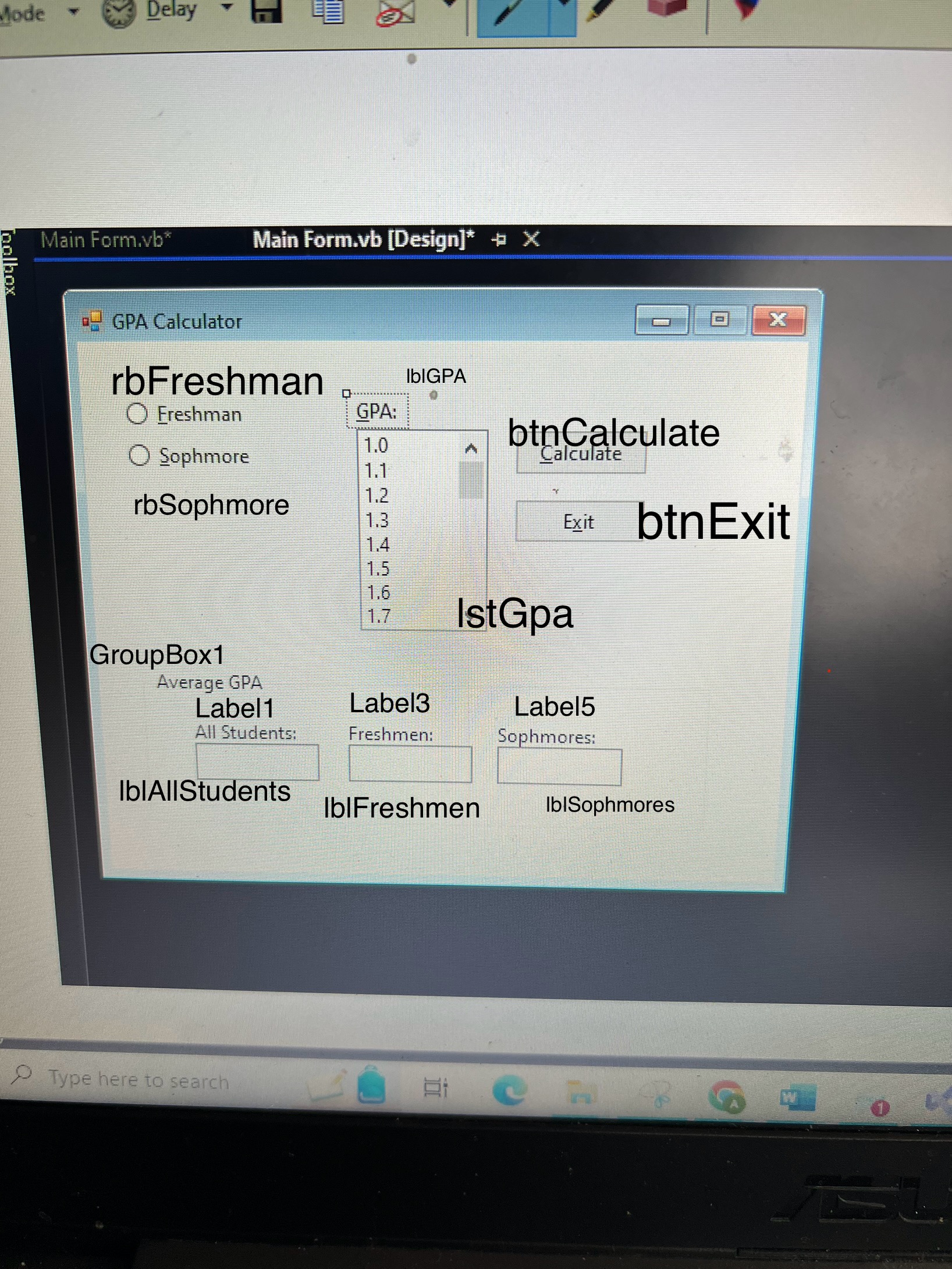
In this exercise, you create an application that allows the user to enter two items of information for any number of students: whether the student is a freshman or sophomore and the student's GPA. The application should calculate the average GPA for all students, the average GPA for freshmen, and the average GPA for sophomores. Create a Windows Forms application. Use the following names for the project and solution, respectively: GPA Project and GPA Solution. Save the application in the VBeChap folder. The application's interface is shown in Figure The list box should list GPAs from through in increments of eg Code the application. Save the solution and then start and test the application. F F FF AA Im attaching what I have coded so far, but calculations aren't being done corrctly. Please help!
Public Class frmMain
Dim allStudentsGpa As Double
Dim allStudentsCount As Integer
Dim FreshmanGpa As Double
Dim SophomoreGpa As Double
Private Sub btnExitClicksender As Object, e As EventArgs Handles btnExit.Click
MeClose
End Sub
Private Sub btnCalculateClicksender As Object, e As EventArgs Handles btnCalculate.Click
Dim gpa As Double
If Double.TryParselstGpaText, gpa AndAlso gpa AndAlso gpa Then
Dim isFreshman As Boolean rbFreshman.Checked
Update total GPA and count
allStudentsGpa gpa
allStudentsCount
Update either freshman or sophomore GPA
If isFreshman Then
FreshmanGpa gpa
Else
SophomoreGpa gpa
End If
Display GPA in Listbox
lstGpa.Items.Addgpa
Clear textboxes
lstGpa.Text
rbFreshman.Checked False
rbSophomore.Checked False
Else
MessageBox.ShowInvalid GPA. Please enter a valid GPA between and
End If
Calculate averages
If allStudentsCount Then
Dim averageAllStudents As Double allStudentsGpa allStudentsCount
Dim averageFreshmen As Double IIfallStudentsCount FreshmanGpa allStudentsCount
Dim averageSophomores As Double IIfallStudentsCount SophomoreGpa allStudentsCount
Update labels or textboxes to display the averages
lblAllStudents.Text averageAllStudents.ToStringF
lblFreshmen.Text averageFreshmen.ToStringF
lblSophomores.Text averageSophomores.ToStringF
End If
End Sub
End Class
Step by Step Solution
There are 3 Steps involved in it
1 Expert Approved Answer
Step: 1 Unlock

Question Has Been Solved by an Expert!
Get step-by-step solutions from verified subject matter experts
Step: 2 Unlock
Step: 3 Unlock
 Study Help