







Question: In this exercise, you modify the ABC Company application coded in the chapter. Use Windows to make a copy of the ABC Solution folder. Save
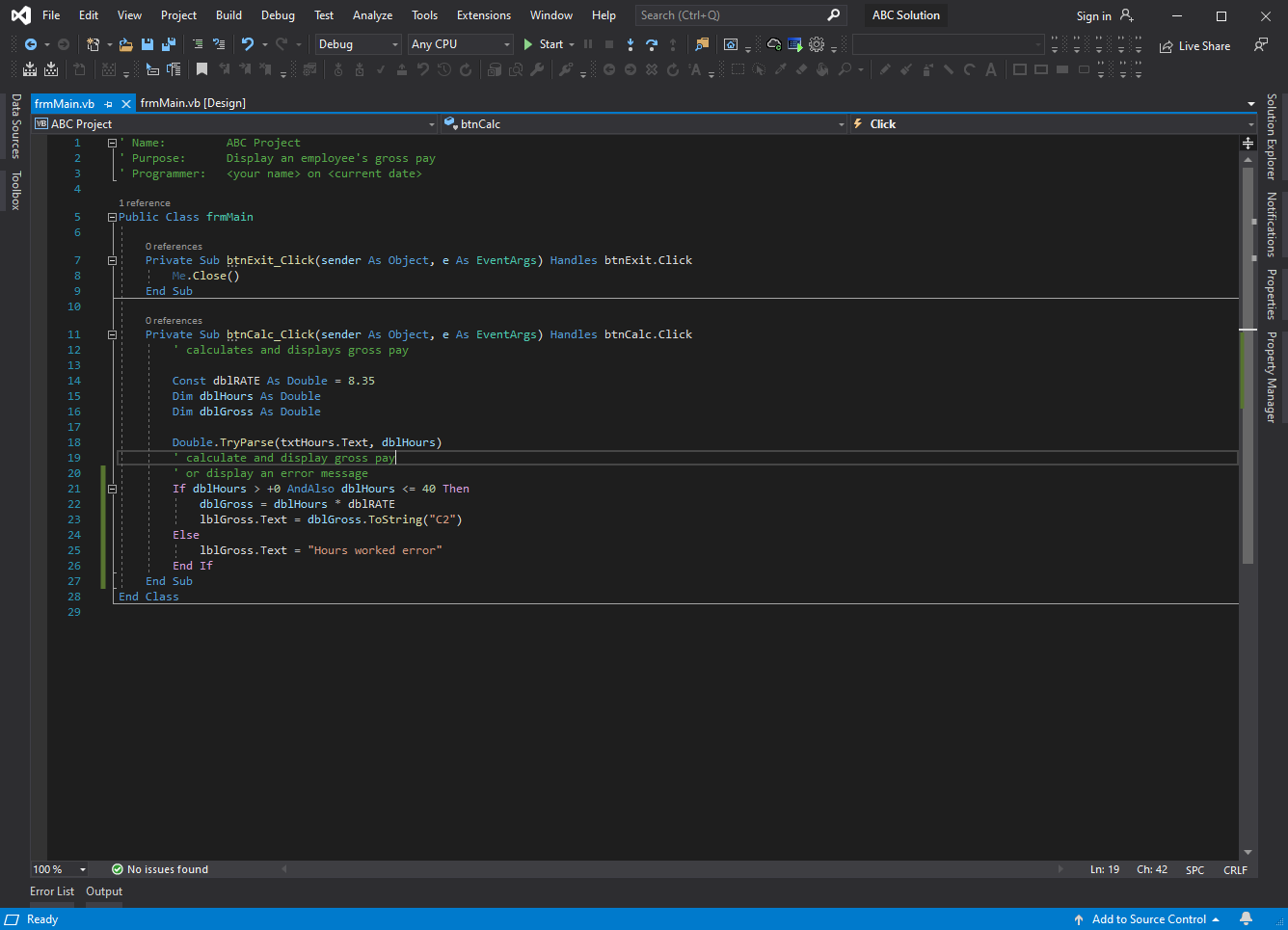
In this exercise, you modify the ABC Company application coded in the chapter. Use Windows to make a copy of the ABC Solution folder. Save the copy in the ClearlyVB2012\Chap09 folder. Rename the copy Modified ABC Solution. Open the ABC Solution (ABC Solution.sln) file contained in the Modified ABC Solution folder. Open the Code Editor window and locate the btnCalc_Click procedure. The selection structure's condition determines whether the hours worked are in the acceptable range. Modify the condition so that it determines whether the hours worked are not in the acceptable range. Then make the appropriate modifications to the instructions within the selection structure. Save the solution and then start the test the application. Close the Code Editor window and then close the solution
File ABC Solution Sign in 8 Edit View Project Build Debug Test Analyze Tools Extensions O 3? 2S - Debug Any CPU - M-a i 1 v 2 2 9 CD Window Help Start - || - 0 Live Share LO Search (Ctrl+Q) !?? @ Q O & CADRU D X & = = = = ICA DOO btnCalc - 4 Click Data Sources Toolbox frmMain.vb + XfrmMain.vb [Design] VE ABC Project - 1 ' Name: ABC Project T Purpose: Display an employee's gross pay l' Programmer:
Step by Step Solution
There are 3 Steps involved in it

Get step-by-step solutions from verified subject matter experts
 Study Help