







Question: In this exercise, you'll enhance the Future Value application you designed in Assignment 5 - Tutorial Exercise 2 by adding a Sub procedure that determines
In this exercise, you'll enhance the Future Value application you designed in Assignment Tutorial Exercise by adding a Sub procedure that determines the future value of a total investment. The interface of the enhanced Future Value application is shown in the figure below.
In the folder you created to store assignment files for this course, create a subfolder for Assignment Homework Exercise. Copy the application folder of the Future Value application you developed in Assignment Tutorial Exercise into this new subfolder optional depending on how you manage the applications for the assignments Rename the folder appropriately.
Open the application.
Code a sub procedure:
It can only be used by the code in the same class.
Name the procedure as "ComputeFutureV Value".
It needs four parameters that will calculate the future value of a total investment with the given amount of monthly investment, monthly interest rate and the total number of months the investment will be made. To this end:
Declare the first parameter as Decimal and name it as myMonthlyInvestment.
Declare the second parameter as Decimal and name it as myMonthlyInterestRate.
Declare the third parameter as Integer and name it as myMonths.
Declare the fourth parameter as Decimal and name it as myFutureValue; in addition, the argument of this parameter is passed by reference.
Code the body of the procedure so it works correctly.
Modify the code in the btnCalculateClick procedure so it calls the sub procedure "ComputeFutureValue" to set the future value. Then, test these changes to make sure they work.
Save the solution and close it
Zip the solution folder and submit the zipped file.
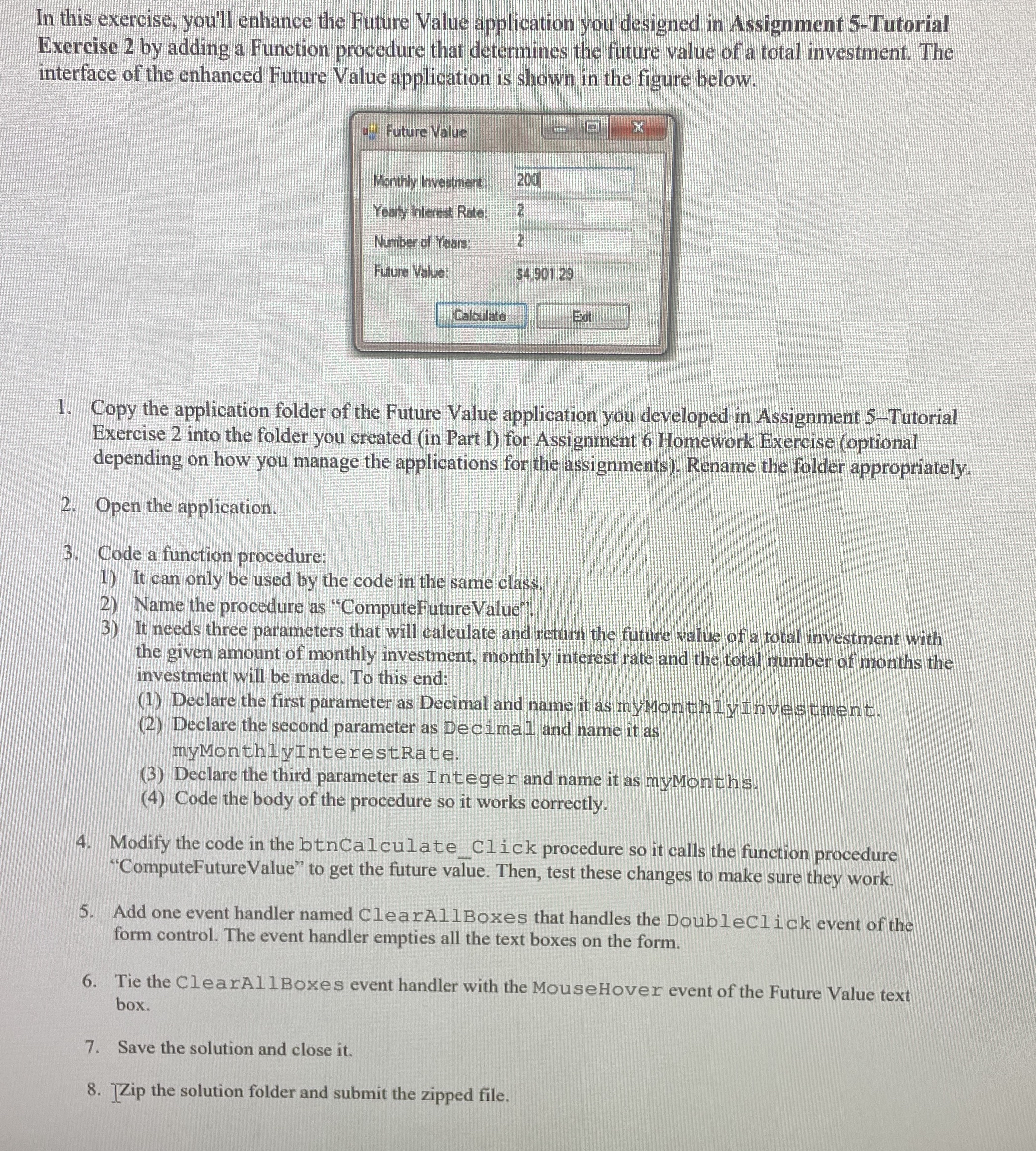
In this exercise, you'll enhance the Future Value application you designed in Assignment Tutorial Exercise by adding a Function procedure that determines the future value of a total investment. The interface of the enhanced Future Value application is shown in the figure below.
Copy the application folder of the Future Value application you developed in Assignment Tutorial Exercise into the folder you created in Part I for Assignment Homework Exercise optional depending on how you manage the applications for the assignments Rename the folder appropriately.
Open the application.
Code a function procedure:
It can only be used by the code in the same class.
Name the procedure as "ComputeFutureValue".
It needs three parameters that will calculate and return the future value of a total investment with the given amount of monthly investment, monthly interest rate and the total number of months the investment will be made. To this end:
Declare the first parameter as Decimal and name it as myMonthlyInvestment.
Declare the second parameter as Decimal and name it as myMonthlyInterestRate.
Declare the third parameter as Integer and name it as myMonths.
Code the body of the procedure so it works correctly.
Modify the code in the btnCalculateClick procedure so it calls the function procedure "ComputeFutureValue" to get the future value. Then, test these changes to make sure they work.
Add one event handler named ClearAllBoxes that handles the DoubleClick event of the form control. The event handler empties all the text boxes on the form.
Tie the ClearAllBoxes event handler with the MouseHover event of the Future Value text box.
Save the solution and close it
Zip the solution folder and submit the zipped file. Visual Studio
Step by Step Solution
There are 3 Steps involved in it
1 Expert Approved Answer
Step: 1 Unlock

Question Has Been Solved by an Expert!
Get step-by-step solutions from verified subject matter experts
Step: 2 Unlock
Step: 3 Unlock
 Study Help