







Question: In this lab, I was asked to create a second function printIntAsBinary (unsigned int number) to work with integers. *I have attached the code for
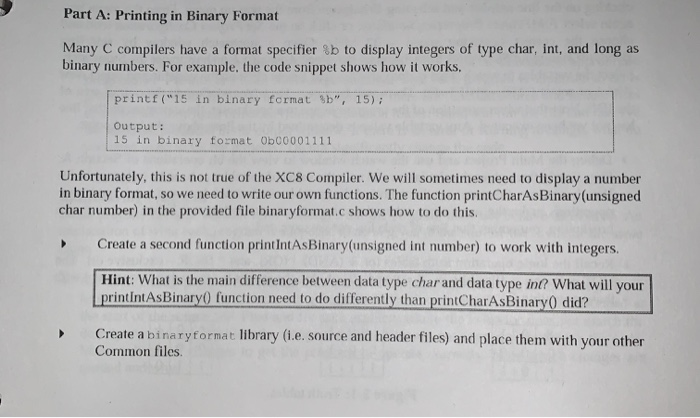
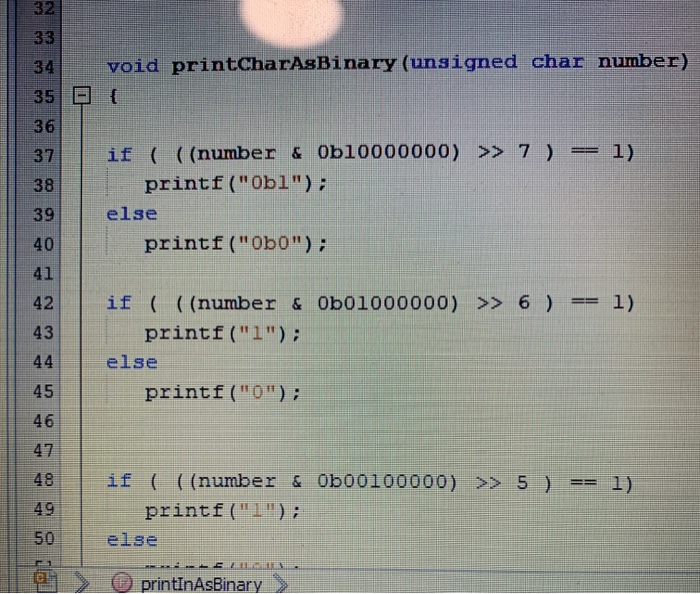
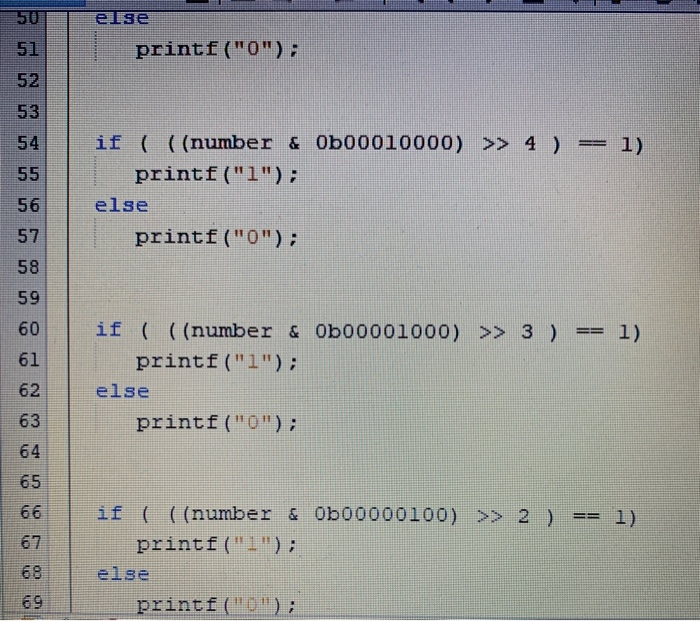
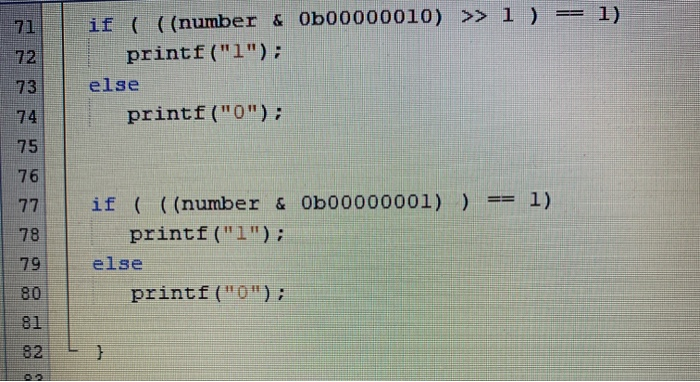
Part A: Printing in Binary Format Many C compilers have a format specifier b to display integers of type char, int, and long as binary numbers. For example, the code snippet shows how it works. printf("15 in binary format ", 15); Output: 15 in binary format ObC0001111 Unfortunately, this is not true of the XC8 Compiler. We will sometimes need to display a number in binary format, so we need to write our own functions. The function printCharAsBinary(unsigned char number) in the provided file binaryformat.c shows how to do this. Create a second function printintAsBinary(unsigned int number) to work with integers. Hint: What is the main difference between data type char and data type in? What will your printintAsBinary function need to do differently than printCharAsBinary did? Create a binaryformat library (t.e. source and header files) and place them with your other Common files void printcharAsBinary (unsigned char number) { O if ( ((number & Ob10000000) >> 7) == printf("Obl"); else printf("0b0"); 41 42 43 if ( ((number & Ob01000000) >> 6) == 1) printf("1"); else printf ("0"); 46 41 48 if ( ((number & Ob00100000) >> 5 ) == 1) printf("1"); else LE2 O printInAsBinary > else printf("0"); 51 52 53 54 55 if ( ((number & Obo0010000) >> 4 ) == 1) printf("1"); else printf("0"); if ( ((number & Ob00001000) >> 3) == 1) printf("1"); else printf("0"); if ( ((number & Ob00000100) >> 2 ) == 1) printf("1"); else printf ("0"); 1) if ( ((number & Ob00000010) >>> 1 ) == printf("1"); else printf("0"); if ( ((number & Ob00000001) ) == 1) printf("1"); else printf("0")
Step by Step Solution
There are 3 Steps involved in it

Get step-by-step solutions from verified subject matter experts
 Study Help