



Question: In this lab, you need to ue MySQL Workbench to do the following: Start MySQL Workbench, login to the MySQL server using the connection you
In this lab, you need to ue MySQL Workbench to do the following:
Start MySQL Workbench, login to the MySQL server using the connection you created in Lab
Use SQL commands only to create the ZAGI database.
Use SQL commands only to create all tables in the ZAGI database.
Use SQL commands only to populate the tables fill them with data
Note: the code for creatingpopulating the ZAGI database can be found in chapter
After you createpopulate the ZAGI database successfully, write and run the SQL queries that accomplish the following tasks in the ZAGI database:
Display all records in the customer table.
Display all customers whose name starts with the letter
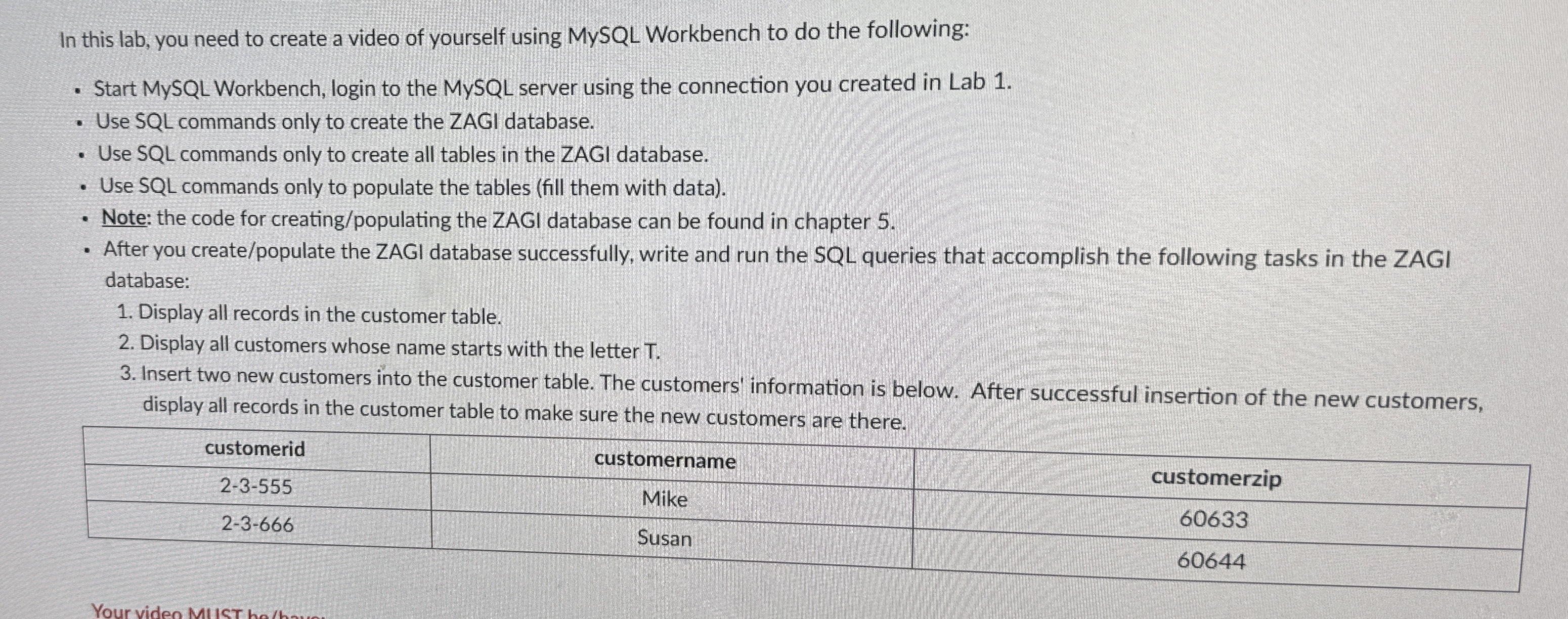
Insert two new customers into the customer table. The customers' information is below. After successful insertion of the new customers, display all records in the customer table to make sure the new customers are there.
tablecustomeridcustomername,customerzipMike,Susan,
Step by Step Solution
There are 3 Steps involved in it
1 Expert Approved Answer
Step: 1 Unlock

Question Has Been Solved by an Expert!
Get step-by-step solutions from verified subject matter experts
Step: 2 Unlock
Step: 3 Unlock