







Question: In this lab you will practice including a library that was created in another language known as VB (Visual Basic), using arrays and structures, and
In this lab you will practice including a library that was created in another language known as VB (Visual Basic), using arrays and structures, and reading from files. As the application programmer there is no requirement on your side to know anything about VB but you will need to know how to include a library in your project. This lab contains step-by-step instructions on how to add the library to your project. In your application you will be calling functions that will compute complex number math. The answer should be displayed inside in a label called lblAns.
Design a form similar to image below using Visual Studio and Visual C# as your default language.
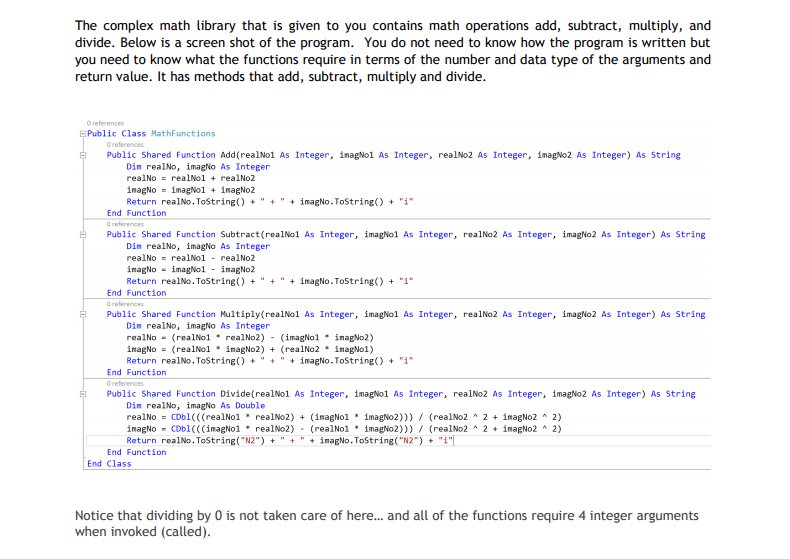
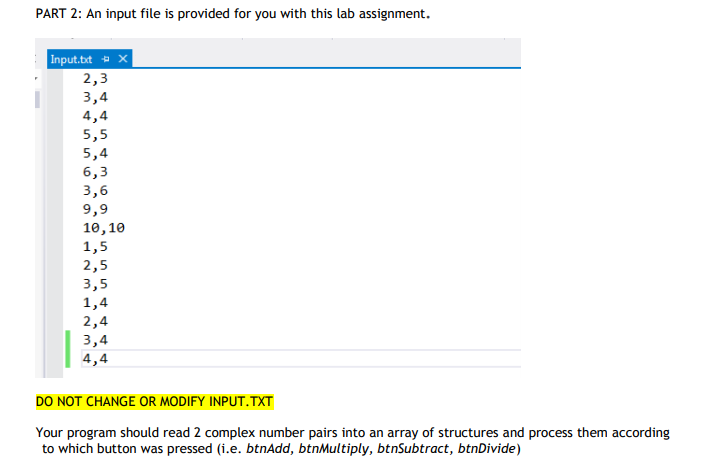
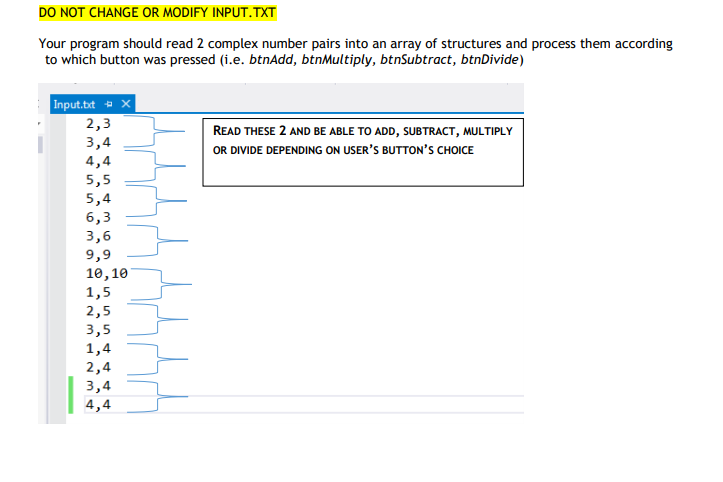
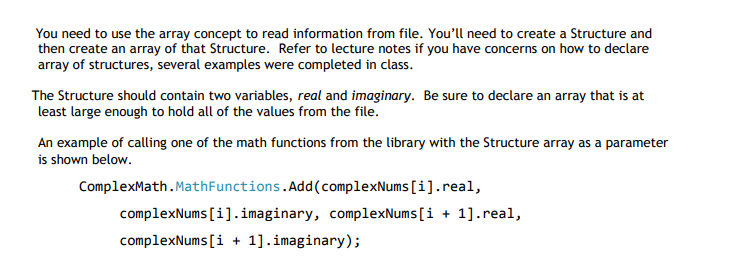
The complex math library that is given to you contains math operations add, subtract, multiply, and divide. Below is a screen shot of the program. You do not need to know how the program is written but you need to know what the functions require in terms of the number and data type of the arguments and return value. It has methods that add, subtract, multiply and divide Public Class MathFunctions Public Shared Function Add(realNol As Integer, inagNol As Integer, realNo2 As Integer, imagNo2 As Integer) As String Din realNo, imagNo As Integer realNo realNo1 + realNo2 Return realNo. ToString)"imagNo.Totring)i End Function Public Shared Function Subtract (realNo1 As Integer, imagNo1 As Integer, realNo2 As Integer, imagNo2 As Integer) As String Din realNo, imagNo As Integer inagNoimagNo1 inagNo2 Return realNo . Tostring() + " + + imagNo . ToString() + "1" End Function Public Shared Function Multiply (realNo1 As Integer, imagNo1 As Integer, realNo2 As Integer, imagNo2 As Integer) As String Din realNo, imagNo As Integer realNo(realNo1realNo2) - (imagNol inaENo2) Return realNo. ToString)"imagNo.ToString)i End Function Public Shared Function Divide(realNo1 As Integer, imagNo1 As Integer, realNo2 As Integer, imagNo2 As Integer) As String Din realNo, imagNo As Double realNo CDbl(((realNol realNo2) (imagNol imagNo2))) (realNo22 imagNo2 2) imagNo CDbl(((imagNo1realNo2) -(realNo1imagNo2))) (realNo2 2inagNo2 A 2) Return realNo. ToString(N2") ""inagNo.ToString End Function End Class Notice that dividing by 0 is not taken care of here... and all of the functions require 4 integer arguments when invoked (called)
Step by Step Solution
There are 3 Steps involved in it

Get step-by-step solutions from verified subject matter experts
 Study Help