







Question: In this problem you will create your own function to perform matrix operations using loops and scalar multiplication, scalar addition, and scalar subtraction. The purpose
In this problem you will create your own function to perform matrix operations using loops and
scalar multiplication, scalar addition, and scalar subtraction. The purpose of this assignment is
to provide experience using loops with arrays and to provide experience with matrix algebra.
MATLAB does have builtin matrix functions such as the inverse function inv the transpose
function transpose or the determinant function det matrix addition matrix
subtraction and matrix multiplication Your code may not use MATLAB's builtin matrix
functions. Similarly, your code may not use MATLAB's vectorization syntax ie the dot operators
such and All computations must be performed using loops that process individual
array elements one at a time. Code that uses the builtin MATLAB matrix functions or
vectorization will receive no credit.
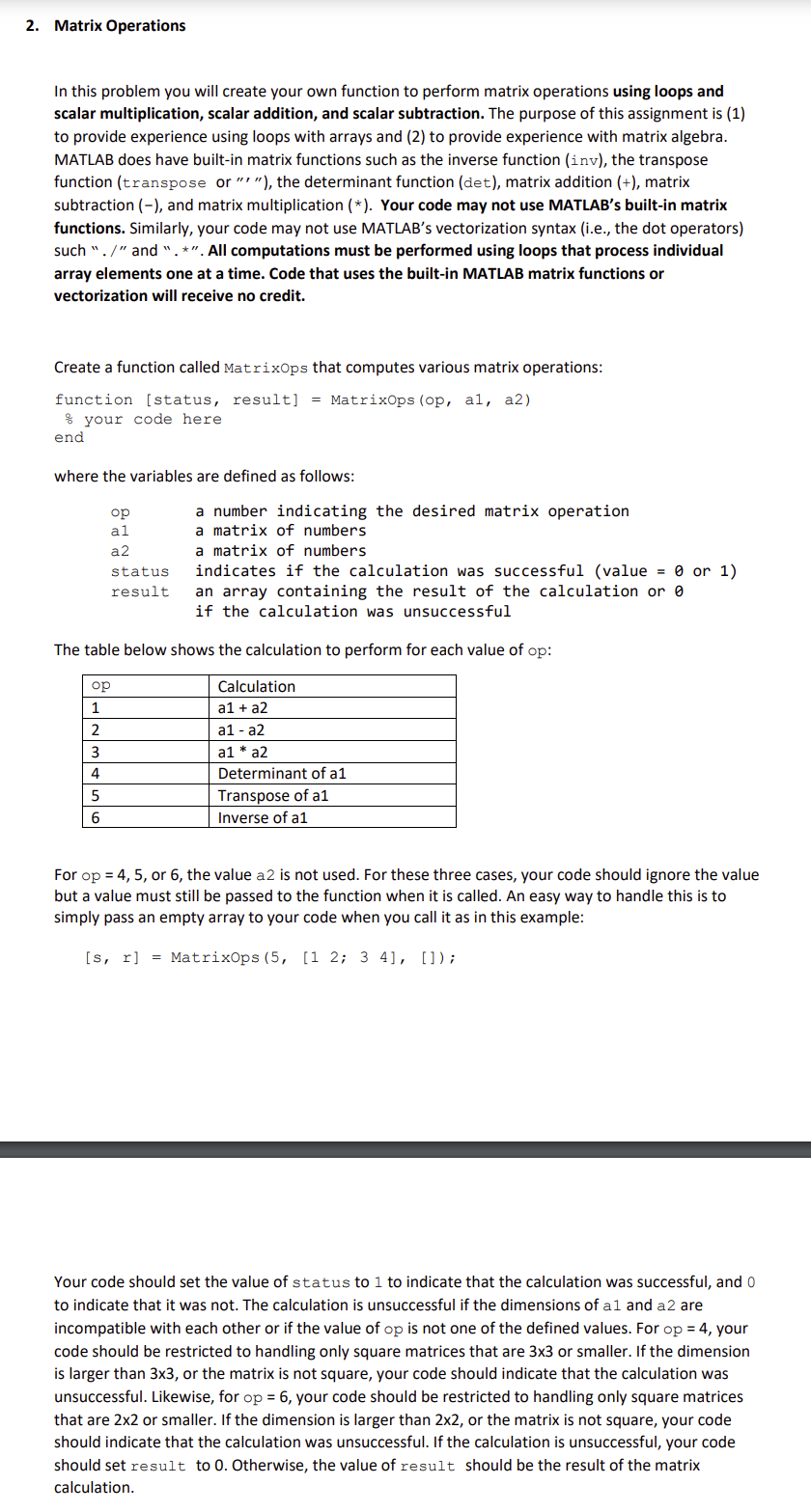
Create a function called MatrixOps that computes various matrix operations:
function status result MatrixOps op a a
your code here
end
where the variables are defined as follows:
op a number indicating the desired matrix operation
a
a matrix of numbers
a a matrix of numbers
status indicates if the calculation was successful value or
result an array containing the result of the calculation or
if the calculation was unsuccessful
The table below shows the calculation to perform for each value of :
For or the value a is not used. For these three cases, your code should ignore the value
but a value must still be passed to the function when it is called. An easy way to handle this is to
simply pass an empty array to your code when you call it as in this example:
MatrixOps;;
Your code should set the value of status to to indicate that the calculation was successful, and
to indicate that it was not. The calculation is unsuccessful if the dimensions of a and a are
incompatible with each other or if the value of is not one of the defined values. For your
code should be restricted to handling only square matrices that are or smaller. If the dimension
is larger than or the matrix is not square, your code should indicate that the calculation was
unsuccessful. Likewise, for your code should be restricted to handling only square matrices
that are or smaller. If the dimension is larger than or the matrix is not square, your code
should indicate that the calculation was unsuccessful. If the calculation is unsuccessful, your code
should set result to Otherwise, the value of result should be the result of the matrix
calculation.
Step by Step Solution
There are 3 Steps involved in it
1 Expert Approved Answer
Step: 1 Unlock

Question Has Been Solved by an Expert!
Get step-by-step solutions from verified subject matter experts
Step: 2 Unlock
Step: 3 Unlock
 Study Help