



Question: In this project, you can pair up with a partner to develop a novel image filter that can be applied to any digital image
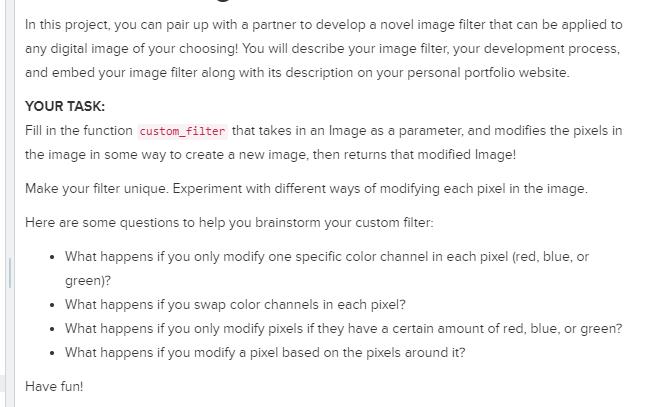

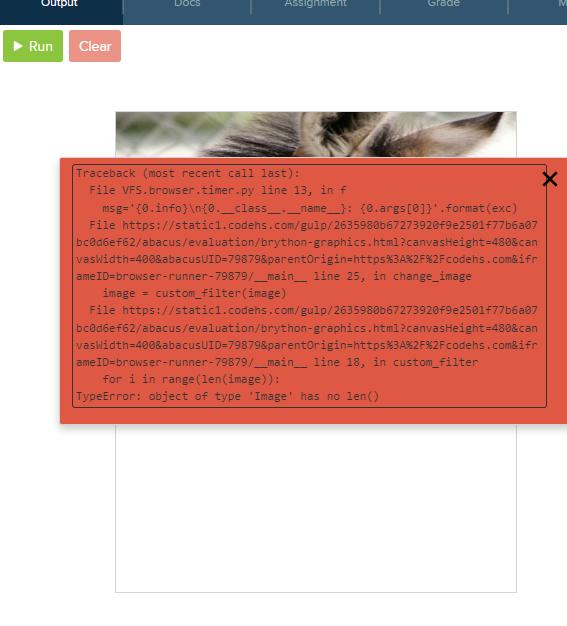
In this project, you can pair up with a partner to develop a novel image filter that can be applied to any digital image of your choosing! You will describe your image filter, your development process, and embed your image filter along with its description on your personal portfolio website. YOUR TASK: Fill in the function custom_filter that takes in an Image as a parameter, and modifies the pixels in the image in some way to create a new image, then returns that modified Image! Make your filter unique. Experiment with different ways of modifying each pixel in the image. Here are some questions to help you brainstorm your custom filter: What happens if you only modify one specific color channel in each pixel (red, blue, or green)? What happens if you swap color channels in each pixel? What happens if you only modify pixels if they have a certain amount of red, blue, or green? What happens if you modify a pixel based on the pixels around it? Have fun! main.py # Constants for the image IMAGE_URL 3 IMAGE WIDTH = 420 4 IMAGE_HEIGHT = 300 5 IMAGE_LOAD_TIME = 1000 6 123 7 8 9 10 11 12 13 14 18+ 19 9 add (image) = image Image (IMAGE_URL) image.set_size(IMAGE_WIDTH, IMAGE_HEIGHT) ***** "https://codehs.com/uploads/c709d869e62686611c1ac849367b3245" 15 # This is an example of an invert filter 16 def custom_filter(image): 17 Filter that takes an image as a parameter and applies a filter, then returns the filtered image *** for i in range (len(image)): for j in range (len (image[0])): image[i][j] 255 image[i][j] return image() 20 21 22 def change_image(): 23 24 25 26 timer.set_timeout(change_image, IMAGE_LOAD_TIME) global image image custom_filter(image) Output Run Clear Docs Assignment Traceback (most recent call last): File VFS.browser.timer.py line 13, in f Grade msg="{0.info) (0._class_name_): (0.args[0]}* .format(exc) File https://static1.codehs.com/gulp/2635988b67273920f9e2501f77b6a07 bc0d6ef62/abacus/evaluation/brython-graphics.html?canvasHeight=480&can |vaswidth=400&abacusUID=79879&parentOrigin=https%3A%2F%2Fcodehs.com&ifr ameID=browser-runner-79879/_main_ line 25, in change_image image custom_filter (image) File https://static1.codehs.com/gulp/2635980b67273920f9e2501f77b6a07 bc0d6ef62/abacus/evaluation/brython-graphics.html?canvasHeight=480&can vaswidth=400&abacusUID=79879&parentOrigin=https%3A%2F%2Fcodehs.com&ifr ameID=browser-runner-79879/_main_ line 18, in custom_filter for i in range (len(image)): TypeError: object of type 'Image has no len() M
Step by Step Solution
3.35 Rating (155 Votes )
There are 3 Steps involved in it
It seems like youre trying to create a custom image filter using Python but youre encountering an error related to the len function The error message indicates that the Image object youre using does n... View full answer

Get step-by-step solutions from verified subject matter experts