







Question: In this project, you will create a Web page that allows visitors to your site to sign a guest book that is saved to a
In this project, you will create a Web page that allows visitors to your site to sign a guest book that is saved to a database on your local computer. Go into XAMPP control panel and start the MySQL server. For this code to work, the root user password should be blank. (Note: No password on the MySQL root account is fine for testing on local systems, but do not do this on a public website.)
Add detailed comments into the code ( // Comment or /* Comment */) explaining how the code works. Specifically, add comments to every if/else statement.
Note: Please type up the whole PHP file, add in your comments and save the file as signguestbook.php, showguestbook.php and guestbook.html. Upload files to the class web server in your module9a directory for grading.
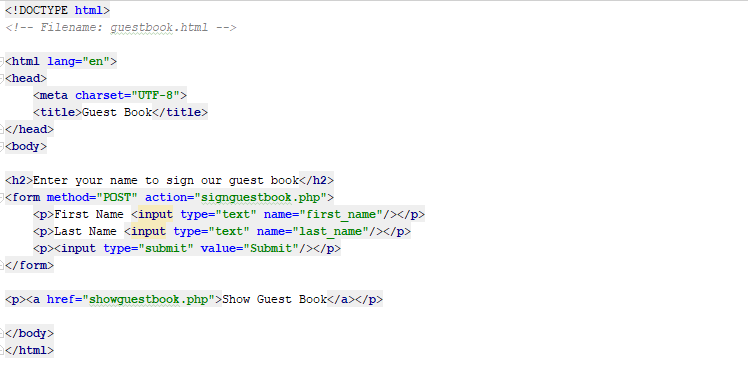
File: guestbook.html
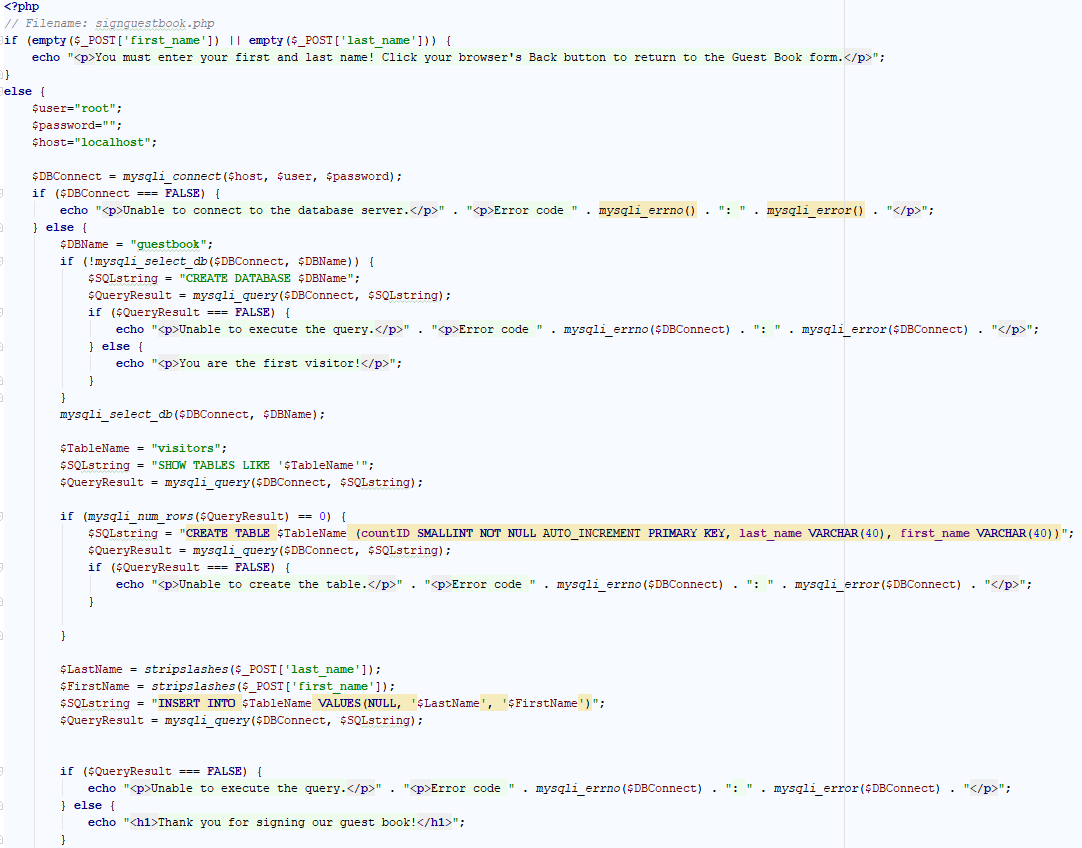
File: signguestbook.php

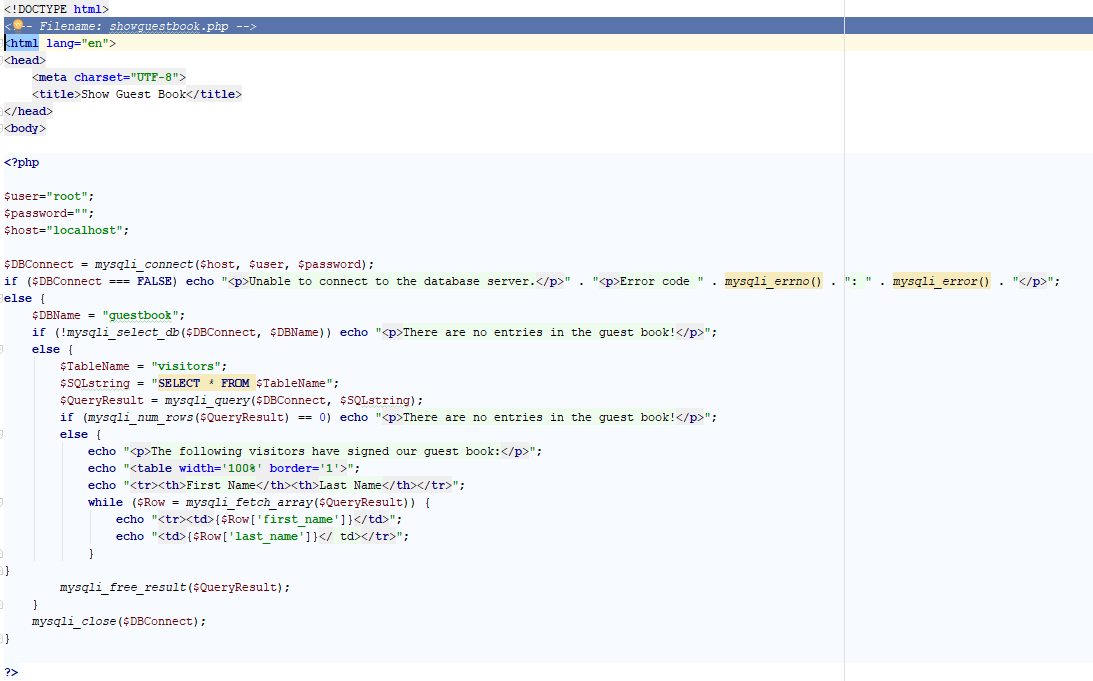
File: showguestbook.php
-Filename: guestbook.html
Step by Step Solution
There are 3 Steps involved in it

Get step-by-step solutions from verified subject matter experts
 Study Help