







Question: In this quest you are going to make a basic menu system that allows us to repeatedly choose commands until the user chooses to quit
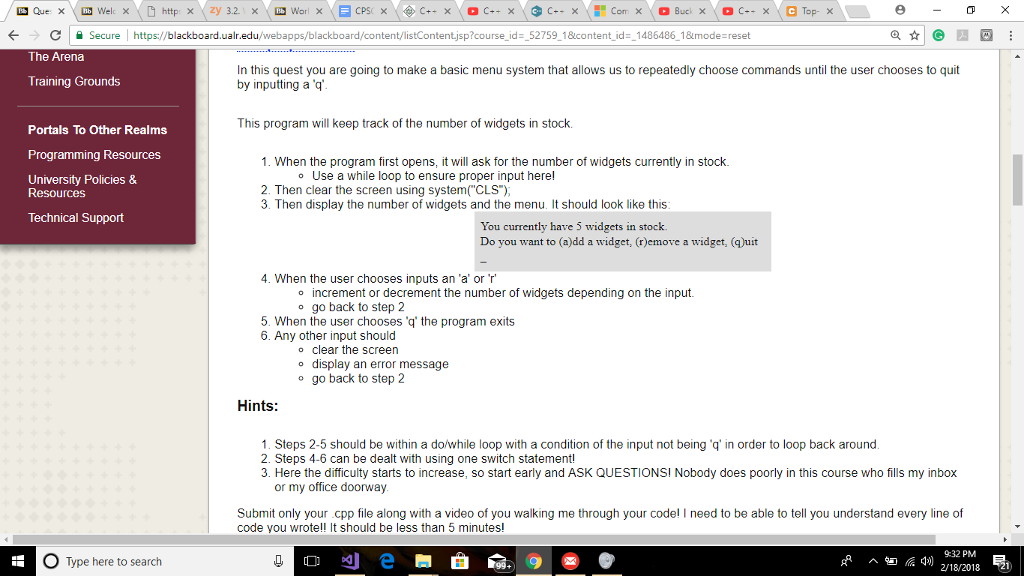
In this quest you are going to make a basic menu system that allows us to repeatedly choose commands until the user chooses to quit by inputting a 'q'.
I need help with this ASAP! I'm so confused
Secure! https://blackboard.ualr.edu/webapps/bla sp?course id_52759 18icontent id 1486486 18mode reset The Arena In this quest you are going to make a basic menu system that allows us to repeatedly choose commands until the user chooses to quit by inputting a q Training Grounds This program will keep track of the number of widgets in stock. Portals To Other Realms Programming Resources University Policies & 1. When the program first opens, it will ask for the number of widgets currently in stock. o Use a while loop to ensure proper input herel 2. Then clear the screen using system( CLS) 3. Then display the number of widgets and the menu. It should look like this Resources Technical Support You currently have 5 widgets in stock Do you want to (a)dd a widget, (r)emove a widget, (quit 4. When the user chooses inputs an 'a' or r o increment or decrement the number of widgets depending on the input. o go back to step 2 5. When the user chooses 'q' the program exits 6. Any other input should o clear the screen o display an error message o go back to step 2 Hints: 1. Steps 2-5 should be within a do/while loop with a condition of the input not being .qin order to loop back around 2. Steps 4-6 can be dealt with using one switch statement! 3. Here the difficulty starts to increase, so start early and ASK QUESTIONSI Nobody does poorly in this course who fills my inbox or my office doorway Submit only your cpp file along with a video of you walking me through your codel I need to be able to tell you understand every line of code you wrote!! It should be less than 5 minutes! 9:32 PM O Type here to search
Step by Step Solution
There are 3 Steps involved in it

Get step-by-step solutions from verified subject matter experts
 Study Help