







Question: In-Class Task 3: Using Pug to Create Views 1. Open NPM in the directory you have been using for the previous tasks 2. Open food.js
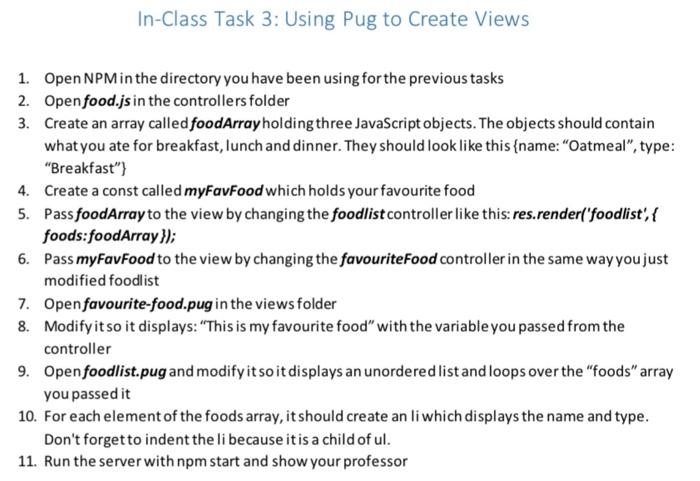
In-Class Task 3: Using Pug to Create Views 1. Open NPM in the directory you have been using for the previous tasks 2. Open food.js in the controllers folder 3. Create an array called foodArray holding three JavaScript objects. The objects should contain what you ate for breakfast, lunch and dinner. They should look like this {name: "Oatmeal", type: "Breakfast"} 4. Create a const called myFavFood which holds your favourite food 5. PassfoodArray to the view by changing the foodlist controller like this: res.render('foodlist', { foods:foodArray}); 6. Pass myFavfood to the view by changing the favourite Food controller in the same way you just modified foodlist 7. Open favourite-food.pug in the views folder 8. Modify it so it displays: "This is my favourite food" with the variable you passed from the controller 9. Open foodlist.pug and modify it so it displays an unordered list and loops over the "foods array you passed it 10. For each element of the foods array, it should create an li which displays the name and type. Don't forget to indent the libecause it is a child of ul. 11. Run the server with npm start and show your professor
Step by Step Solution
There are 3 Steps involved in it

Get step-by-step solutions from verified subject matter experts
 Study Help