







Question: index.php file products_lists.php file product_add.php file - Start from the solution for exercise 5-1. - In the Product Manager application, add another column to the
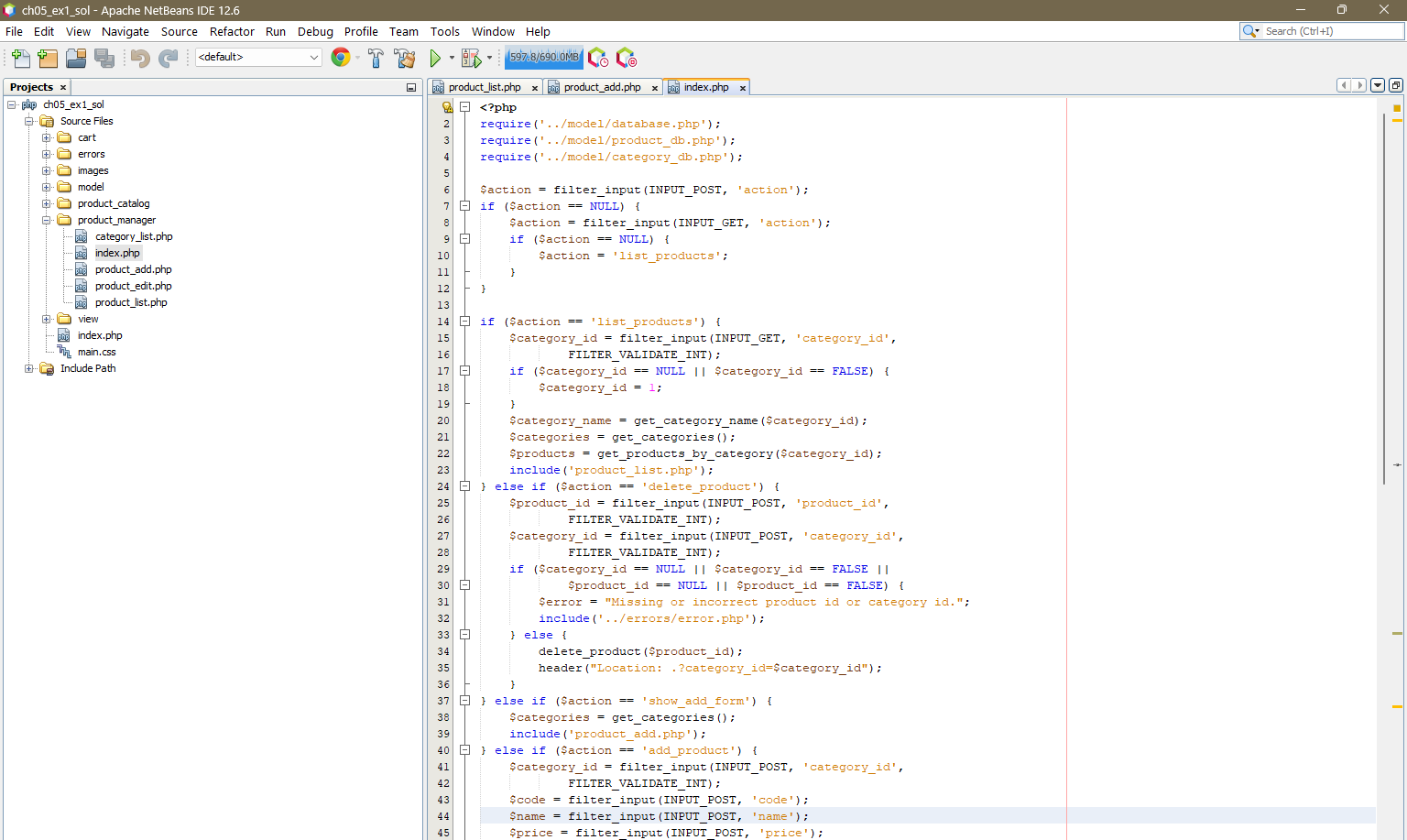
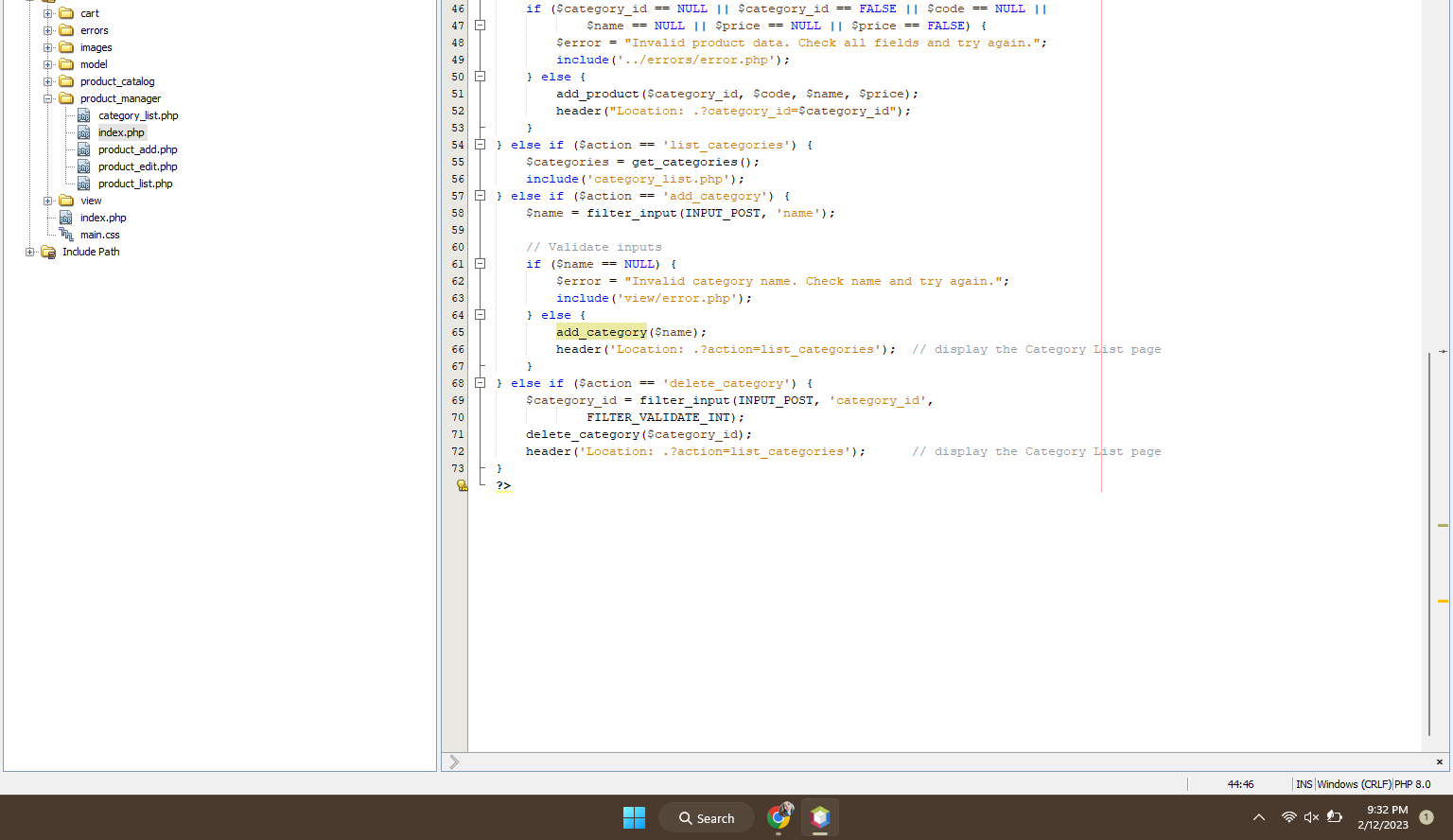
index.php file
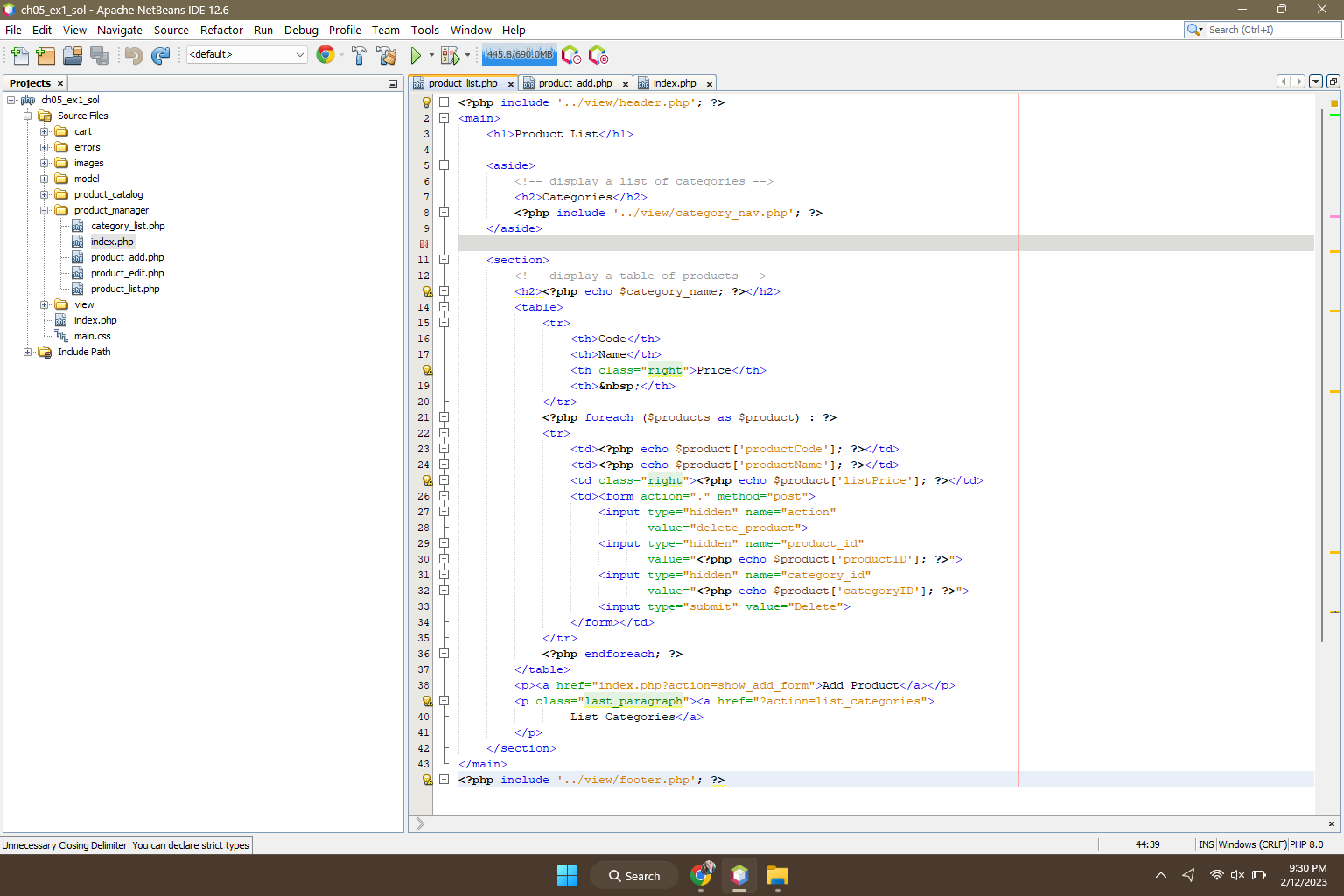
products_lists.php file
product_add.php file
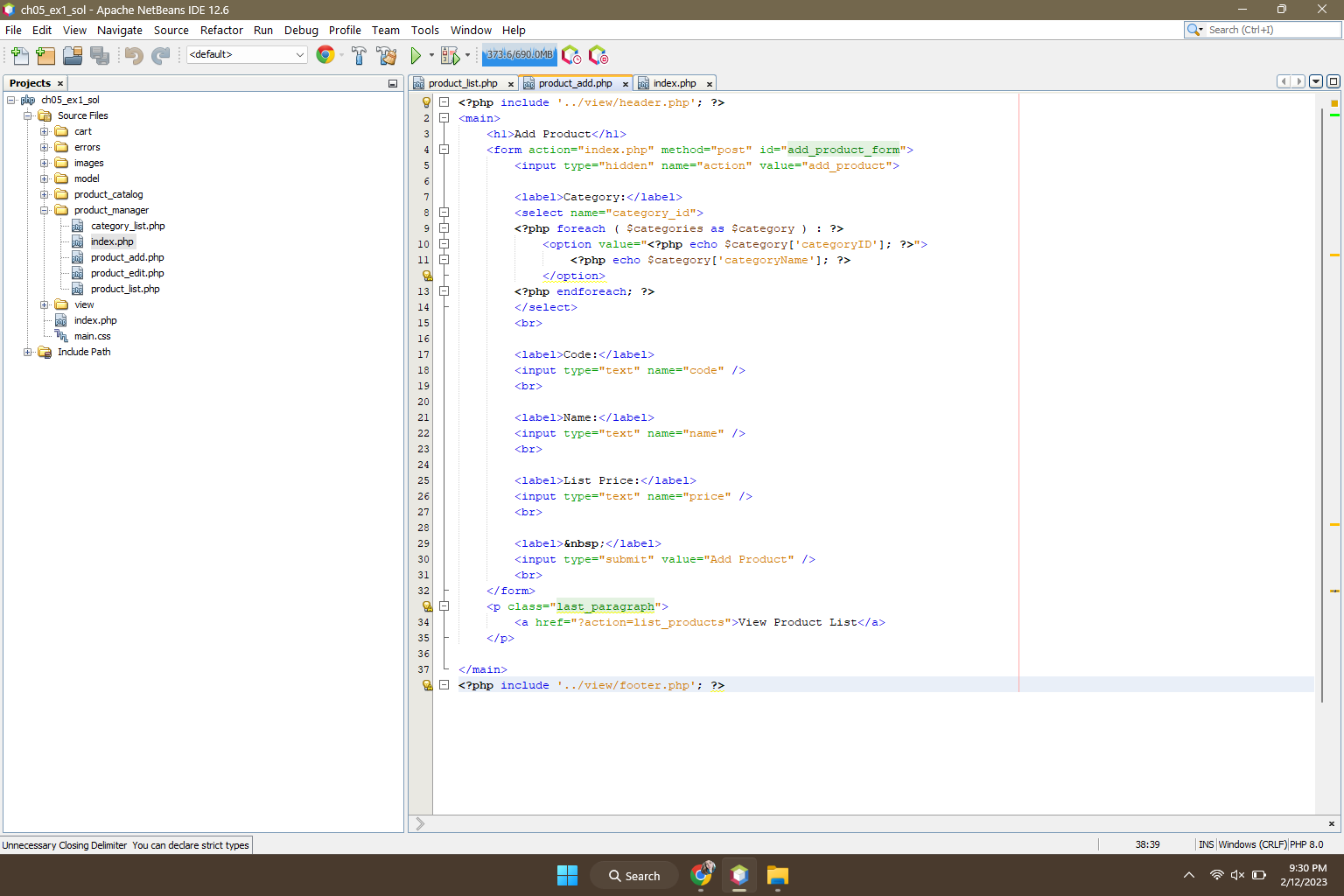
- Start from the solution for exercise 5-1. - In the Product Manager application, add another column to the Product List table that contains Edit buttons. These buttons should link to an Edit Product page that is like the Add Product page, but this page should contain the data for the selected product and have an Update Product button below the text boxes. When this button is clicked, the product should be updated. - To keep things simple, display the category ID in a text box. For extra credit, use a drop-down list to display the correct category name for the product that's being edited. - To learn how to code an UPDATE statement that updates multiple columns, see chapter 18. ch05_ex1_sol - Apache NetBeans IDE 12.6 Edit View Navigate Source Refactor Run Debug Profile Team Tools Window Help 5_ex1_sol
Step by Step Solution
There are 3 Steps involved in it

Get step-by-step solutions from verified subject matter experts
 Study Help