







Question: INSERT -DELETE ALL Create Python program that will: 1. Input a Loop number 2. Declare an array with existing 2 rows with any elements in
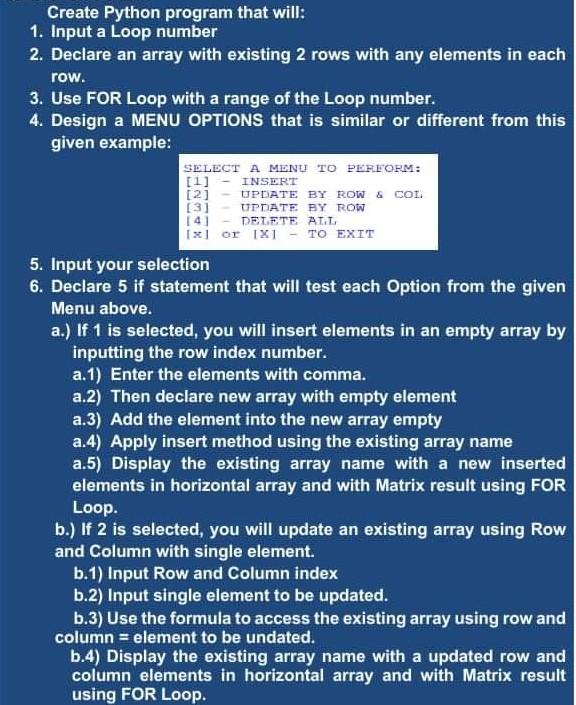
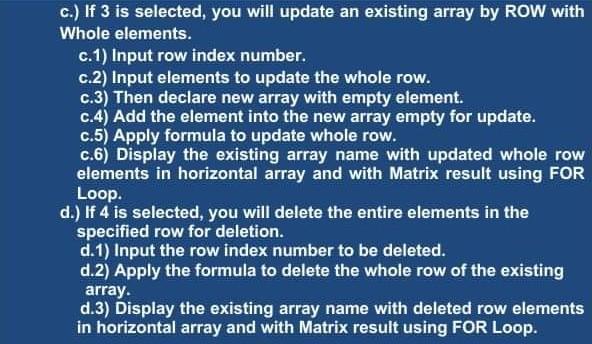
INSERT -DELETE ALL Create Python program that will: 1. Input a Loop number 2. Declare an array with existing 2 rows with any elements in each row. 3. Use FOR Loop with a range of the Loop number. 4. Design a MENU OPTIONS that is similar or different from this given example: SELECT A MENU TO PERFORM: [1] [2] - UPDATE BY ROW & COL. [3] UPDATE BY ROW 141 [x] or 1x1 - TO EXIT 5. Input your selection 6. Declare 5 if statement that will test each Option from the given Menu above. a.) If 1 is selected, you will insert elements in an empty array by inputting the row index number. a.1) Enter the elements with comma. a.2) Then declare new array with empty element a.3) Add the element into the new array empty a.4) Apply insert method using the existing array name a.5) Display the existing array name with a new inserted elements in horizontal array and with Matrix result using FOR Loop b.) If 2 is selected, you will update an existing array using Row and Column with single element. b.1) Input Row and Column index b.2) Input single element to be updated. b.3) Use the formula to access the existing array using row and column = element to be undated. b.4) Display the existing array name with a updated row and column elements in horizontal array and with Matrix result using FOR Loop. c.) If 3 is selected, you will update an existing array by ROW with Whole elements. c.1) Input row index number. c.2) Input elements to update the whole row. C.3) Then declare new array with empty element. C.4) Add the element into the new array empty for update. c.5) Apply formula to update whole row. c.6) Display the existing array name with updated whole row elements in horizontal array and with Matrix result using FOR Loop. d.) If 4 is selected, you will delete the entire elements in the specified row for deletion. d.1) Input the row index number to be deleted. d.2) Apply the formula to delete the whole row of the existing array. d.3) Display the existing array name with deleted row elements in horizontal array and with Matrix result using FOR Loop
Step by Step Solution
There are 3 Steps involved in it

Get step-by-step solutions from verified subject matter experts
 Study Help