







Question: Install Apache on an EC2 instance and create a simple web page (10 Marks) 1. Create a EC2 instance (T2.micro with suggested defaults is fine)
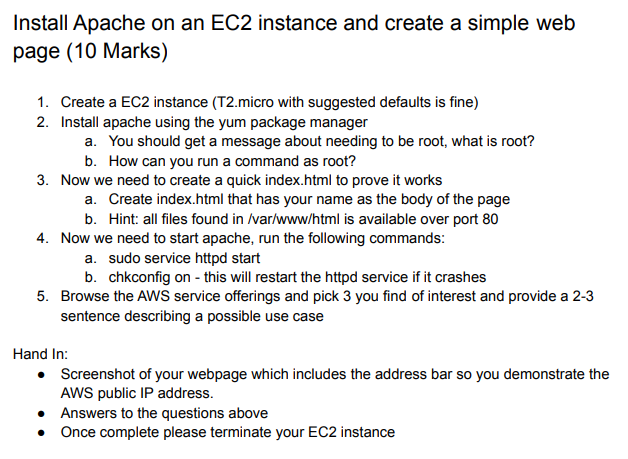
Install Apache on an EC2 instance and create a simple web page (10 Marks) 1. Create a EC2 instance (T2.micro with suggested defaults is fine) 2. Install apache using the yum package manager a. You should get a message about needing to be root, what is root? b. How can you run a command as root? 3. Now we need to create a quick index.html to prove it works a. Create index.html that has your name as the body of the page b. Hint: all files found in /var/www/html is available over port 80 4. Now we need to start apache, run the following commands: a. sudo service httpd start b. chkconfig on - this will restart the httpd service if it crashes 5. Browse the AWS service offerings and pick 3 you find of interest and provide a 2-3 sentence describing a possible use case Hand In: Screenshot of your webpage which includes the address bar so you demonstrate the AWS public IP address. Answers to the questions above Once complete please terminate your EC2 instance
Step by Step Solution
There are 3 Steps involved in it

Get step-by-step solutions from verified subject matter experts
 Study Help